
Table of Contents
Fix Error: 0x80004002 No Such Interface Supported in WSL
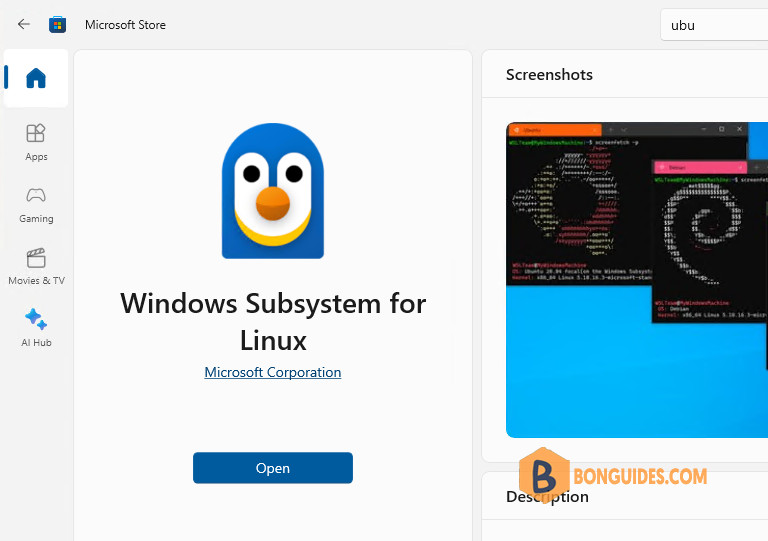
You’re running Windows 10 22H2 and installed WSL and Ubuntu via the Microsoft Store.
When you trying to install WSL using wsl –install command. You get the following error.
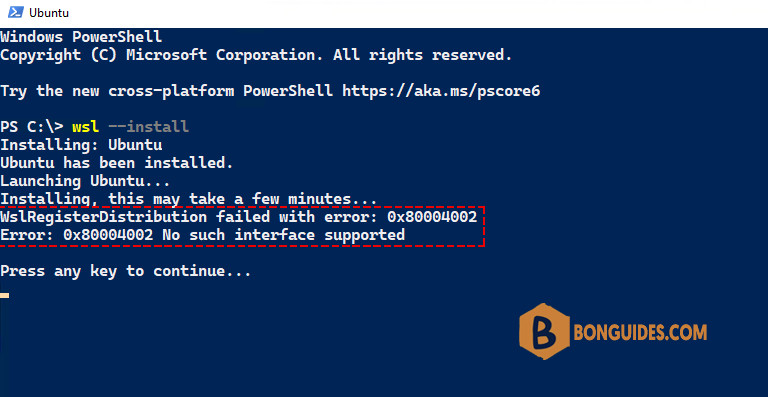
To fix it, you needed to enable the Windows Features “Windows Subsystem for Linux” and “Virtual Machine Platform” to be able to successfully install and run the Ubuntu distro.
To enable WSL 2 on a Windows machine. Let’s open an elevated PowerShell session then execute the below command. This will require a restart.
dism.exe /online /enable-feature /featurename:Microsoft-Windows-Subsystem-Linux /all /norestart
dism.exe /online /enable-feature /featurename:VirtualMachinePlatform /all /norestart
After the computer restarts, you can check if the WSL 2 is enabled using the below command:
Get-WindowsOptionalFeature -Online -FeatureName Microsoft-Windows-Subsystem-LinuxFeatureName : Microsoft-Windows-Subsystem-Linux
DisplayName : Windows Subsystem for Linux
Description : Provides services and environments for running native user-mode Linux shells and tools on Windows.
RestartRequired : Possible
State : Enabled
CustomProperties :
ServerComponent\Description : Provides services and environments for running native user-mode Linux
shells and tools on Windows.
ServerComponent\DisplayName : Windows Subsystem for Linux
ServerComponent\Id : 1033
ServerComponent\Type : Feature
ServerComponent\UniqueName : Microsoft-Windows-Subsystem-Linux
ServerComponent\Deploys\Update\Name : Microsoft-Windows-Subsystem-LinuxNext, we need to install the Linux kernel update for WSL. It can be done using the following command:
msiexec /i https://wslstorestorage.blob.core.windows.net/wslblob/wsl_update_x64.msiMore information about Linux kernel updates from Microsoft Learn.
Finally, open a WSL instance to verify it works.


