Table of Contents
Cannot Read the ProductKey From the Unattend Answer File in VirtualBox
In some cases, you got the following error when trying to install a Windows VM in VirtualBox with unattended installation. The error during Windows setup appears to be caused by malformed unattended XML configuration file.
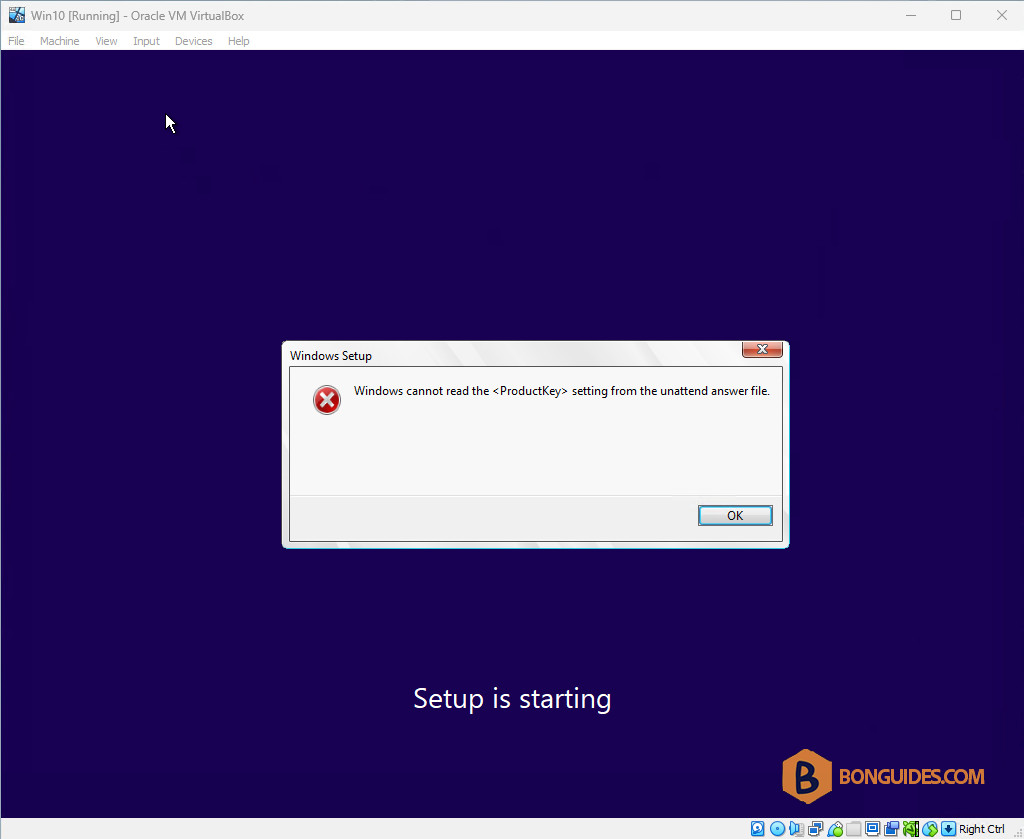
To fix the issue, you can follow the steps below:
1. Turn off the virtual machine.
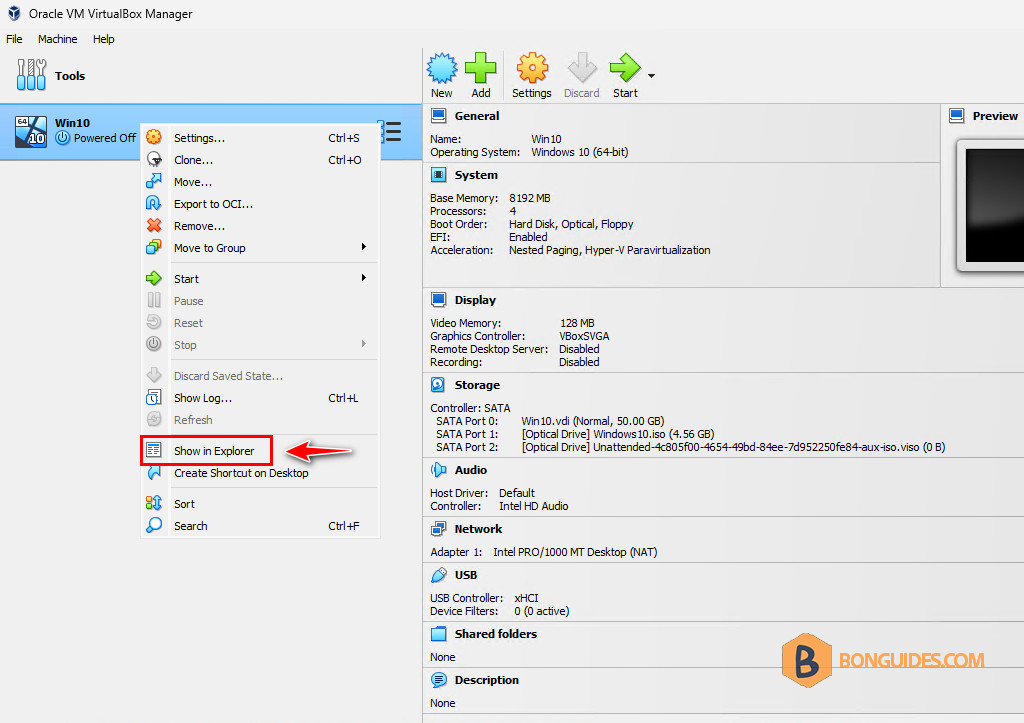
2. Open the Oracle VM Virtual Manager → Right-click on the VM in the VM list, then select Show in Explorer to open the installation location of the virtual machine.
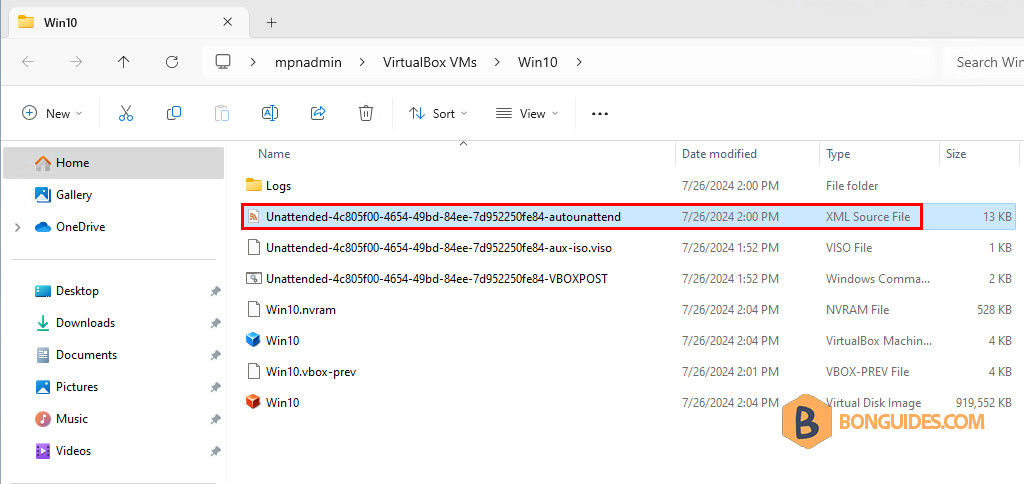
3. Inside that directory, you will find the unattended XML Source File. Please open it using your preferred text editor. The file is named ad Unattended-xxxxx.xml.
4. Scroll down to find the <ProductKey> tag. It looks strange with this empty line after <ProductKey>.
...
            <UserData>
                <ProductKey>

                    <WillShowUI>OnError</WillShowUI>
                </ProductKey>
                <AcceptEula>true</AcceptEula>
            </UserData>
...
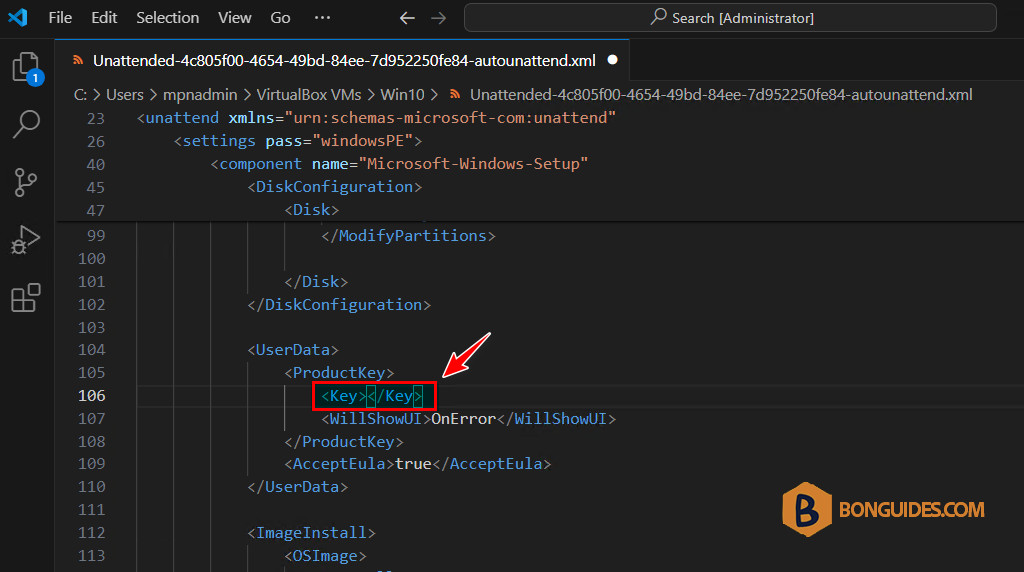
5. We need to insert the <Key> tag as follows. You can also input your product key inside the <Key> tag if you have one. Leaving it empty will install Windows without the product key.
...
            <UserData>
                <ProductKey>
                    <Key></Key>
                    <WillShowUI>OnError</WillShowUI>
                </ProductKey>
                <AcceptEula>true</AcceptEula>
            </UserData>
...
The final XML Source File should be formatted as shown in the screenshot. Then, close and save the file.
Start the virtual machine again, and the error should be gone. The unattended installation should be started to auto-install the guest without any user interaction.