Table of Contents
PuTTY Command Line Argument to Change Window Title
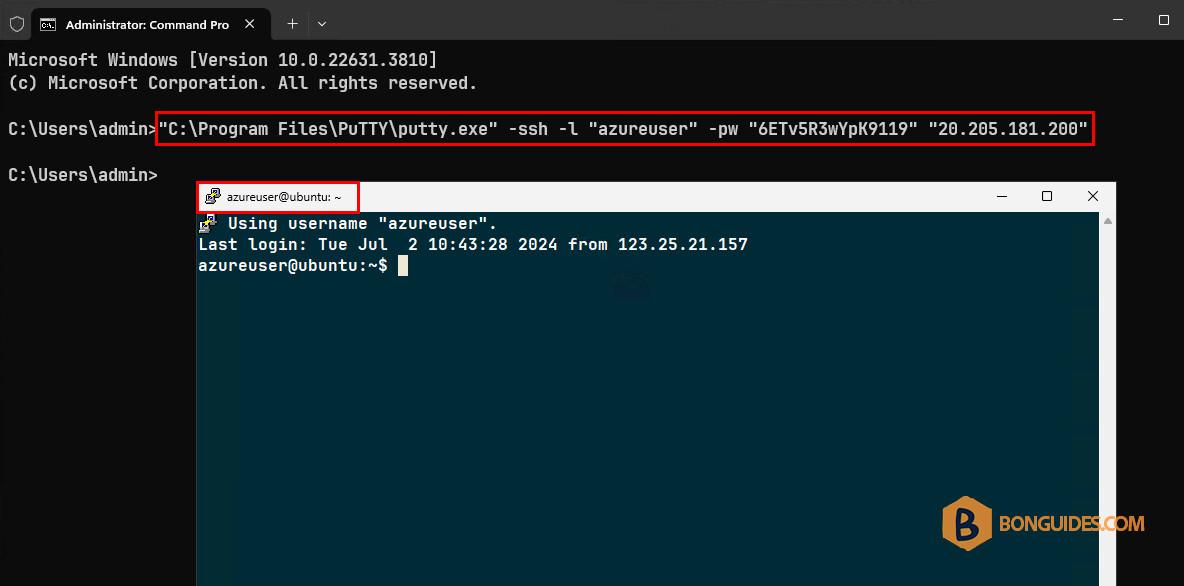
We need to launch PuTTY through command line argument programmatically. We’re doing this using the command as:
"C:\Program Files\PuTTY\putty.exe" -ssh -l "azureuser" -pw "6ETv5R3wYpK9119" "20.205.181.200"Which works fine. Now we want to open the session and changed the window title of our choice. For example, “VPS01” instead of username@hostname by default.
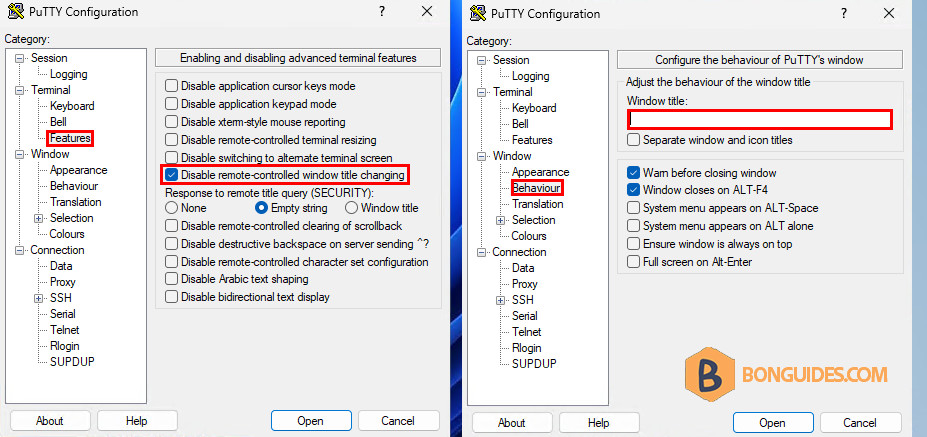
We know this can be done using Disable remote-controller window title changing and setting Window Title from GUI in the session settings. But we don’t want to do it manually.
There is any way to pass these parameters as command line argument while launching?
Change Window Title of Putty Terminal Session
Before you begin, we need to configure the “Default Settings” session and disable remote-controller window title changing. We will use this session when connecting from the command line.
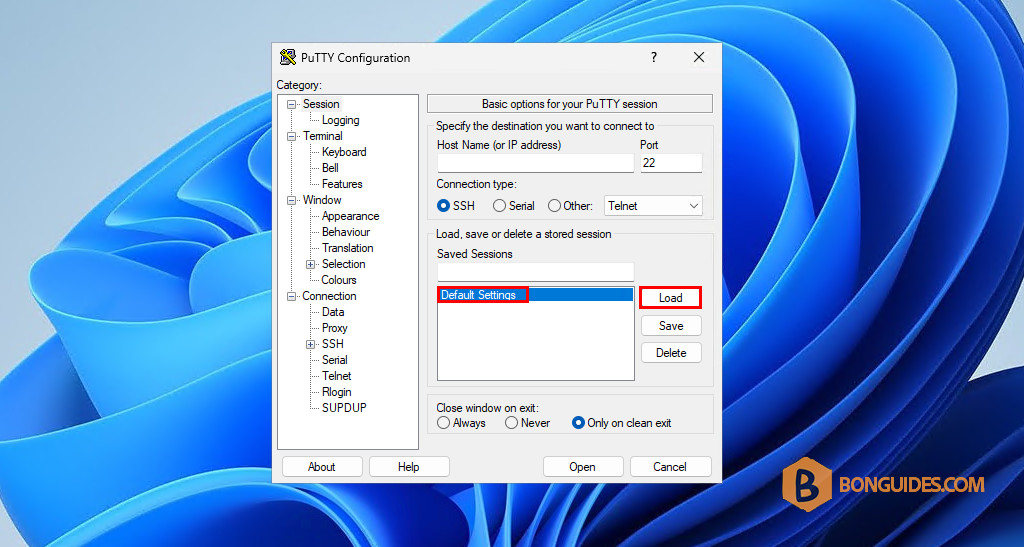
1. From the PuTTY app go to Session and then load the “Default Settings” session.
2. Next, from Terminal → Features, select the checkbox Disable remote-controlled window title changing option.
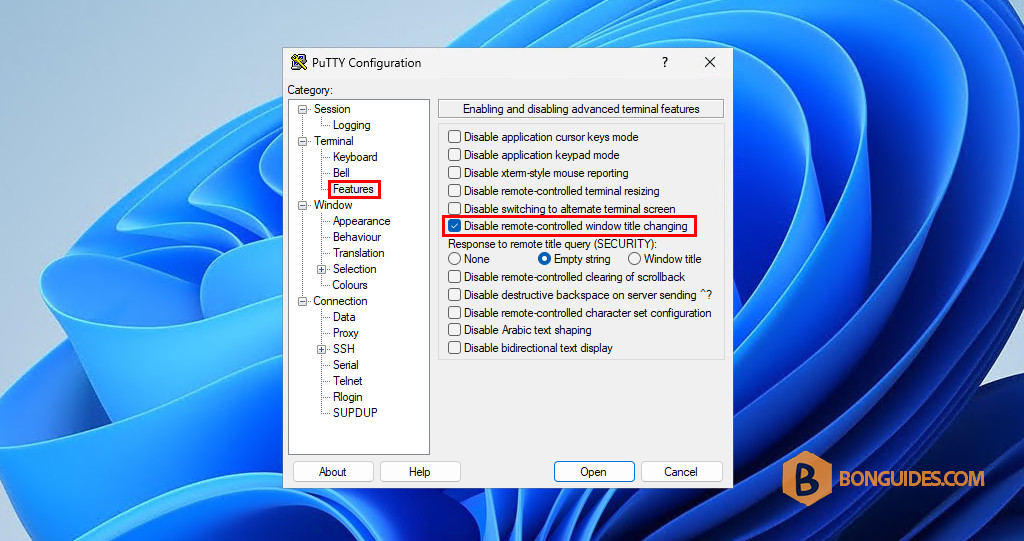
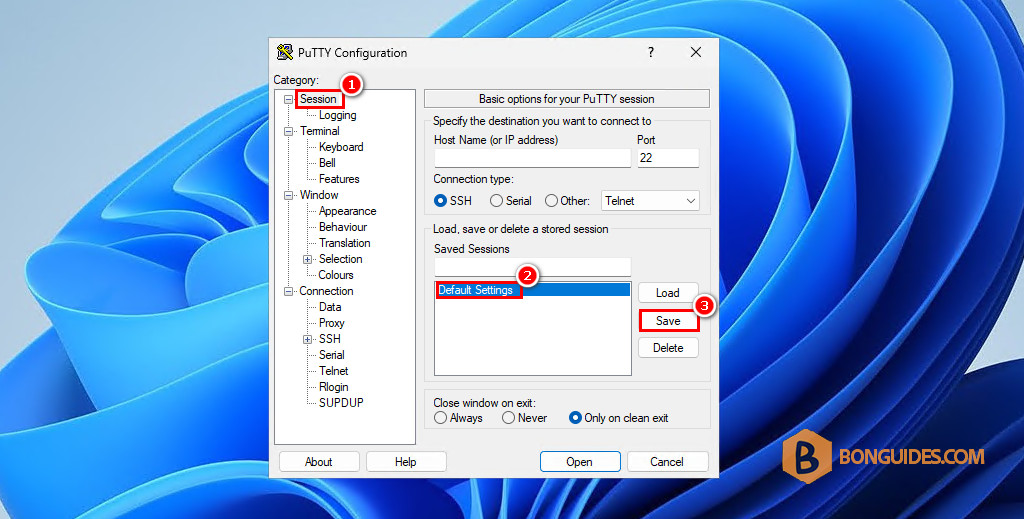
3. Go back to Session category and select the Default Settings session in the session list. Then click on the Save button in the right side.
Note
This step is very important, if you don’t select the session and click Save. The changes won’t save and the next time when you open a remote connection, everything will be reverted by default.
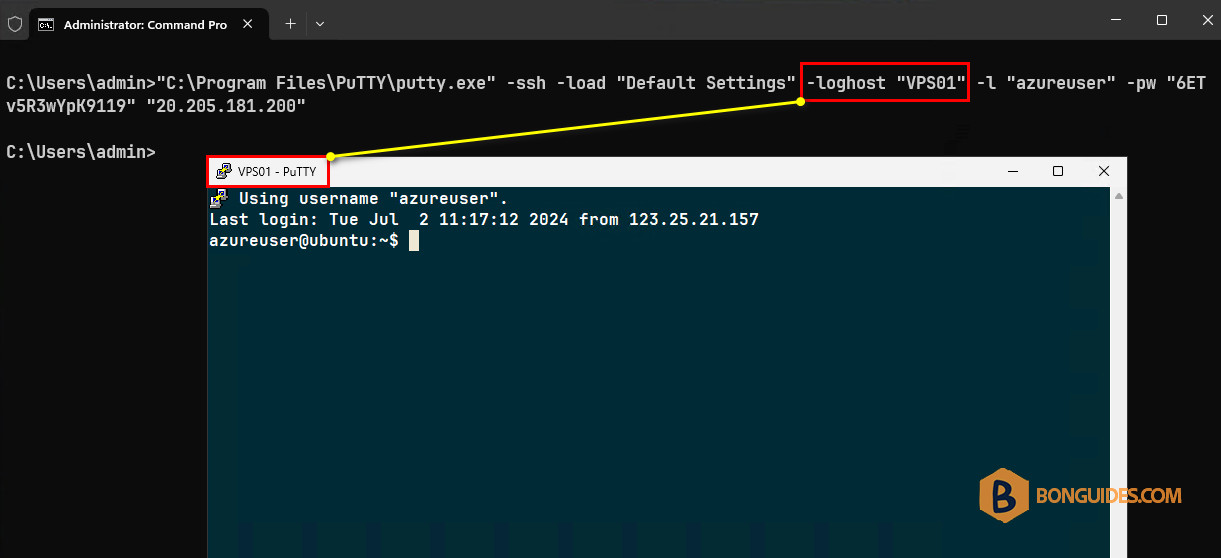
Now you can load the SSH session with PuTTY using the command line from that same computer but append the -loghost “VPS01” for the title of the terminal window to have that value in it instead.
"C:\Program Files\PuTTY\putty.exe" -ssh -load "Default Settings" -loghost "VPS01" -l "azureuser" -pw "6ETv5R3wYpK9119" "20.205.181.200"