Table of Contents
Set the PuTTY Window Size to Open Bigger Than the Default
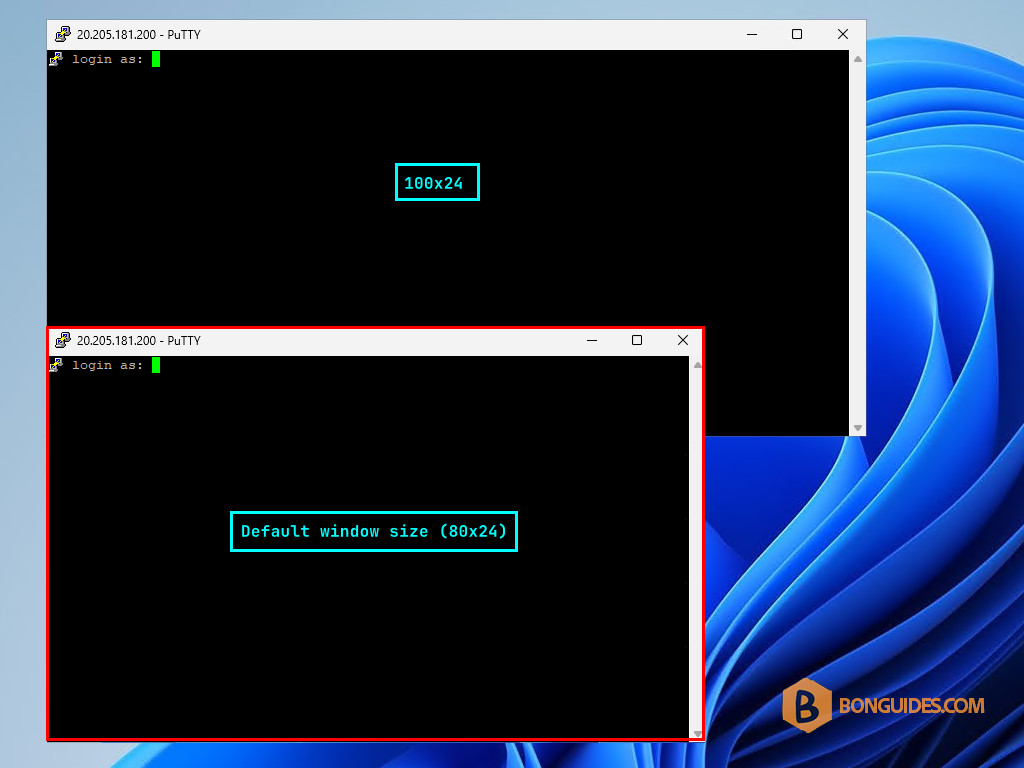
You use PuTTY a lot and it always opens in quite a small window. You wondered if there were any parameters or settings, you could change that could make it open in a window of different size by default.
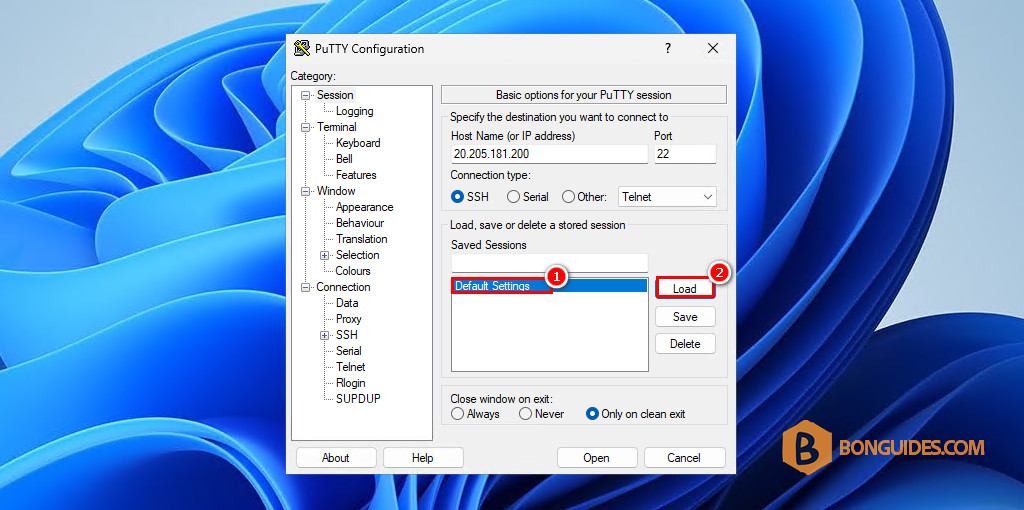
1. First, open PuTTY and load a session.
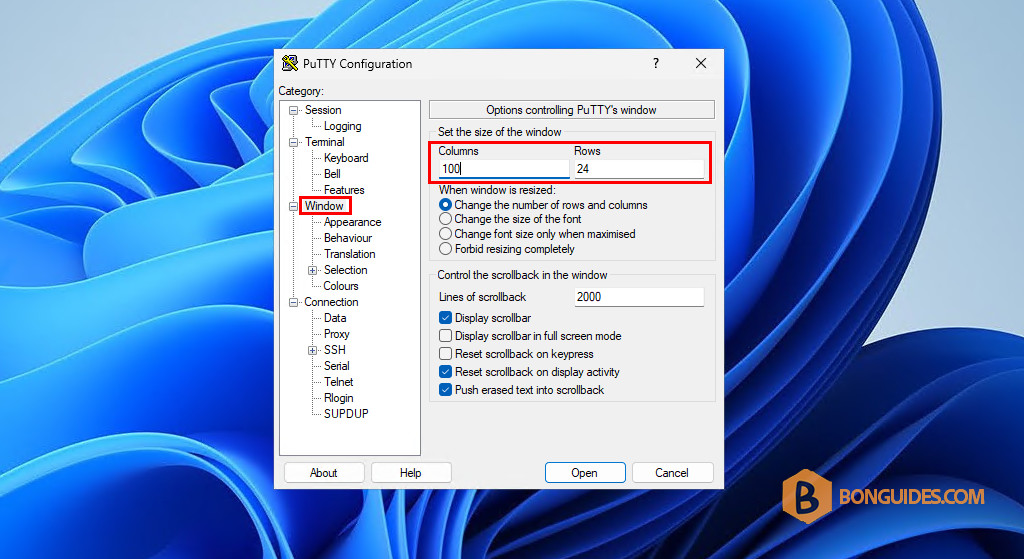
2. Select the Windows category on the left and change the number of rows and columns.
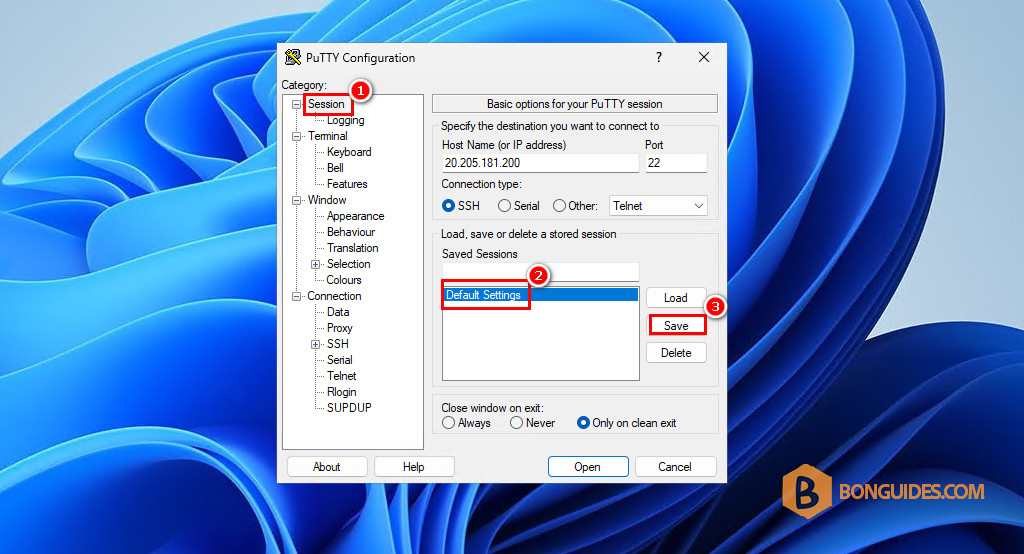
3. After configuring the session, you need to:
- Select the Session category on the left.
- Select the loaded session in the saved session list.
- Then select the Save button in the right side to save the changes to the loaded session.
Note
This step is very important, if you don’t select the session and click Save. The changes won’t be saved and the next time when you open a remote connection, everything will be reverted to default settings.
These settings will now be the default for new PuTTY windows.