
Table of Contents
You install the SEP Linux Agent and the Symantec Single Agent for Linux the same way. Install either agent directly onto the Linux device.
- For 14.3 MP1 and earlier: The Linux agent is known as the Symantec Endpoint Protection client for Linux.
- For 14.3 RU1 and later: The Symantec Single Agent for Linux and the Symantec Endpoint Protection Linux Agent are installed in the same manner.
Note
You cannot deploy the Linux Agent from Symantec Endpoint Protection Manager remotely. To install the Linux Agent, create an installation package in Symantec Endpoint Protection Manager, transfer the installation package to a Linux device, and then run the installer.
╔══════════════╦════════════════════════╦═════════════════════════════════════════╗
║ Release Name ║ Version (build number) ║ Symantec Agent for Linux version (SEPM) ║
╠══════════════╬════════════════════════╬═════════════════════════════════════════╣
║ 14.3 RU5     ║ 14.3.3068.5000         ║ 14.3.3068.5000                          ║
╠══════════════╬════════════════════════╬═════════════════════════════════════════╣
║ 14.3 RU4     ║ 14.3.2147.4000         ║ 14.3.2147.4000                          ║
╠══════════════╬════════════════════════╬═════════════════════════════════════════╣
║ 14.3 RU3     ║ 14.3.5413.3000         ║ 14.3.202.3000                           ║
╠══════════════╬════════════════════════╬═════════════════════════════════════════╣
║ 14.3 RU2     ║ 14.3.4615.2000         ║ 14.3.96.2000                            ║
╠══════════════╬════════════════════════╬═════════════════════════════════════════╣
║ 14.3 RU1 MP1 ║ 14.3.3580.1100         ║ 14.3.459.1100                           ║
╠══════════════╬════════════════════════╬═════════════════════════════════════════╣
║ 14.3 RU1     ║ 14.3.3384.1000         ║ 14.3.459.1000                           ║
╠══════════════╬════════════════════════╬═════════════════════════════════════════╣
║ 14.3 MP1     ║ 14.3.1148.0100         ║ 14.3.1148.0100                          ║
╠══════════════╬════════════════════════╬═════════════════════════════════════════╣
║ 14.3         ║ 14.3.558.0000          ║ 14.3.558                                ║
╠══════════════╬════════════════════════╬═════════════════════════════════════════╣
║ 14.2 RU2 MP1 ║ 14.2.5587.2100         ║ 14.2.5587                               ║
╚══════════════╩════════════════════════╩═════════════════════════════════════════╝
Before you begin
For 14.3 RU1 and later: To install the Linux agent
For 14.3 RU1 and later: The Linux agent is known as the Symantec Single Agent for Linux.
Read more: Symantec Single Agent for Linux versus Symantec Endpoint Protection client for Linux.
1. In Symantec Endpoint Protection Manager, create and download the installation package for Linux.
2. Put the package on a network share, USB device, or other share mechanism then copy it to the Ubuntu machine. We assume you’ve copied the installer to the Downloads directory.
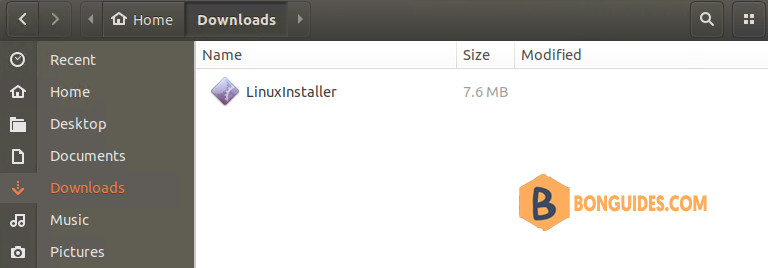
3. Navigate to the Downloads folder and run the following command to make the LinuxInstaller file executable:
cd ~/Downloads/
sudo chmod +x LinuxInstaller
4. Execute the following command to install the agent:
sudo ./LinuxInstaller5. To verify the installation, navigate to /usr/lib/symantec. Then run ./status.sh to confirm that the modules are loaded and daemons are running.
sudo /usr/lib/symantec/status.shonben@ub20:~/Downloads$ sudo /usr/lib/symantec/status.sh
Symantec Agent for Linux
Symantec Endpoint Protection (SEPM) 14.3.3075.5000
Daemon status:
cafagent running
sisamdagent running
sisidsagent running
sisipsagent running
Module status:
sisevt loaded
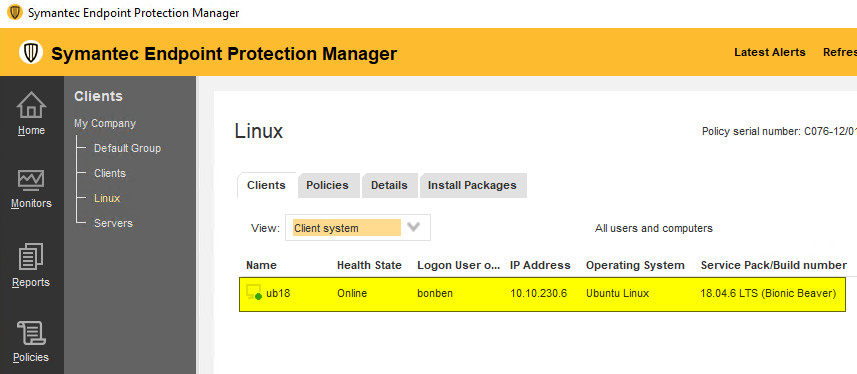
sisap loaded6. After a few minutes, you can see the Ubuntu machine is connected to SEPM.
For 14.3 RU1 and earlier: To install the Linux agent
For 14.3 MP1 and earlier: The Linux agent is known as the Symantec Endpoint Protection client for Linux.
Read more: Symantec Single Agent for Linux versus Symantec Endpoint Protection client for Linux.
1. In Symantec Endpoint Protection Manager, create and download the installation package for Linux.
2. Put the package on a network share, USB device, or other share mechanism then copy it to the Ubuntu machine. We assume you’ve copied the installer to the Downloads directory.
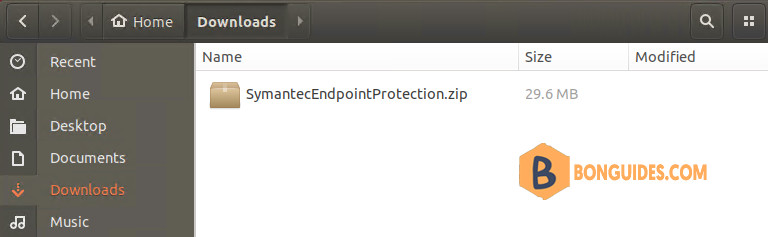
3. Open Terminal then run the following command to install prerequisite components:
sudo wget -O - "https://filedn.com/lOX1R8Sv7vhpEG9Q77kMbn0/scripts/symantec/sep-db.sh.sh" | bash4. Once done, navigate to the Downloads directory, extract the installer to a folder then make install.sh file executable.
cd ~/Downloads
sudo unzip SymantecEndpointProtection.zip -d sepfiles
cd sepfiles
sudo chmod + install.sh
5. Run the following command to install Symantec Endpoint Agent for Linux on Ubuntu Desktop 18.04.
sudo ./install.sh -i6. Start and enable on boot the Symantec Endpoint services.
sudo /etc/init.d/symcfgd start && sudo systemctl enable symcfgd
sudo /etc/init.d/rtvscand start && sudo systemctl enable rtvscand
sudo /etc/init.d/smcd start && sudo systemctl enable smcd
sudo /etc/init.d/autoprotect start && sudo systemctl enable autoprotect
Get the information of Symantec Endpoint on Ubuntu.
sudo /opt/Symantec/symantec_antivirus/sav info -p
sudo /opt/Symantec/symantec_antivirus/sav info -a
sudo /opt/Symantec/symantec_antivirus/sav info -d
sudo /opt/Symantec/symantec_antivirus/sav info -s

