
Table of Contents
In this post, we’ll upgrade to the latest release of Symantec Endpoint Protection Manager and the clients.
Note
Don’t forget opy the disaster recovery file to another computer or to a network share.
Upgrade Symantec client software (SEP)
Once the SEPM was upgraded, this time to upgrade Symantec Endpoint Protection software SEP on clients.
You do not need to uninstall previous clients before you install the new version. The over install process saves the client settings, and then upgrades the client to the latest version.
Note
You should first update a group with a small number of test computers before you update your entire production network.
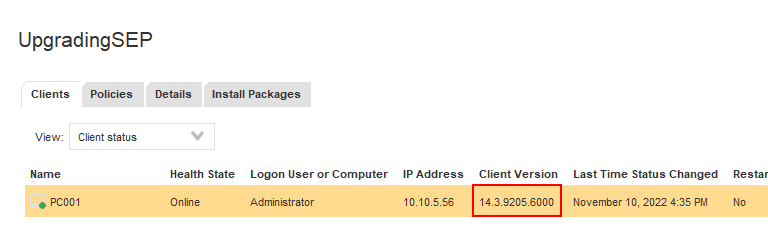
In this post, we’ll using AutoUpgrade to update the Windows and Mac client software in groups. Below image is version number on a client before upgrading.

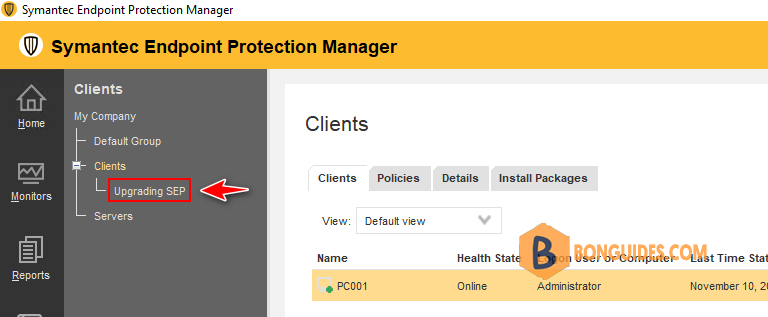
1. You should create a subgroup then move some clients into it for upgrading process to avoid missing policies during upgrade for testing before do upgrade on multiple clients.
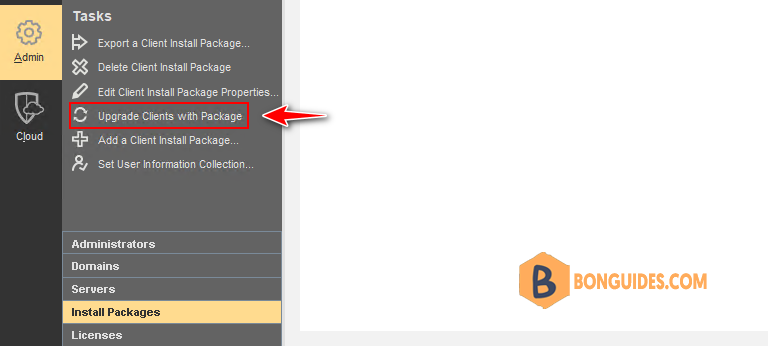
2. In the console, click Admin > Install Packages. Under Tasks, click Upgrade Clients with Package.
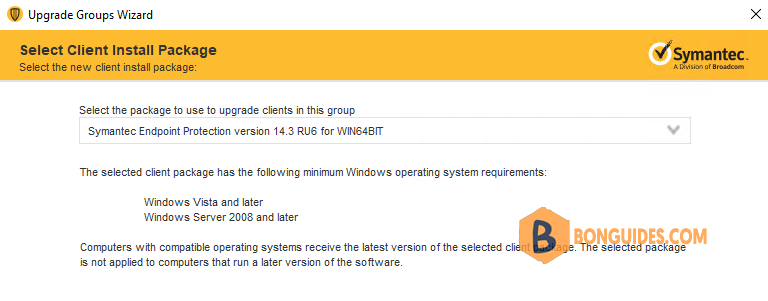
3. In the Upgrade Clients Wizard panel, click Next, select the appropriate client installation package, and then click Next.
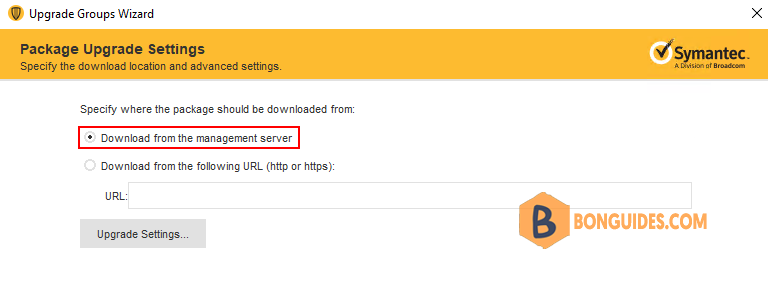
4. Select download from the Symantec Endpoint Protection Manager server.
5. Select the group or groups that contain the client computers that you want to upgrade, and then click Next.
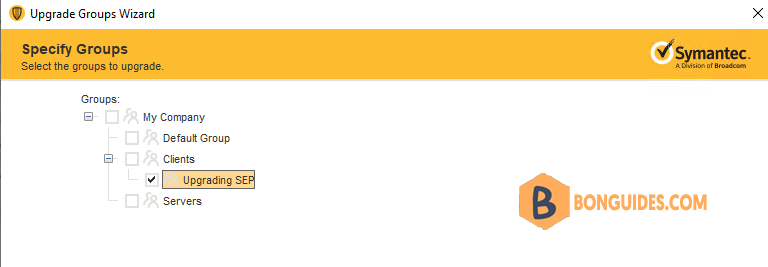
6. In the Upgrade Clients Wizard Complete panel, click Finish.
7. After the upgrade completes, you can check the version to confirm a successful upgrade in one of the following ways: In the console, click Clients then select the appropriate group, and change the view to Client Status.
Note
By default, the clients restart after installation. For 14.3 RU2 and earlier clients, the computer must restart after the upgrade. You can configure the restart options in the group’s general settings to control how the clients in a group restart after AutoUpgrade.
Conclusion
This post is a part of the Symantec Endpoint Protection series. You can click on the hyperlink to read more guides.


