Table of Contents
ImageMagick is a tool used for displaying, converting, and editing images.
Install required packages
First, install required packages. They include php-pear, php-devel, and gcc packages to compile the Imagick PHP extension. SSH to your CentOS server then run the following command:
sudo yum install php-pear php-devel gcc -yInstall ImageMagick
After installing ImageMagick’s dependencies packages we then install ImageMagick. For that, we use the below command.
sudo yum install ImageMagick ImageMagick-devel -y# sudo yum list installed | grep Image
ImageMagick.x86_64 6.9.10.68-6.el7_9 @updates-openlogic
ImageMagick-devel.x86_64 6.9.10.68-6.el7_9 @updates-openlogicInstall ImageMagick PHP Extension
Once the installation of ImageMagick is completed, we can further install PHP extension. So that we can use it through PHP code. We use the below command for the installation.
pecl install imagick...
Build process completed successfully
Installing '/usr/lib64/php/modules/imagick.so'
Installing '/usr/include/php/ext/imagick/php_imagick_shared.h'
install ok: channel://pecl.php.net/imagick-3.7.0
configuration option "php_ini" is not set to php.ini location
You should add "extension=imagick.so" to php.iniIt doesn’ t get over with this, you should also add extension=imagick.so to /etc/php.ini, that can be done with the help of the following command.
sudo echo 'extension=imagick.so' >> /etc/php.ini# php -i | grep Imagick
imagick classes => Imagick, ImagickDraw, ImagickPixel, ImagickPixelIterator, ImagickKernel
Imagick compiled with ImageMagick => ImageMagick 6.9.10 x86_64 2021-10-14 https://imagemagick.org
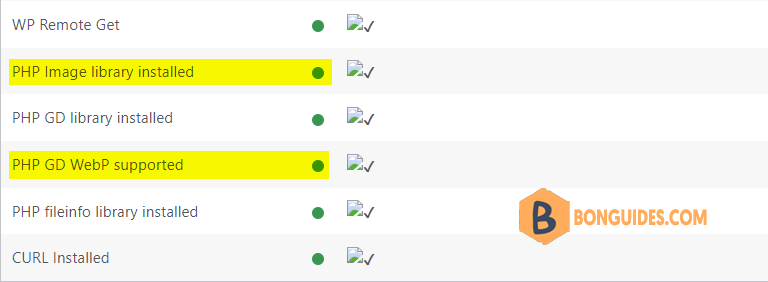
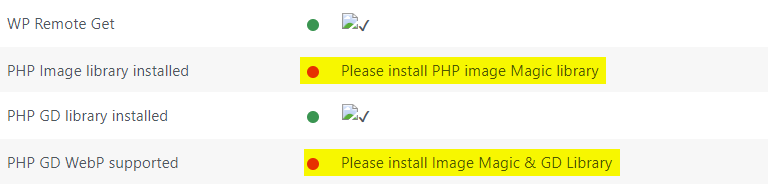
Imagick using ImageMagick library => ImageMagick 6.9.10 x86_64 2021-10-14 https://imagemagick.orgAs you can see, the warning of missing php extensions was gone.