
Table of Contents
The IP address of a specific client can be assigned based on its device MAC address and connection type. During a server reboot, you can specify a specific IP address by using a DHCP scope, which allows each device to receive the same IP address.
In order to reserve DHCP in Fortigate, you will need to create a new DHCP reservation.
Reserve an IP Address using GUI
1. Login into the FTG | Network > Interface. Double click on a interface to edit it.
2. In the Edit interface windows, scroll down under DHCP section click to expand Advanced options.
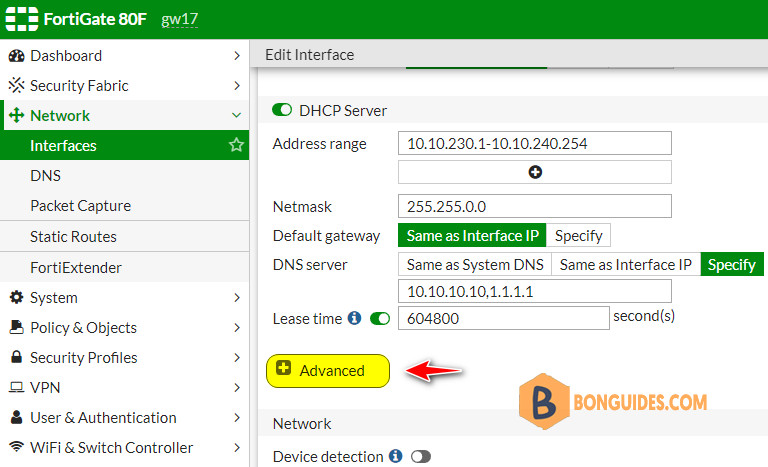
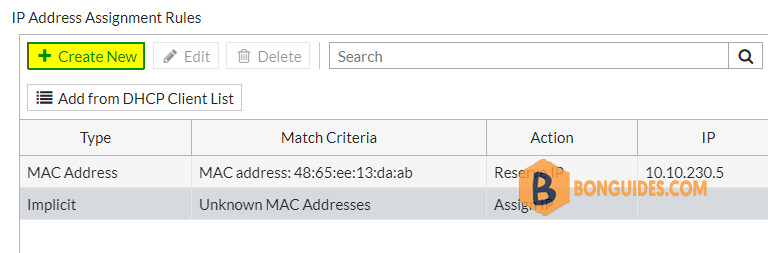
3. Scroll down under IP Address Assignment Rules. Click Create New button.
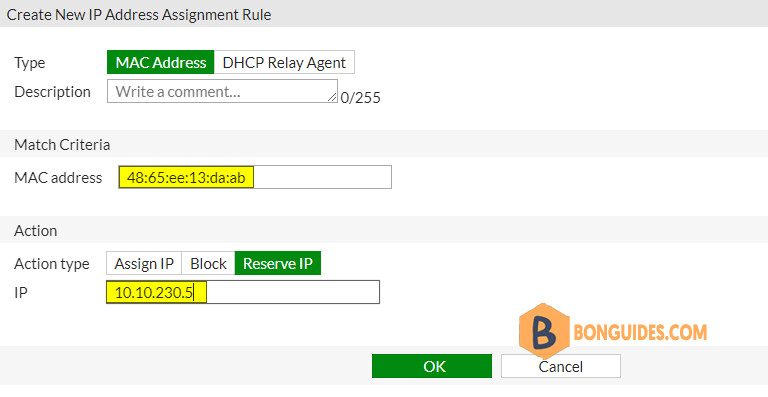
4. Enter the MAC address of a server or client then set a reserve IP address.
Reserve an IP Address using DHCP list
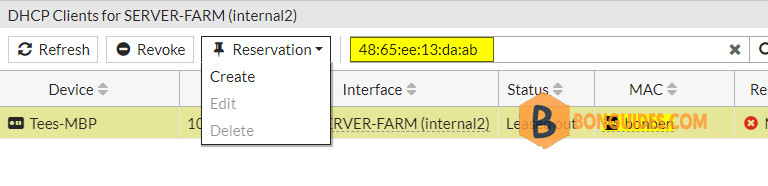
The second way, you can hover on an interface then select View DHCP Clients option.
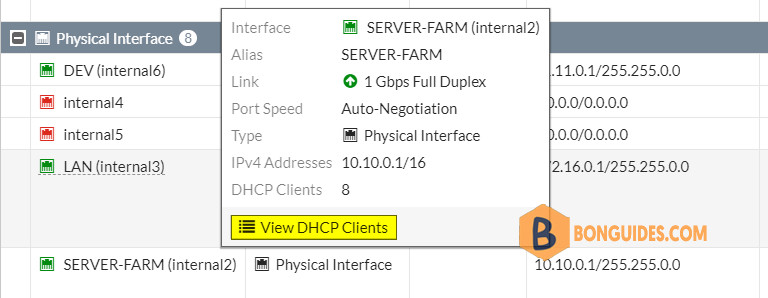
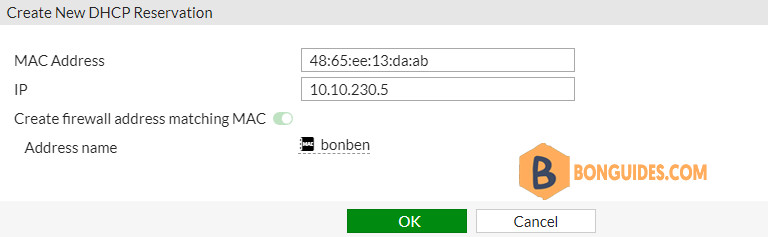
Search a client using its MAC address. Select it then create a new reservation.
Click OK button and you’re done.
Reserve an IP Address using CLI
1. Get the list of DHCP servers in the FTG.
config system dhcp server
show
gw17 #   config system dhcp server
gw17 (server) # show
config system dhcp server
    ...
    next
    edit 3
        set default-gateway 10.10.0.1
        set netmask 255.255.0.0
        set interface "internal2"
    ...
    next
2. edit 3 (this is the DHCP scope you want to create the reservation in). Then create a reserve IP.
edit 3
config reserved-address
show
edit 1
set type mac
set ip 10.10.230.5
set mac 48:65:ee:13:da:ab
set description DEV-Server
show
end
gw17 (server) # edit 3
gw17 (3) # config reserved-address
gw17 (reserved-address) # show
gw17 (reserved-address) # edit 1
new entry '1' added
gw17 (1) # set type mac
gw17 (1) # set ip 10.10.230.5
gw17 (1) # set mac 48:65:ee:13:da:ab
gw17 (1) # set description DEV-Server
gw17 (1) # show
config reserved-address
edit 1
set ip 10.10.230.5
set mac 48:65:ee:13:da:ab
set description "DEV-Server"
next
end


