Table of Contents
Remove The Test Mode Watermark Without Disabling Test Mode
For testing purposes, you have enabled the Testing Mode on Windows. It means driver signature enforcement is disabled. With it in this state, you can load unsigned drivers. You need to keep the driver signature enforcement disabled for deployment, but the watermark might bother you.

Universal Watermark Disabler
Universal Watermark Disabler is a free application that can eliminate various types of watermarks on Windows 10, Windows 8.1, and Windows 8. It is compatible with any build from Windows 8 build 7850 (early beta) to the latest Windows 10 versions, including future builds.
It removes any watermarks, including BootSecure, Test Mode, build string in evaluation and pre-release builds, warning text, and even the build hash.
Download Universal Watermark Disabler: https://github.com/pr701/universal-watermark-disabler/releases
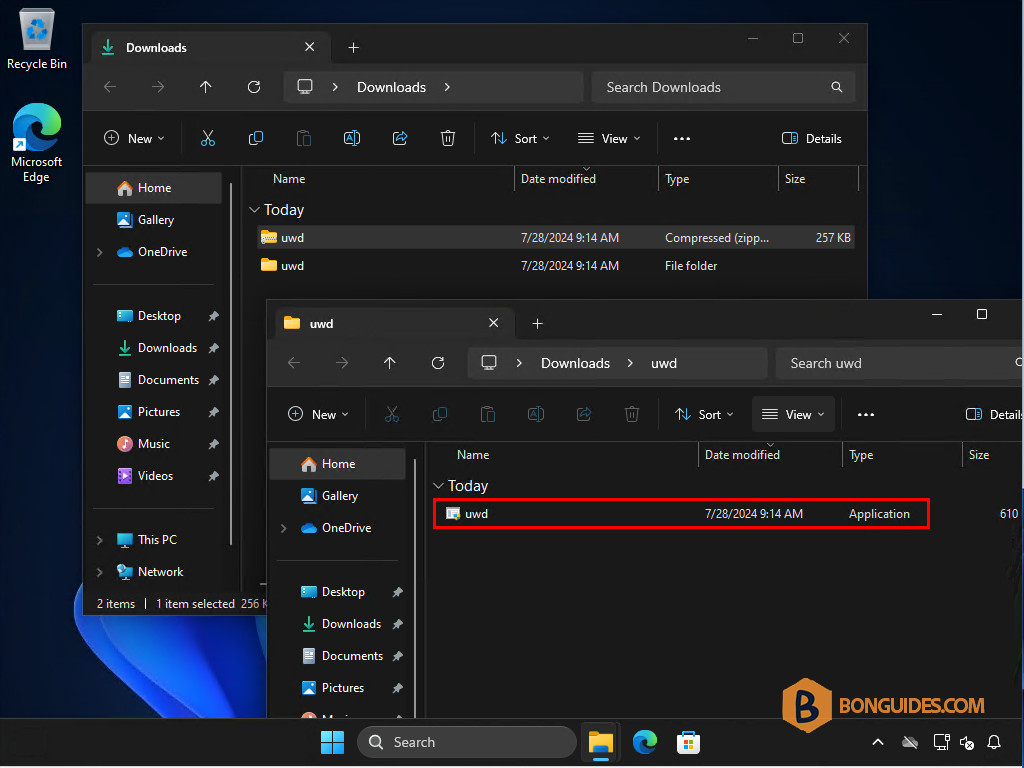
1. Download then extract the downloaded file to your computer.
2. Open the uwd.exe file.
3. Click on the Install button.
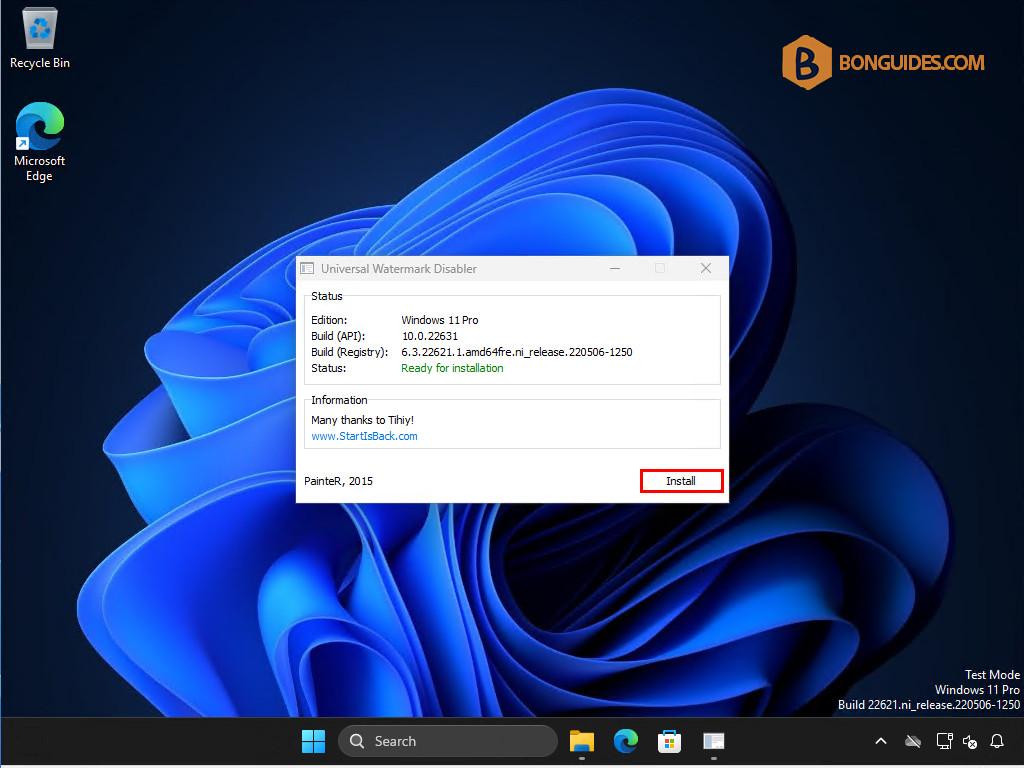
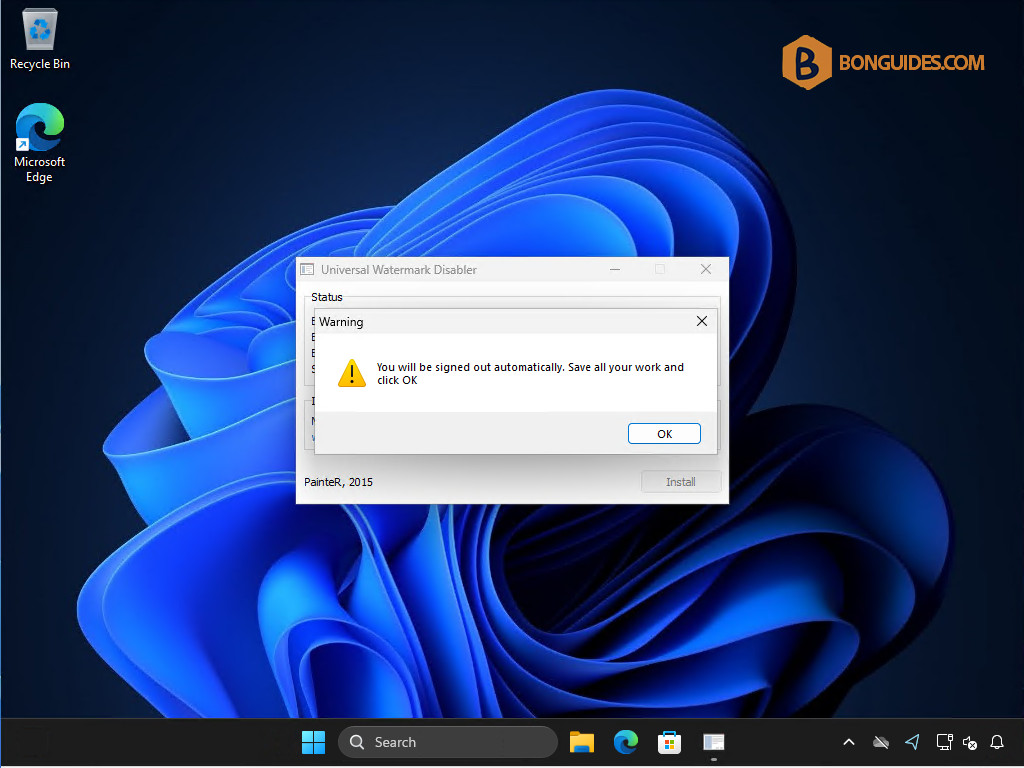
4. As you can see, the watermark was removed. You need to sign out then sign in again to continue.
Uninstall
To revert the changes, rerun the file uwd.exe to uninstall it.
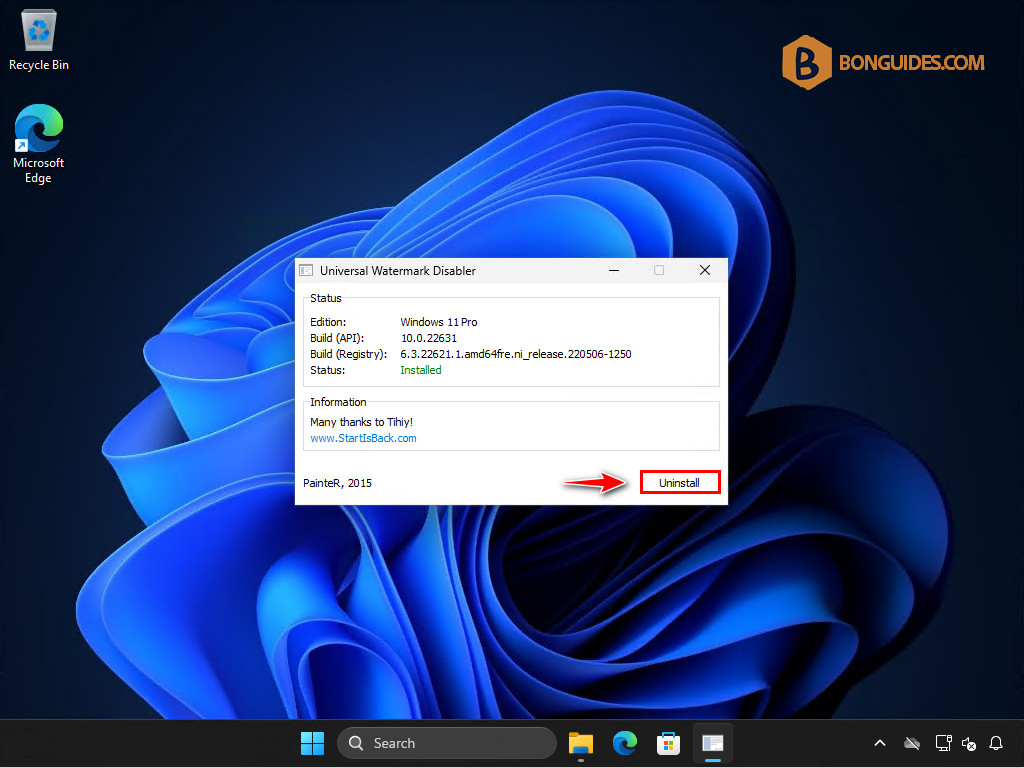
Once done, the watermark will appear again.