Table of Contents
Normally, when you load a saved session in PuTTY and connect to it, PuTTY will set the window title to the host name of the system you connected to.
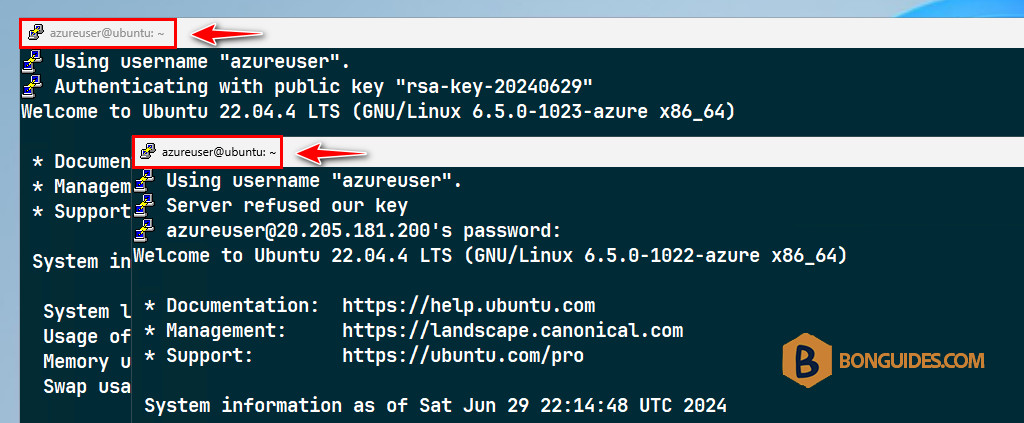
Now you have many different sessions that all connect to the same host, but on different ports (because the host runs several SSH tunnels on different ports). Therefore, seeing the hostname is not very helpful, since it’s always the same.
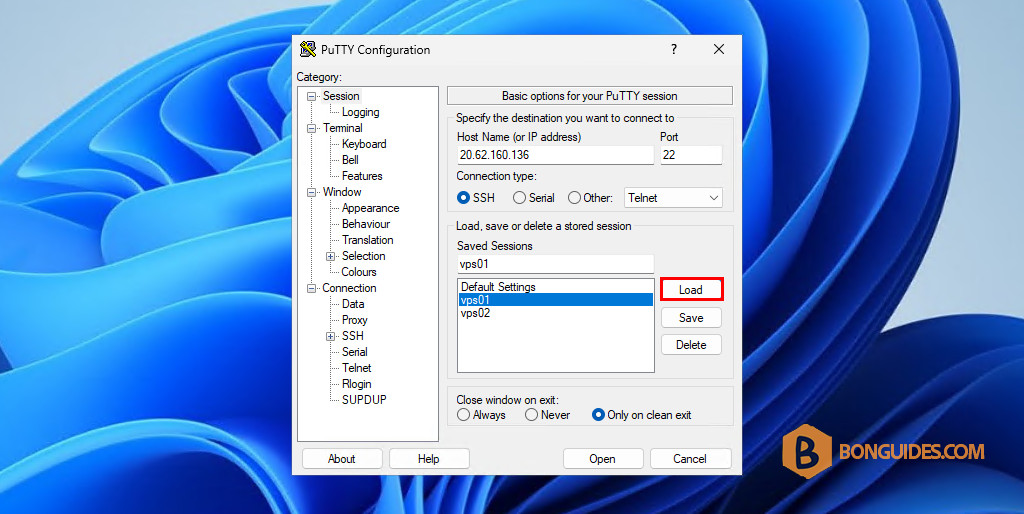
1. Open then load a session from PuTTY.
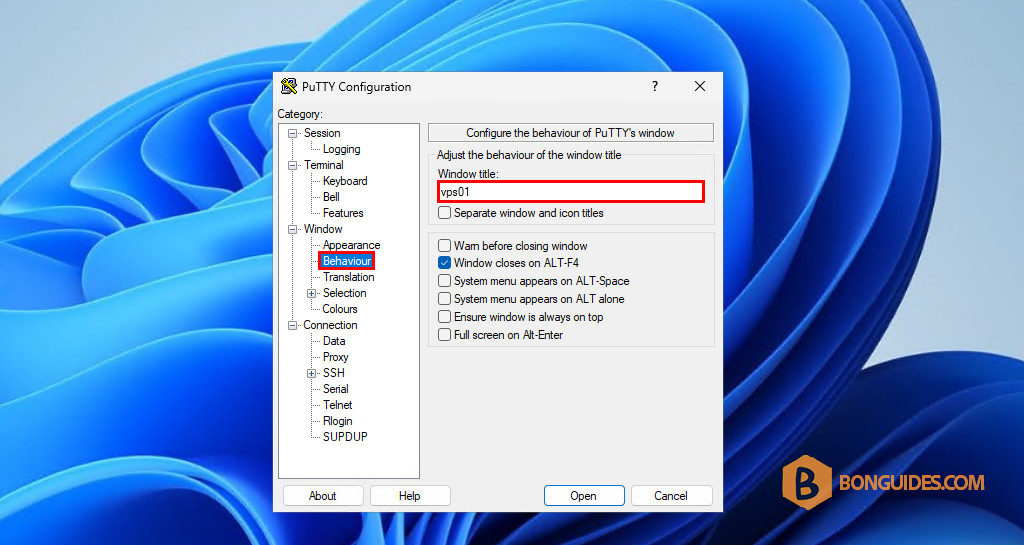
2. On left side tree menu, click on: Window → Behaviour.
3. On the right panel, in the Window title text box enter your title.
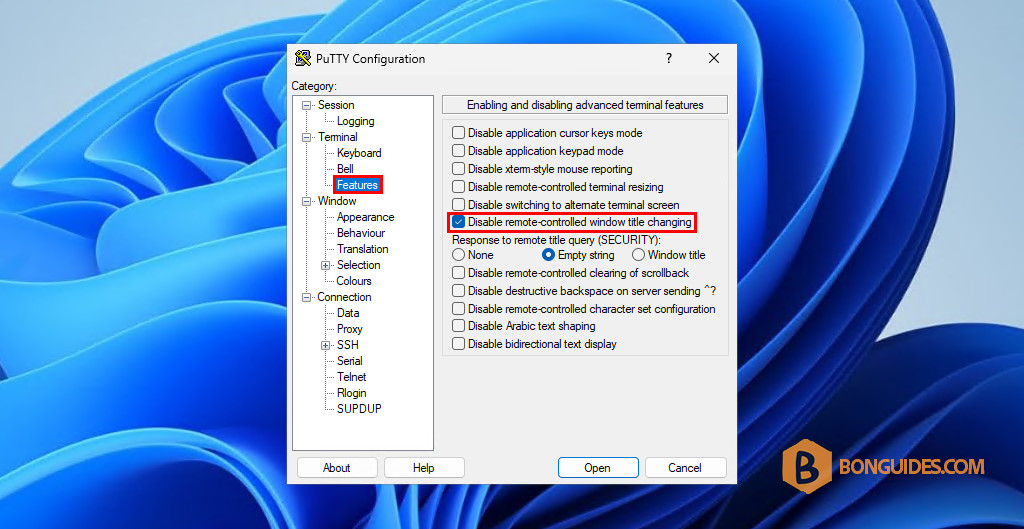
4. Go to the Terminal → Features settings and check off the Disable remote-controlled window title changing box.
5. After configuring the session, you need to:
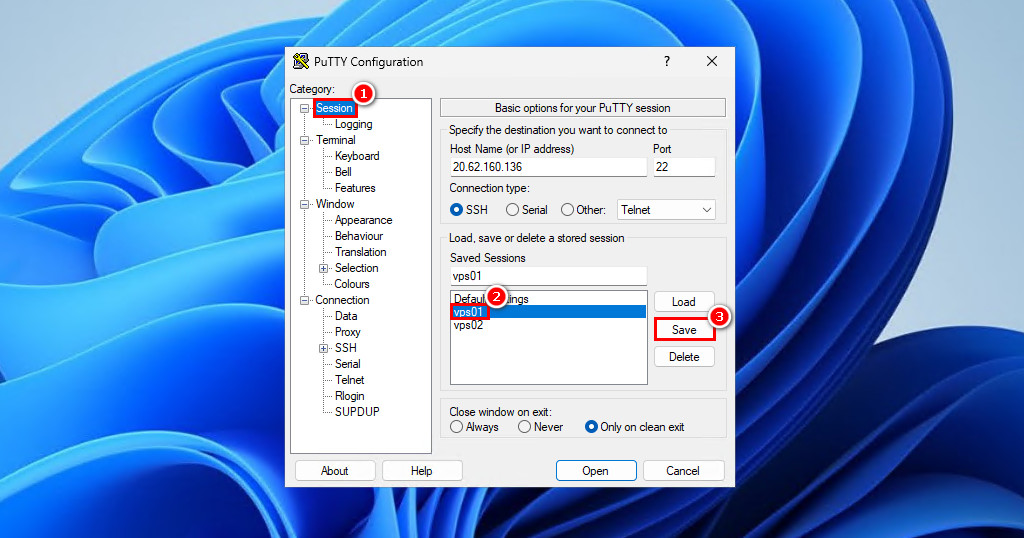
- Select the Session option under the Category.
- Select the saved session in the saved session list. For example, select the vps01 session.
- Select the Save button in the right side.
Note
This step is very important, if you don’t select the session and click Save. The changes won’t save and the next time when you open a remote connection, everything will be reverted by default.
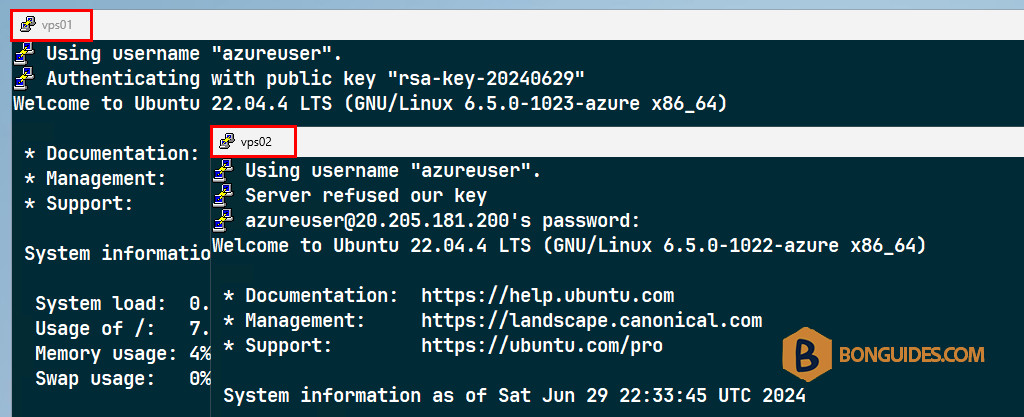
Finally, connect to the remote hosts to verify it works.
Using Registry Editor
Alternatively, PuTTY saves its settings in Registry. So, we can change it from the Registry Editor.
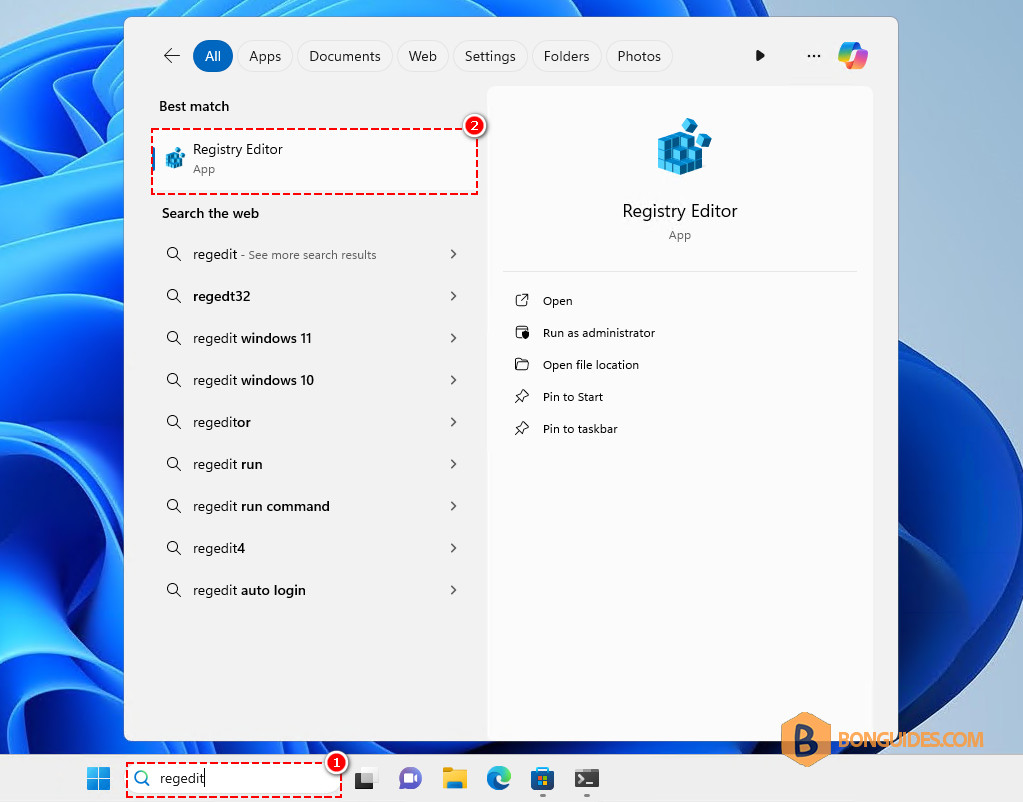
1. Search for regedit then open Registry Editor.
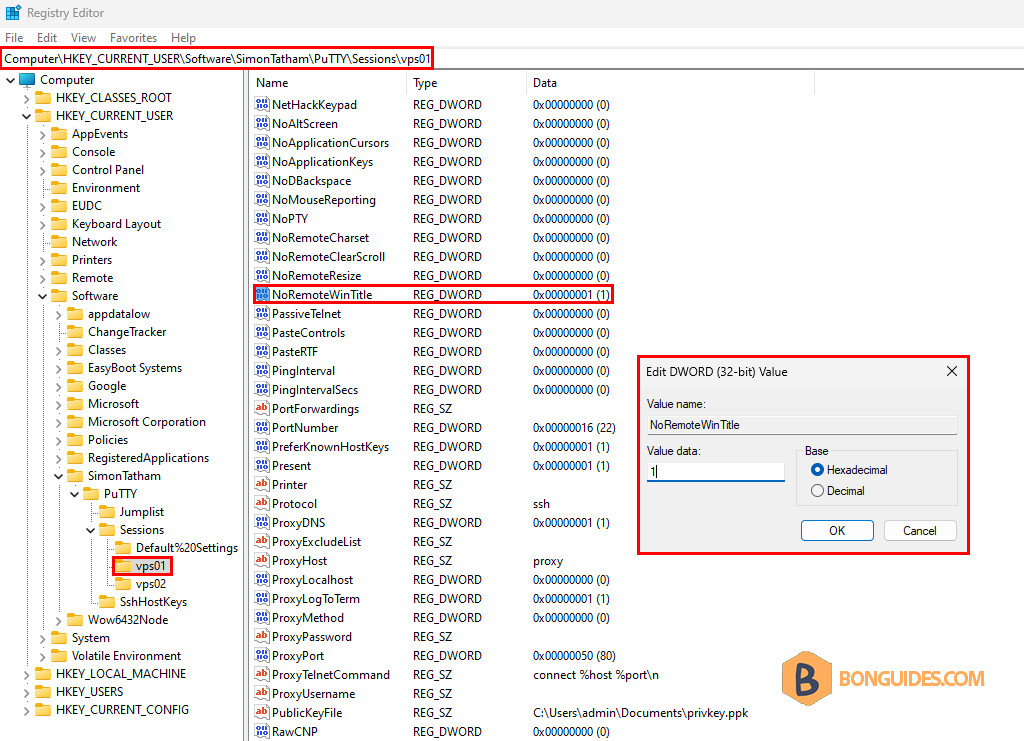
2. Navigate to the following location in Registry Editor.
HKEY_CURRENT_USER\Software\SimonTatham\PuTTY\Sessions3. You should see your PuTTY sessions in the left. Select on them then change the NoRemoteWinTitle DWORD value from 0 → 1 to disable remote-controlled window title changing
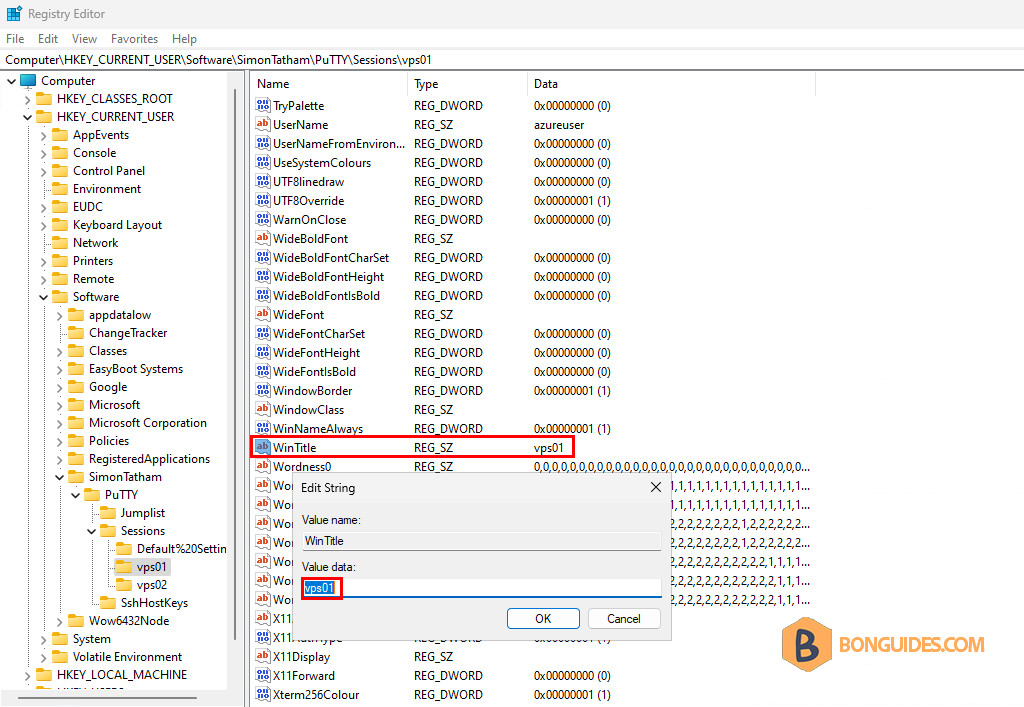
4. Change the WinTitle STRING value from 0 → 1 to set a custom title.
Note
Edit the values for all PuTTY sessions as you need.
Using Registry Editor (Import/ Export)
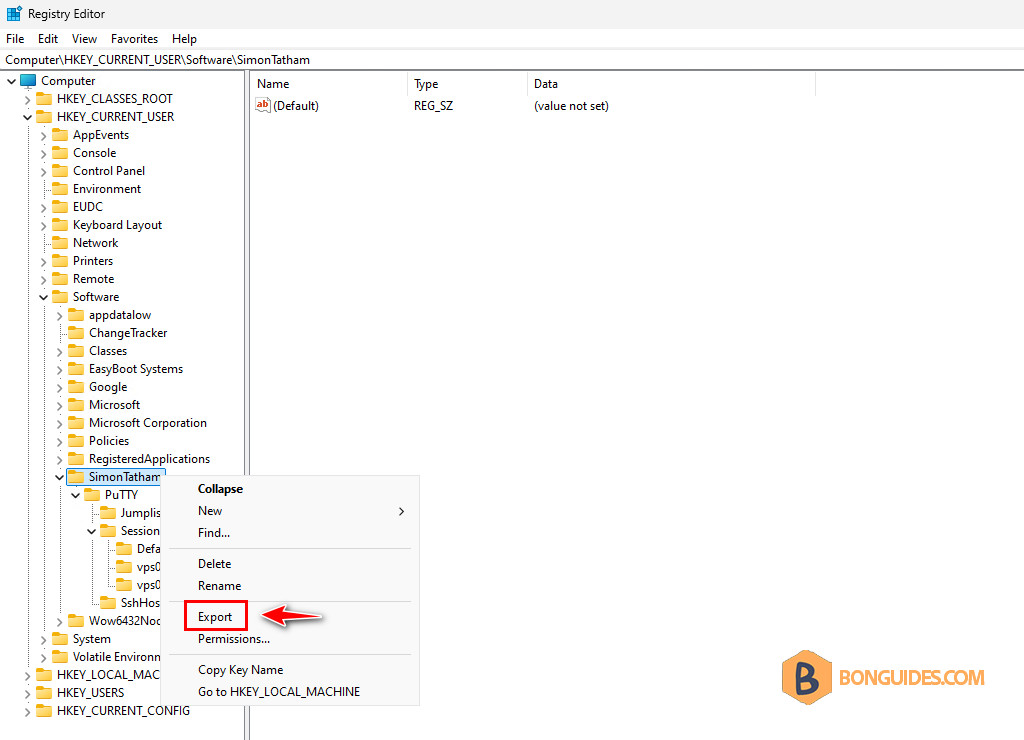
Additionally, you can export the key to a .reg file.
Open and edit it using a text editor.

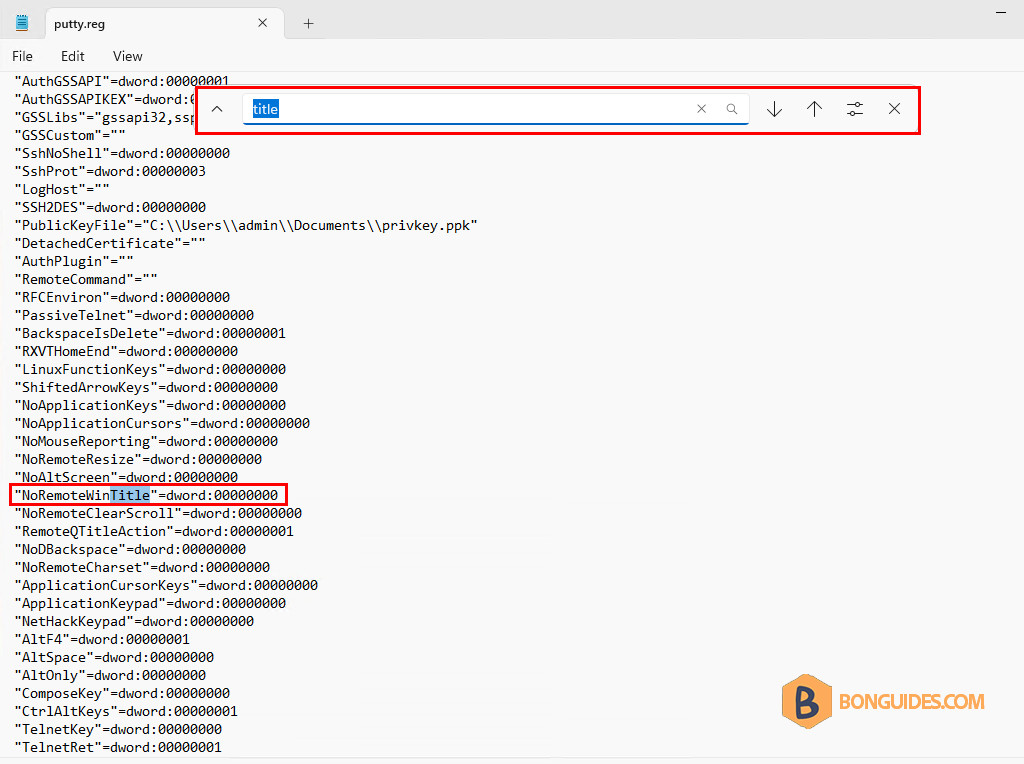
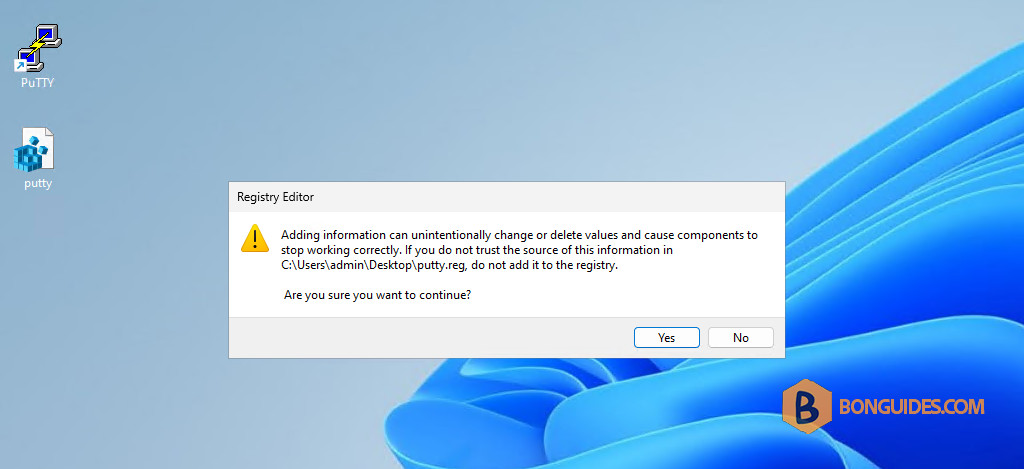
Once done, import the .reg file to make the changes into Registry.