Table of Contents
Can Not Use the Private Key File Because It Is in Putty-Format
In some cases, you get the following error when SSH to a remote Linux system: Can not use the private key file “path-to-the-filepri.ppk”, because it is in PuTTY-format. Please use Putty-Keygen to convert it to OpenSSH format.
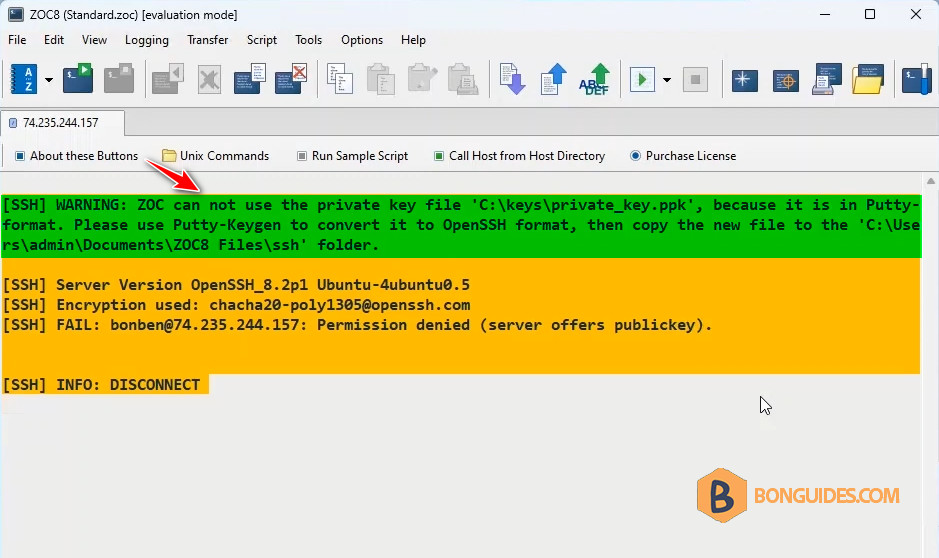
You got it because you use a private key with PuTTY format (*.ppk). To fix it, you need to convert the PuTTY private key to OpenSSH format.
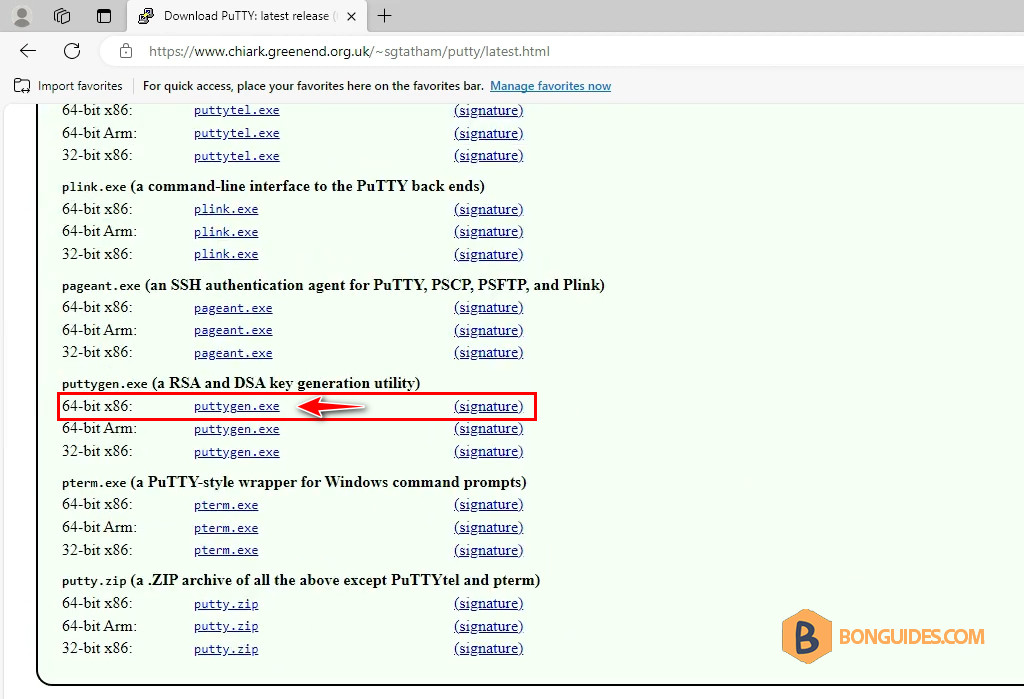
1. Visit the PuTTY official website then download the PuTTYGen.
Download: https://www.chiark.greenend.org.uk/~sgtatham/putty/latest.html
If the PuTTY is installed on your computer, the PuTTYGen already exists at C:\Program Files\PuTTY.
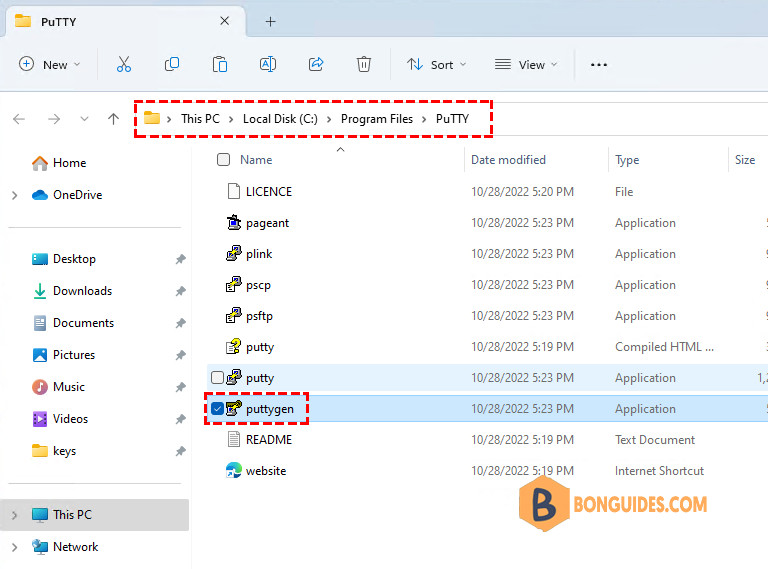
2. Open the downloaded file to run the PuTTY Key Generator.
3. On the PuttyGen Key Generator, click on the menu File → Load private key
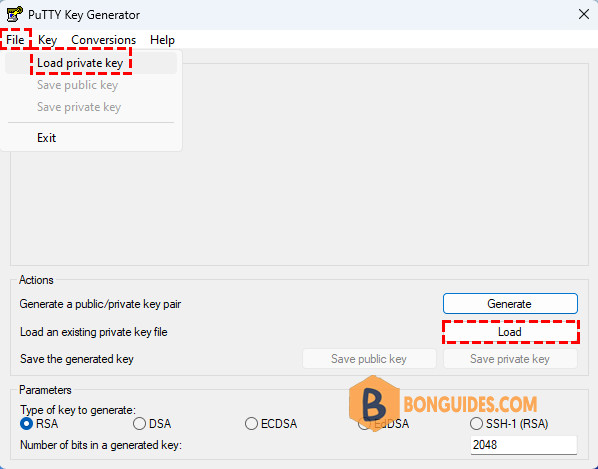
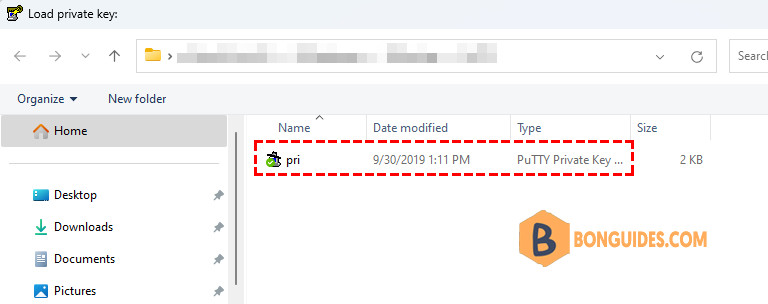
4. Select the private key (*.ppk) which has to be converted to the OpenSSH format and click on Open.
5. Now from the menu click on Conversions → Export OpenSSH key. Save the key by clicking on Save.
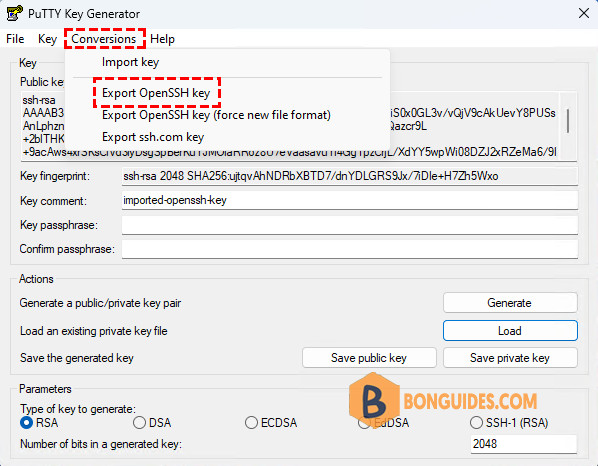
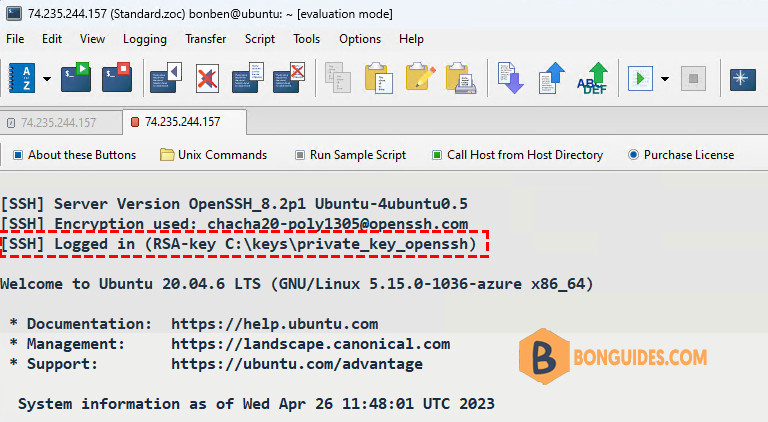
Finally, the generated key will be in OpenSSH format. Change the private key in your SSH client to the converted private key.