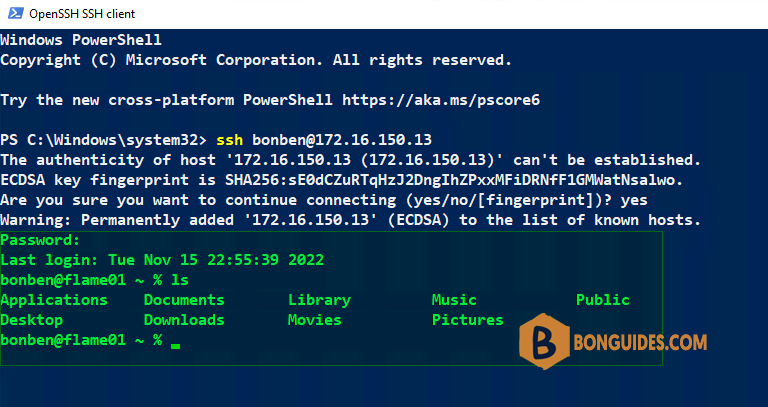
In some cases, when you enable SSH server in macOS. You got the following error: setremotelogin: Turning Remote Login on or off requires Full Disk Access privileges.
bonben@flame01 ~ % sudo systemsetup -setremotelogin on
Password:
setremotelogin: Turning Remote Login on or off requires Full Disk Access privileges.
bonben@flame01 ~ % sudo systemsetup -getremotelogin
Remote Login: Off
To fix it, let’s using the following command to turn on SSH on macOS instead of setremotelogin.
###Enabling SSH
sudo launchctl load -w /System/Library/LaunchDaemons/ssh.plist

###Disabling SSH
sudo launchctl unload /System/Library/LaunchDaemons/ssh.plist

###To check if is on or off
sudo systemsetup -getremotelogin
As you can see, the SSH server in macOS is working now.
bonben@flame01 ~ % sudo launchctl load -w /System/Library/LaunchDaemons/ssh.plist
bonben@flame01 ~ % sudo systemsetup -getremotelogin
Remote Login: On
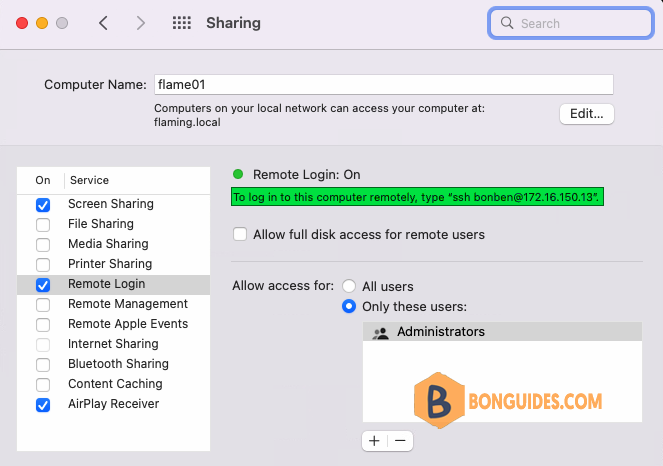
You can open Apple icon | System Preferences | Sharing to verify it works.
Trying to connect to macOS remotely using any SSH client.