
Table of Contents
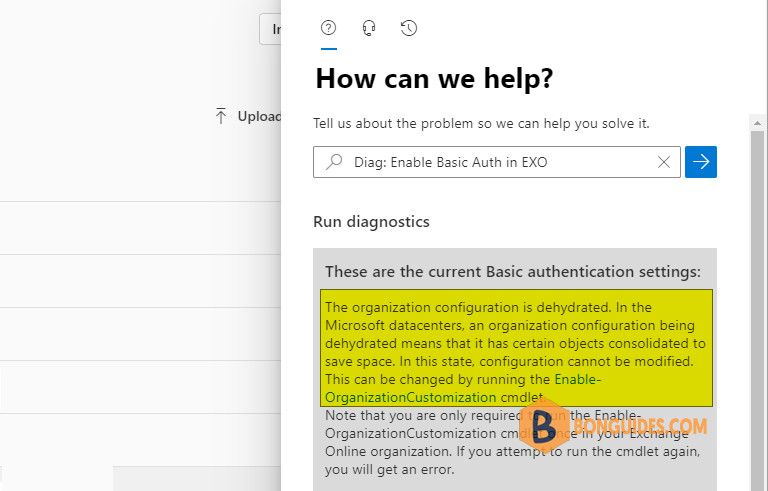
When running diagnostics through the Microsoft 365 admin center, you may encounter the following warning:
The organization configuration is dehydrated. In the Microsoft datacenters, an organization configuration being dehydrated means that it has certain objects consolidated to save space. In this state, configuration cannot be modified. This can be changed by running the Enable-OrganizationCustomization cmdlet.
Note that you are only required to run the Enable-OrganizationCustomization cmdlet once in your Exchange Online organization. If you attempt to run the cmdlet again, you will get an error.
To address this, you must execute the EnableOrganizationCustomization cmdlet before creating or modifying objects in your Exchange Online organization.
Connect to Exchange Online PowerShell
1. If you have the Exchange Online PowerShell module installed, you can simply run the Connect-ExchangeOnline command to connect to Exchange Online PowerShell.
Otherwise, you can run the below commands to install the module then connect to EXO PowerShell.
Note
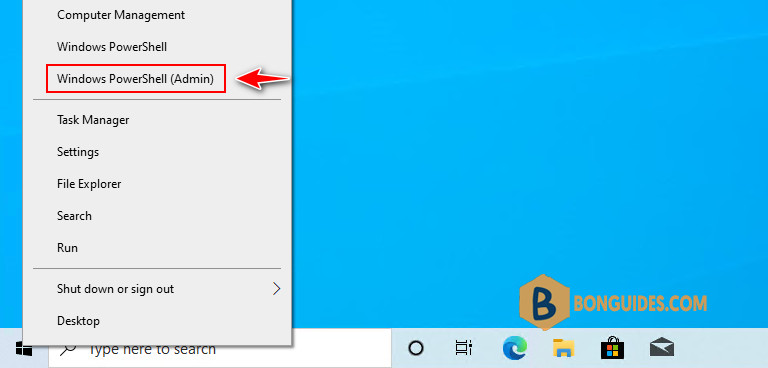
In Windows 11, select instead of Windows PowerShell (Admin)
Set-ExecutionPolicy -ExecutionPolicy RemoteSigned -Scope LocalMachine -Force
Install-PackageProvider -Name NuGet -Force
Set-PSRepository -Name "PSGallery" -InstallationPolicy Trusted
Install-Module -Name ExchangeOnlineManagement
Import-Module ExchangeOnlineManagement
Connect-ExchangeOnline
Enable-OrganizationCustomization
Once connected to Exchange Online, run the following command to check the IsDehydrated property:
Get-OrganizationConfig | Select-Object IsDehydrated- False ($false) = the command has already been run;
- True ($true) = the command has never been run.
PS C:\Users\mpnadmin> Get-OrganizationConfig | Select-Object IsDehydrated

IsDehydrated
------------
       True
If the IsDehydrated property is set to True, you can run below command to enable it.
Enable-OrganizationCustomizationIt could take several minutes to complete, please be patient. Once done, you can use the Get-OrganizationConfig command to check if it worked.
PS C:\Users\mpnadmin> Enable-OrganizationCustomization
PS C:\Users\mpnadmin> Get-OrganizationConfig | Select-Object IsDehydrated

IsDehydrated
------------
       False
Note
Note that you are only required to run the Enable-OrganizationCustomization cmdlet once in your Exchange Online organization. If you attempt to run the cmdlet again, you’ll get an error.
This operation is not required. Organization is already enabled for customization.
    + CategoryInfo          : NotSpecified: (:) [Enable-OrganizationCustomization], InvalidOperationException
    + FullyQualifiedErrorId : [Server=TY0PR0101MB4466,RequestId=da7b6c5a-6369-4032-9d2b-c8f36e6d0835,TimeStamp=5/24/20
   22 8:16:17 AM] [FailureCategory=Cmdlet-InvalidOperationException] 2198EFBD,Microsoft.Exchange.Management.Deploymen
  t.EnableOrganizationCustomizationTask
    + PSComputerName        : outlook.office365.com

