
Table of Contents
Recently, Microsoft released the Microsoft Graph PowerShell SDK V2 module, which includes numerous improvements such as simplified authentication, improved error handling, and enhanced speed. Excited to explore the latest version, I decided to give it a try.
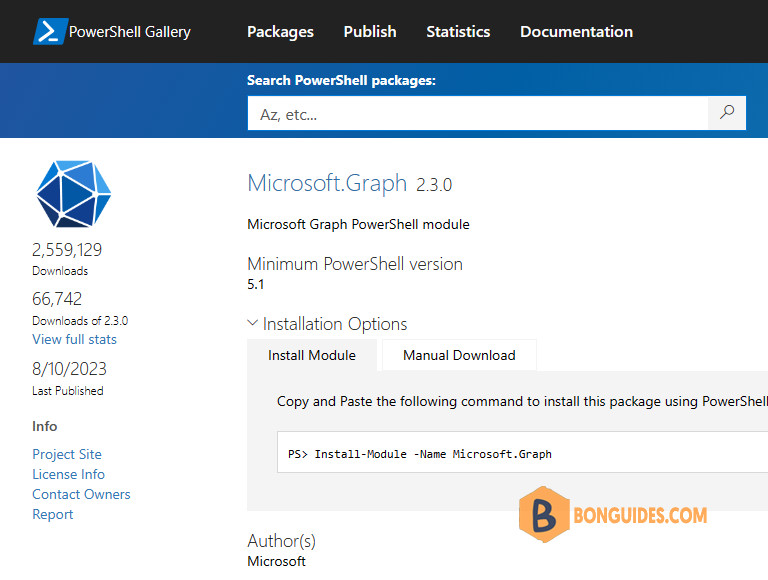
Upgrade to Microsoft Graph PowerShell SDK v2
If you are not upgrading from v1.x, follow the usual installation process for Graph PowerShell SDK.
You can check if you’ve installed the v1.x of Microsoft Graph PowerShell using command below:
PS C:\> Get-InstalledModule Microsoft.Graph | ft -AutoSize

Version Name            Repository Description
------- ----            ---------- -----------
1.28.0  Microsoft.Graph PSGallery  Microsoft Graph PowerShell module
To verify the installed sub-modules and their versions, run:
Get-InstalledModule | Where-Object {$_.Name -like '*graph*'}Version Name Repository
------- ---- ----------
1.28.0 Microsoft.Graph PSGallery
1.28.0 Microsoft.Graph.Applications PSGallery
1.28.0 Microsoft.Graph.Authentication PSGallery
1.28.0 Microsoft.Graph.Bookings PSGallery
1.28.0 Microsoft.Graph.Calendar PSGallery
...Upgrading to SDK 2.0 is easy. I recommend that you reboot your PC to make sure that PowerShell has no loaded module and then create a new Administrator session. Run the Update-Module cmdlet to fetch the Microsoft.Graph module from the PowerShell gallery and you’ll soon have SDK 2.0.
Update-Module Microsoft.Graph -ForcePS C:\> Get-InstalledModule Microsoft.Graph | ft -AutoSize
Version Name Repository Description
------- ---- ---------- -----------
2.3.0 Microsoft.Graph PSGallery Microsoft Graph PowerShell module
PS C:\> Get-InstalledModule | Where-Object {$_.Name -like '*graph*'}
Version Name Repository
------- ---- ----------
2.3.0 Microsoft.Graph PSGallery
2.3.0 Microsoft.Graph.Applications PSGallery
2.3.0 Microsoft.Graph.Authentication PSGallery
2.3.0 Microsoft.Graph.Bookings PSGallery
...Microsoft Graph beta module
The problem is that updating the Microsoft.Graph module only updates the v1.x module. If you want to use the beta cmdlets to interact with the beta Graph endpoint, you must install the beta module separately:
To install the Microsoft Graph Beta module, use the following command:
Install-Module Microsoft.Graph.Beta -AllowClobber -ForcePS C:\> Get-InstalledModule Microsoft.Graph.Beta | ft -AutoSize
Version Name Repository Description
------- ---- ---------- -----------
2.3.0 Microsoft.Graph.Beta PSGallery Microsoft Graph PowerShell module
PS C:\> Get-InstalledModule | Where-Object {$_.Name -like '*graph.beta*'}
Version Name Repository
------- ---- ----------
2.3.0 Microsoft.Graph.Beta PSGallery
2.3.0 Microsoft.Graph.Beta.Applications PSGallery
2.3.0 Microsoft.Graph.Beta.Bookings PSGallery
2.3.0 Microsoft.Graph.Beta.Calendar PSGallery
...The beta module cmdlets will have the prefix Beta, such as Get-MgBetaUser… By installing both modules, you can use them side by side without needing to switch profiles.
Consider a scenario where users were mixing v1.0 and beta commands, a situation where almost everything needed is available in Microsoft Graph v1 endpoint and only a couple of preview APIs that are only available in beta. With the Microsoft Graph PowerShell SDK v1, we had the following:
#With v1 of the Microsoft Graph PowerShell SDK
Connect-MgGraph
Select-MgProfile beta
$BetaUsers = Get-MgUser
Select-MgProfile v1.0
$V1Users = Get-MgUser
As you can see above, it is quite easy to miss in the middle of a script that cmdlets are using Microsoft Graph beta APIs. With Microsoft Graph PowerShell v2, keeping in mind to have both modules installed, users can accomplish the same result with the following:
#With v2 of the Microsoft Graph PowerShell SDK
Connect-MgGraph
$BetaUsers = Get-MgBetaUser
$V1Users = Get-MgUser
More details on enhancements on v2
The v2.x module will continue to use the same naming as the current v1 version to avoid breaking changes for those running their script against Microsoft Graph v1.0. Changes will only be observed for beta. Here is an example.
| – | Microsoft Graph API v1.0 endpoint | Microsoft Graph API Beta endpoint |
|---|---|---|
| Entity Namespace | Microsoft.Graph.PowerShell.Models.Users | Microsoft.Graph.Beta.PowerShell.Models.Users |
| Command Names | Get-MgUser | Get-MgBetaUser |
| Module Names | Microsoft.Graph | Microsoft.Graph.Beta |
Speed up your automations
With the SDK now smaller, you can choose the module which better suits your needs with the new Microsoft Graph PowerShell v2. The first option, Microsoft.Graph module that targets https://graph.microsoft.com/v1.0/ and it is the home for those who only want to work with stables APIs. The second one, Microsoft.Graph.Beta that targets https://graph.microsoft.com/beta, which is where you will hit APIs we are still working on and in preview.
You can optimize your scripts even further by installing only the specific modules your scripts will use rather than the entire SDK.
Install-Module Microsoft.Graph.Users
Connect-MgGraph
$V1Users = Get-MgUser
PowerShell users will have access to smaller packages that facilitate its management and significantly speed up installation of the SDK, benefiting, but not limited to, CI/CD pipelines and automation on Azure. The installation size of the SDK is reduced by up to 34% in case of using the module targeting Microsoft Graph v1 endpoint.
| Version of Microsoft Graph PowerShell SDK | Install Size |
|---|---|
| Microsoft.Graph V2 | 968.68 MB |
| Microsoft.Graph V1.28.0 | 634.67 MB (-34%) |

