
Table of Contents
Normally, closing the lid of your Mac will make it go to sleep. But that might not be the best option if want to keep your laptop on for listening to music or downloading a file. Here’s everything you need to know about how to keep your MacBook on when it’s closed.
How to Keep a MacBook On When It’s Closed
1. To keep your MacBook on when you close the lid, click the Apple icon in the top-left corner of your screen and select System Preferences.

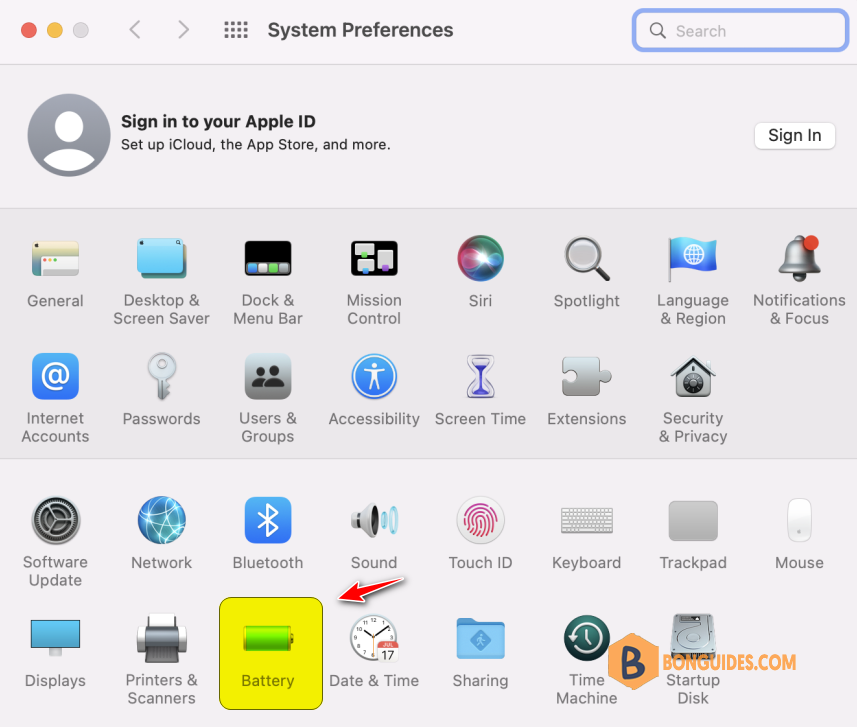
2. Select Battery option the System Preferences window.
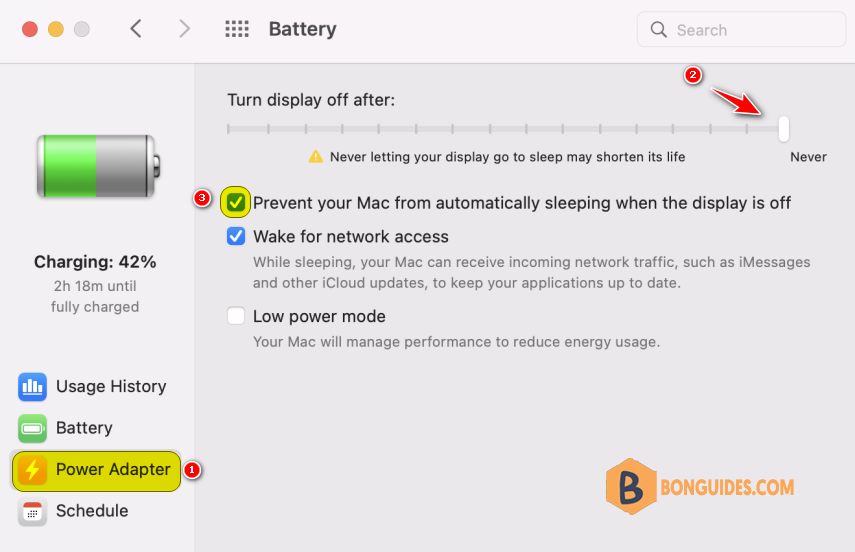
3. Select Power Adapter. Then move the slider to Never.
4. Then check the box next to Prevent your Mac from automatically sleeping when the display is off.
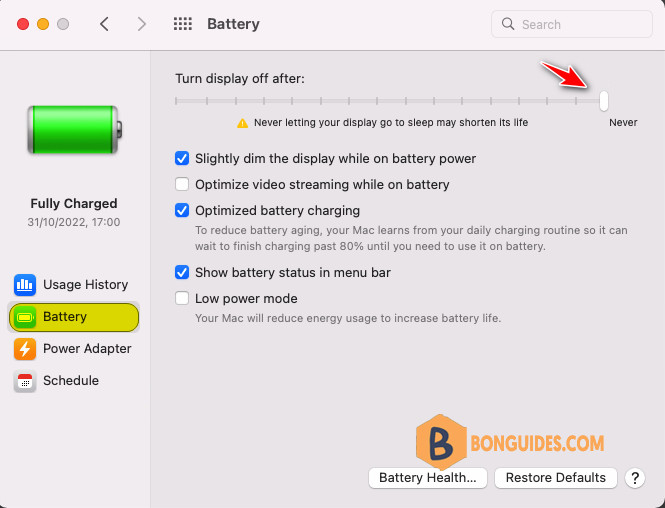
5. Select Battery. Then move the slider to Never.
Finally, open a mp3 track then close your MacBook lid to verify it works.


