
Table of Contents
Microsoft Office has stopped working
In some cases, when you install Office 365 apps from your Microsoft account using Click to Run technology. You got this error then the installer was stopped.

Before you begin
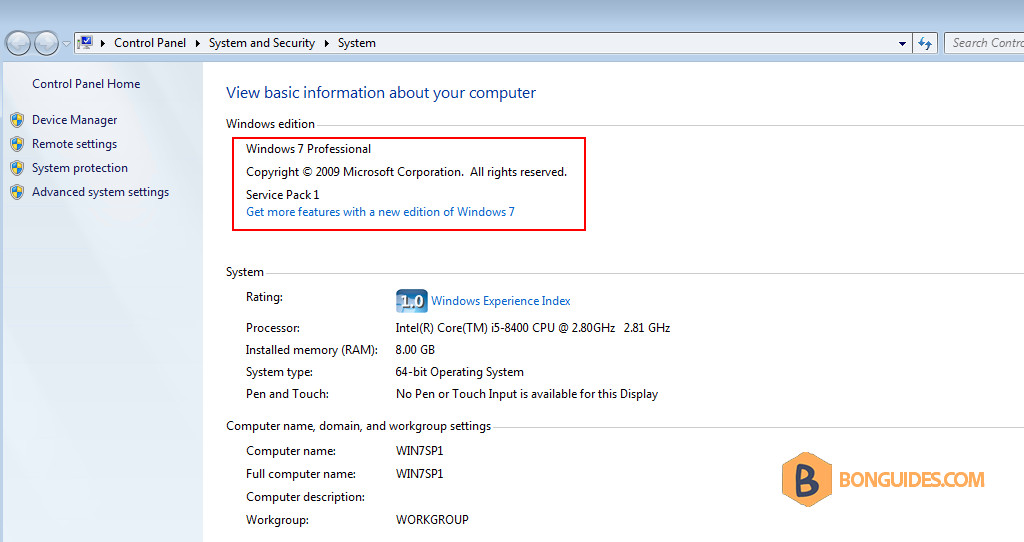
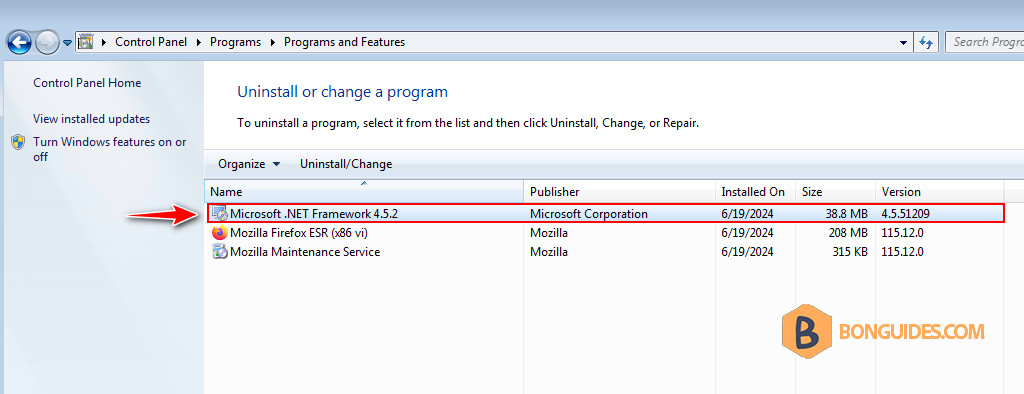
Before you begin, make sure you’re running Windows 7 SP1 with the .NET framework 4.5+ installed.
Cause of the issue
The latest version which will run on Windows 7 is version 2002 and the latest version of Office Deployment Tool (ODT) seems no longer works in Windows 7.

Resolution
1. Looking at the supported builds, it seems the Semi-Annual Enterprise Channel (Preview) build 12527.20880 is the appropriate version I can get away with. https://docs.microsoft.com/en-us/officeupdates/update-history-microsoft365-apps-by-date

2. To get the ODT runs in Windows 7, you must download the old version of Office Deployment Tool.
- (Deaded) Download from Microsoft: https://download.microsoft.com/download/2/7/A/27AF1BE6-DD20-4CB4-B154-EBAB8A7D4A7E/officedeploymenttool_12624-20320.exe
Or, you can download from the below link:
3. The contents of the extracted folder:
- configuration.xml: The configuration file, we’ve configured with the right channel and version.
- install.bat: The batch file to install Office instead of running in the command prompt.
- setup.exe: The old version of the Office Deployment Tool that still supports Windows 7.
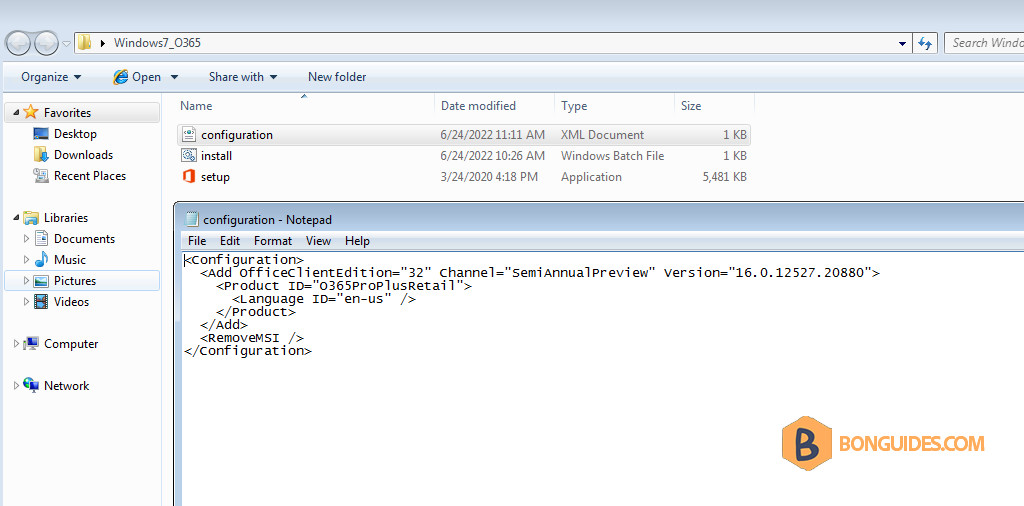
You can change product ID to install others Office 365 products:
- Microsoft 365 Apps for enterprise: O365ProPlusRetail
- Microsoft 365 Apps for business: O365BusinessRetail
- Office 365 Home and Personal: O365HomePremRetail
<Configuration>
  <Add OfficeClientEdition="64" Channel="SemiAnnualPreview" Version="16.0.12527.20880">
    <Product ID="O365ProPlusRetail">
      <Language ID="en-us" />
    </Product>
  </Add>
  <RemoveMSI />
</Configuration>
4. Now, you can use Command Prompt, PowerShell or create a batch file to install Office 365 in Windows 7.

As you can see, the error was gone, and the Office 365 is installing on Windows 7.

5. Once done, open any Microsoft Office app to verify it works.

Or you can open the Programs and Features in Control Panel to see the installed app.

Disable Office Updates
You should disable Office Updates to prevent update Office apps to higher version that no longer supports for Windows 7.
Go to Word (or any Microsoft Office apps) > File > Account > Update options > select Disable Updates as shown below:


