
Table of Contents
In some cases, you may encounter an error when trying to eject a CD drive in Windows. This can occur if you have installed a virtual drive tool such as UltraISO or PowerISO.
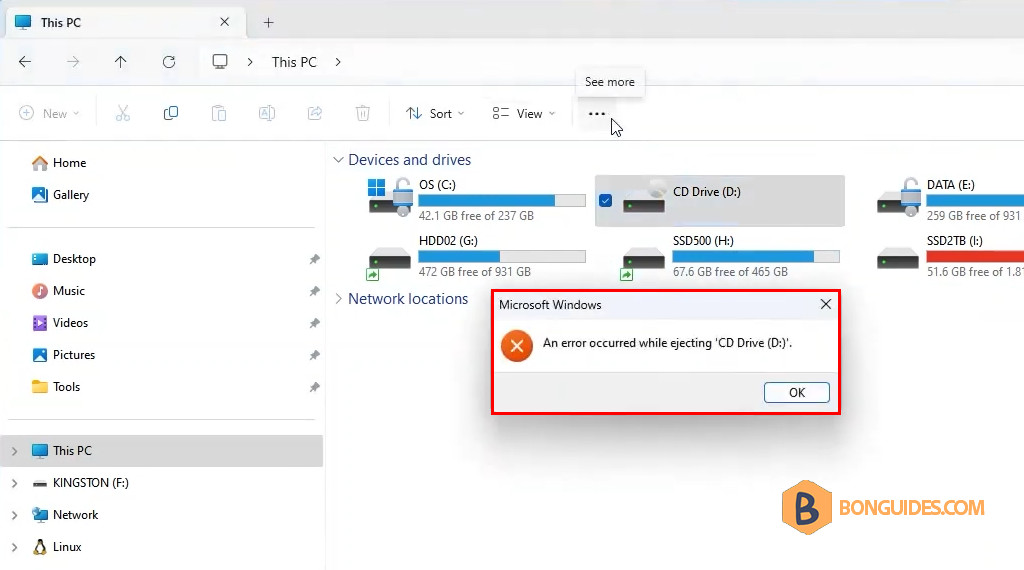
Nowadays, most computers no longer come with an optical drive. Follow the steps below to bypass the error:
Remove virtual drive from UltraISO
1. Open the UltraISO as administrator.
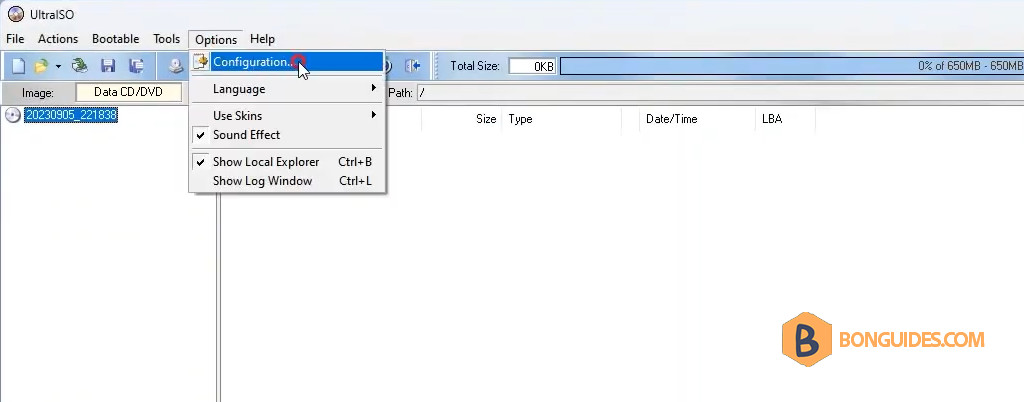
2. Navigate to Options → Configurations.
3. Select the Virtual Drive tab in the Configurations window, then change the Number of devices to None.
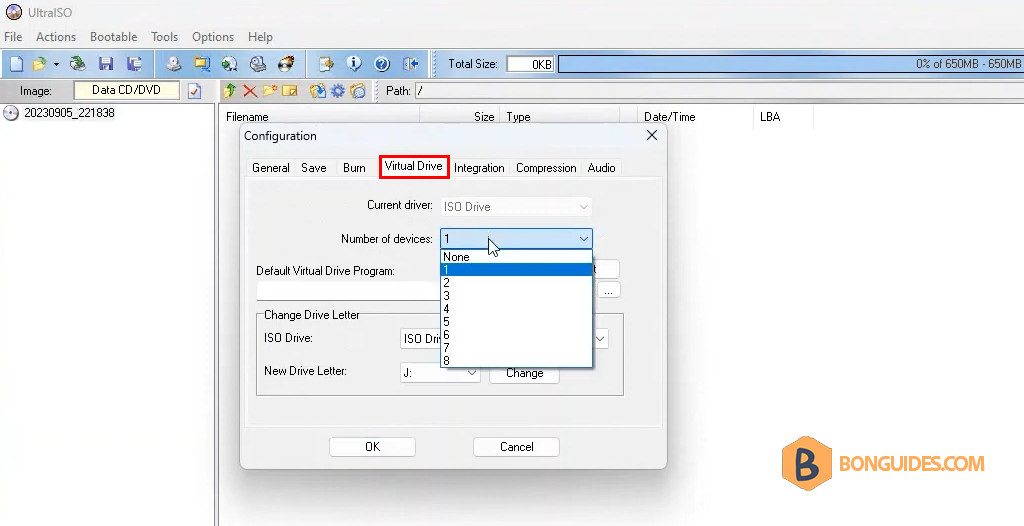
4. Save the changes, and the CD Drive should be removed from Windows Explorer automatically.
Remove virtual drive from PowerISO
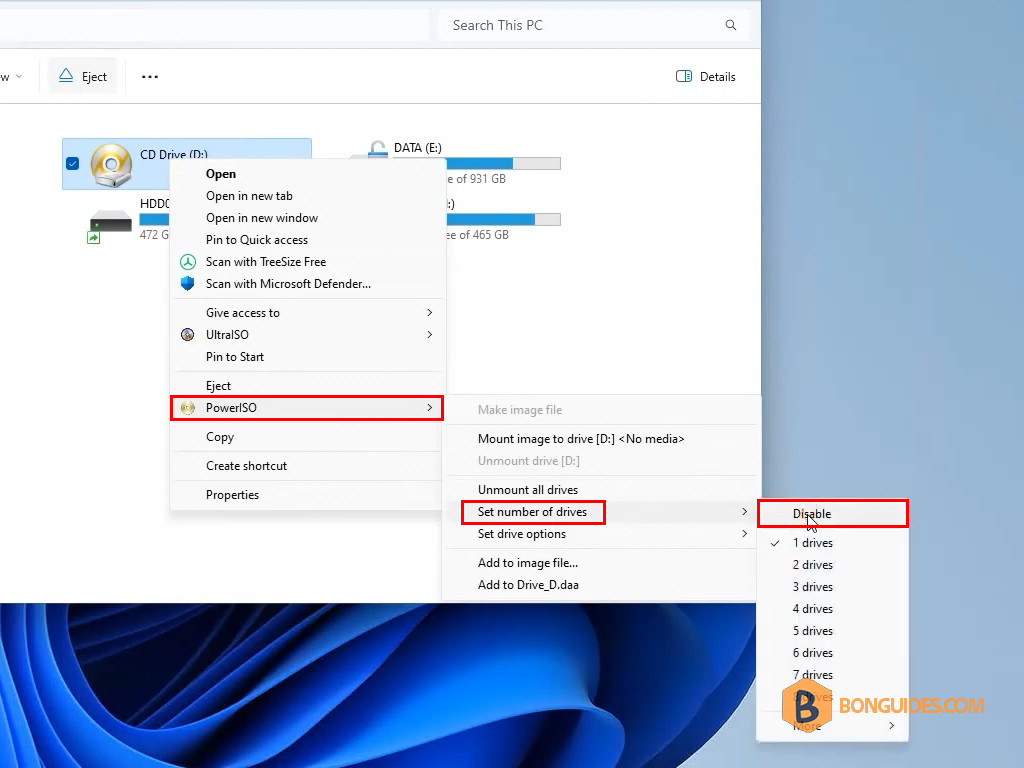
In case you’re using PowerISO.
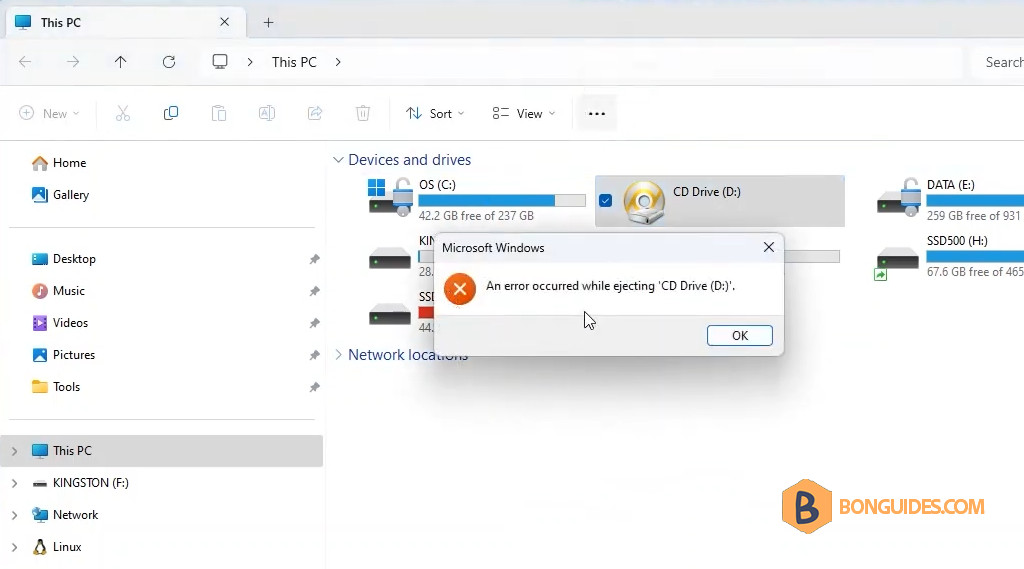
The virtual drive can be removed from the right-click context menu, as shown in the screenshot below.
Conclusion
By following these steps, you should be able to resolve the error and successfully eject your CD or DVD. If the problem persists, consider contacting the manufacturer for further assistance.


