Table of Contents
A common issue for users is being unable to access their own OneDrive for Business site, often caused by permission discrepancies, sync problems, or account-related issues. In this post, the issue is related to a site user ID mismatch.ID mismatch.
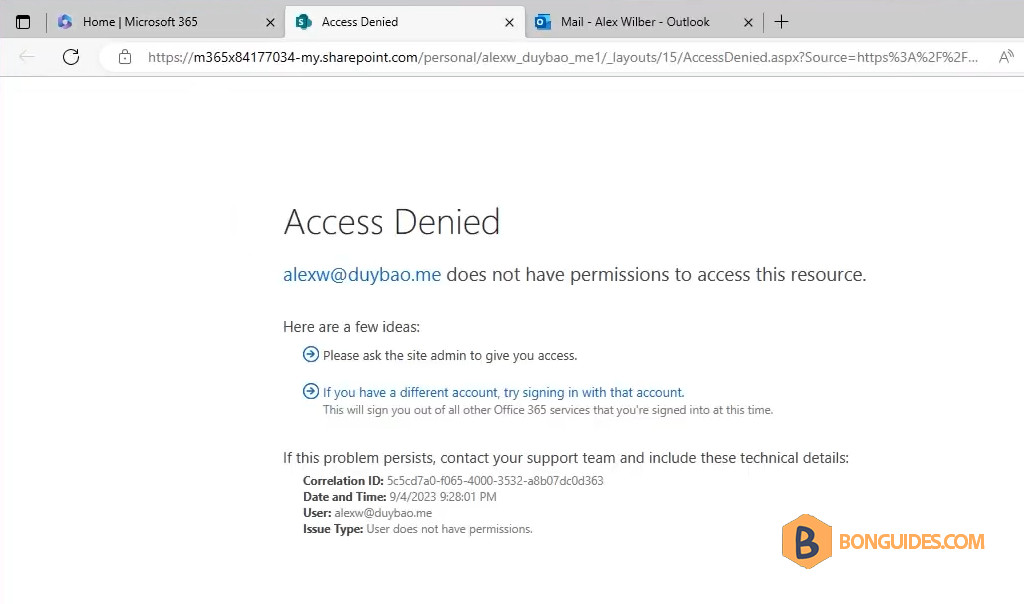
User Can’t Access Their Own OneDrive for Business Site
As the Microsoft 365 administrator, you can follow the steps below to fix the issue.
1. Visit the Microsoft 365 admin center, then sign in using a global admin account.
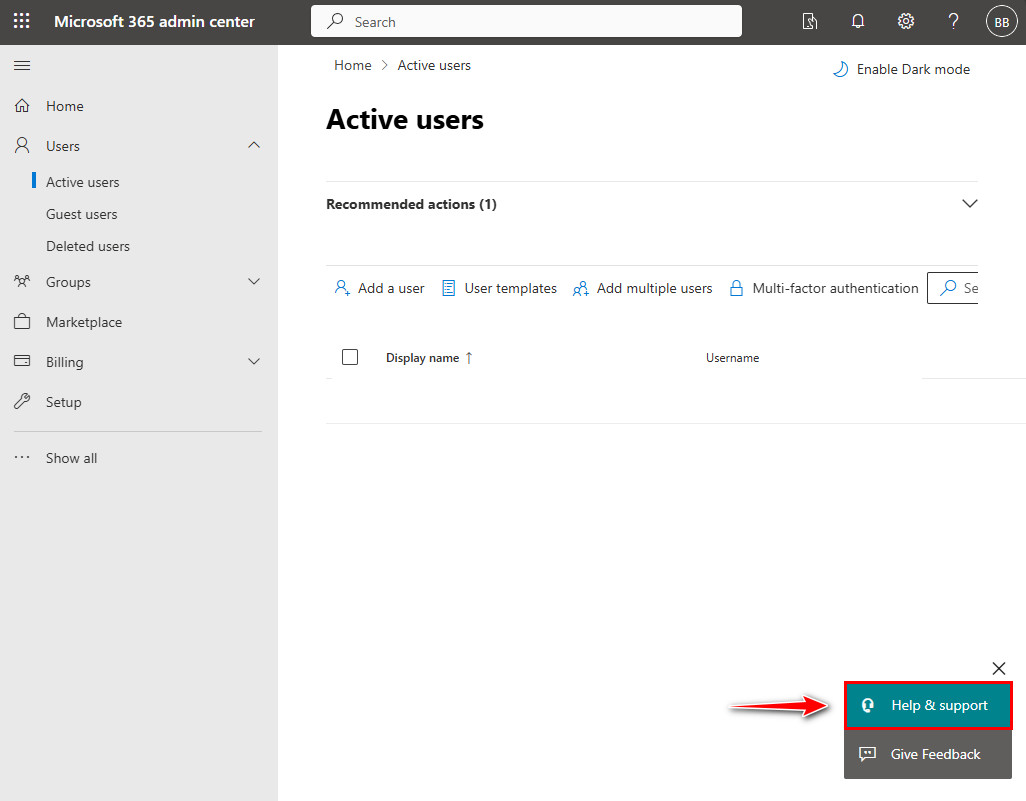
2. In the admin center, click on the section located at the bottom right corner to open the help window.
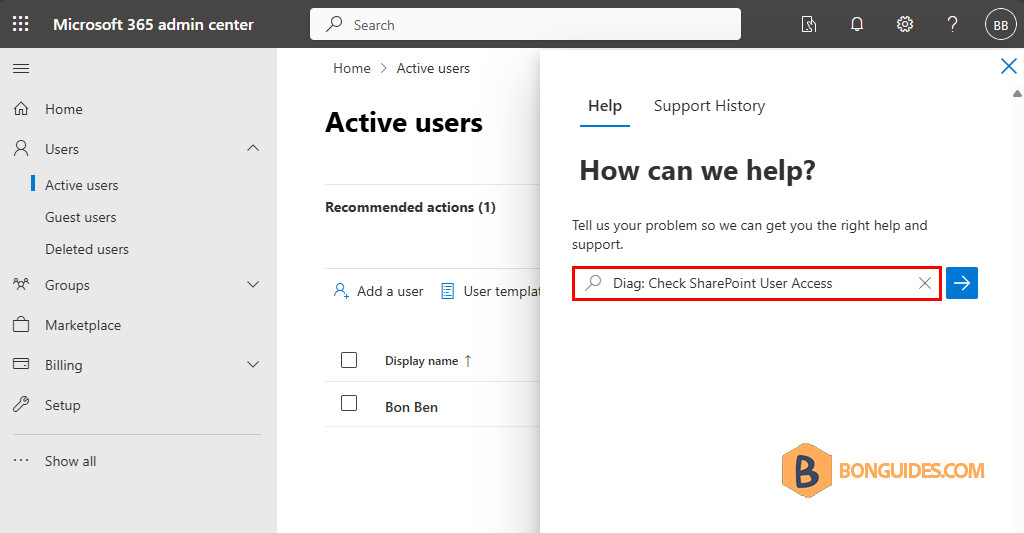
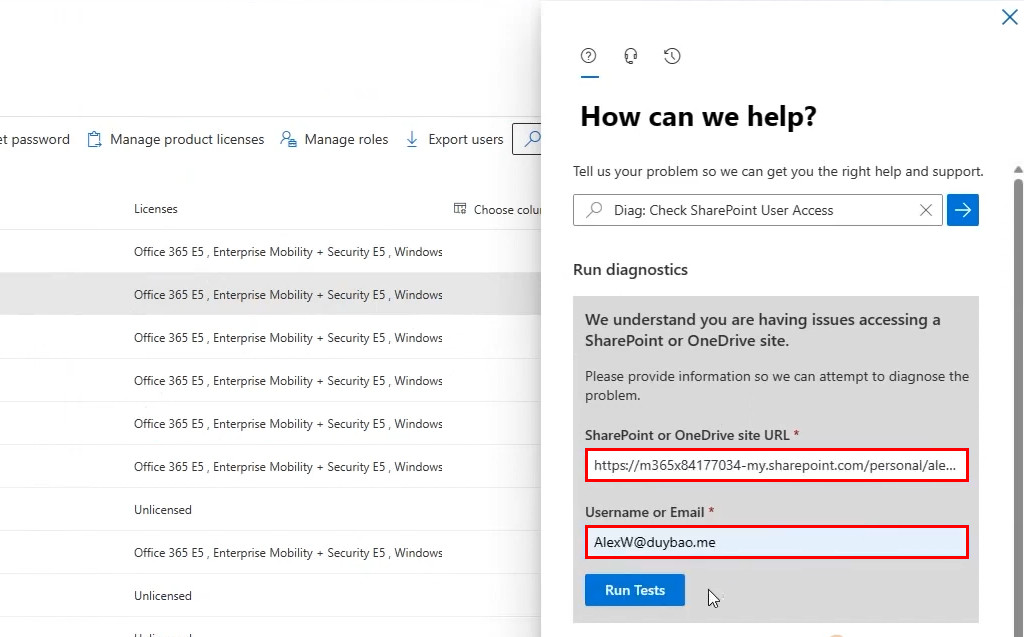
3. To run a diagnostic, type the following sentence in the fly-out window.
Diag: Check SharePoint User AccessYou can also open the diagnostic window directly by visiting : https://aka.ms/PillarCheckUserAccess
4. Enter the required information, then click .
- SharePoint or OneDrive site URL: Enter the full OneDrive URL of the affected user.
- Username or Email: Enter the username or email of the related account.
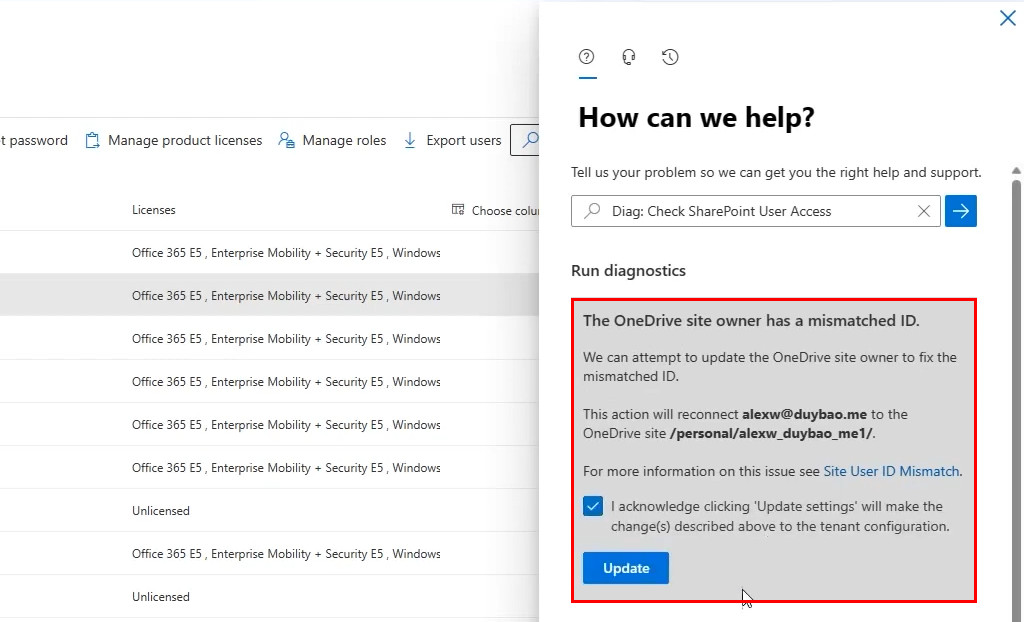
5. As you can see, the user cannot access their OneDrive because the ID is mismatched. The problem usually arises when you delete and then restore a user in Microsoft 365.
To update the ID, select the checkbox, then click on the button.
6. After completion, you should observe that the output has successfully updated the OneDrive site owner’s ID.
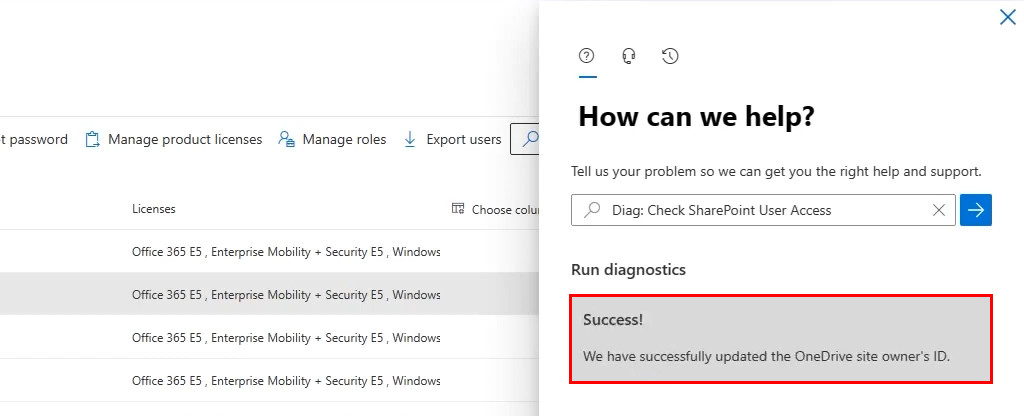
After a few minutes, the user can access their OneDrive for Business normally.