
Table of Contents
New Downloads Flyout Button in Chrome
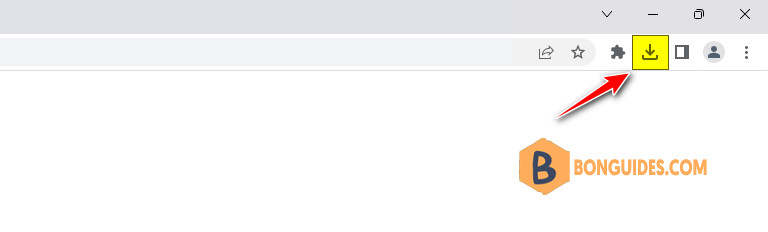
Newer versions of Google Chrome browser come with a new redesigned Downloads Flyout UI (known as Download Bubble) which automatically shows a dedicated Downloads button in Chrome toolbar and a new flyout or pop-up menu as soon as the browser starts downloading a file.
This new UI has been developed to replace the previous Download Panel or Download Shelf displayed at the bottom of Chrome browser. In older versions of Chrome, a Download panel is shown at the bottom of the browser window whenever the browser downloads a file.
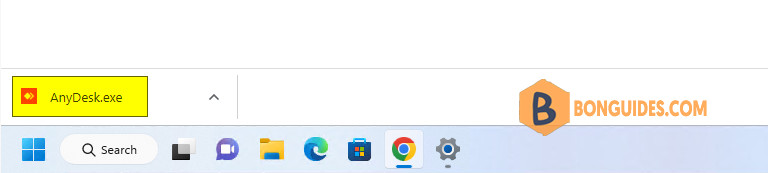
Many people want to always show Downloads button on Google Chrome toolbar as it allows to quickly access the downloaded files. This article will help you in pinning or always showing Downloads button or icon in main toolbar of Google Chrome web browser.
Note
Tip: You can quickly launch Downloads Manager in Google Chrome by pressing keys together.
Enable Downloads Icon in Google Chrome Toolbar
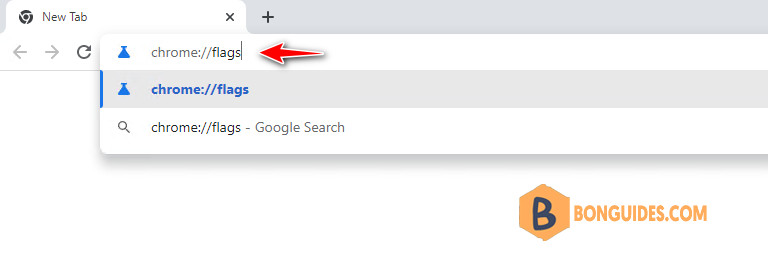
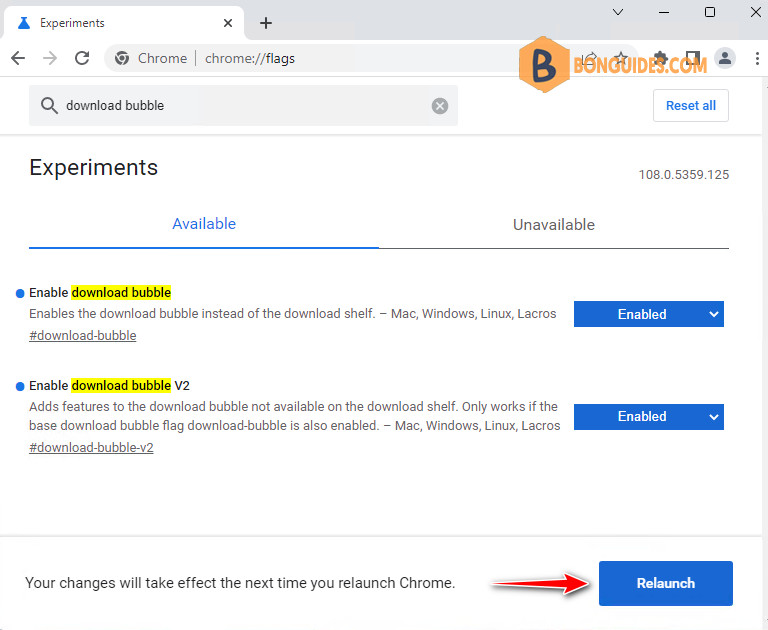
1. Open Google Chrome web browser and type chrome://flags/ in address bar and press Enter. It’ll open the experimental features page.
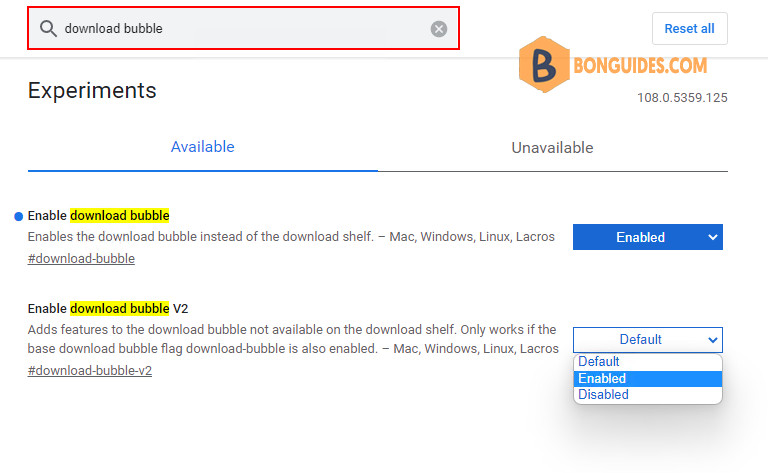
2. Now type download bubble in the search flags box.
3. To always showing the download icon in Chrome, select Enabled from the drop-down box of Enable download bubble and Enable download bubble v2 experiments.
4. Google Chrome will ask you to restart the browser. Click on Relaunch now button to restart Google Chrome.
That’s it. It’ll immediately add missing Downloads button to Google Chrome toolbar and enable the New Download Flyout UI.
Note
Tip: In some cases, even the experiments are enabled, but the download icon still hiding. Because the download icon is hided automatically when the download list is empty. To show it, let’s download any file.

