
Table of Contents
Check if your website is using HTML compression. HTML compression plays an important role in improving website speed by finding similar strings within a text file and replacing them temporarily to reduce overall file size. You can confirm that gzip is enabled by using serveral ways.
- Using online check tool
- Cheking manually
Online website to How to Check GZIP Compression
There’re alot of sites in internet you can use to check gzip. For example, we’ll using KeyCDN’s tool.
1. Visit this webpage: https://tools.keycdn.com/curl
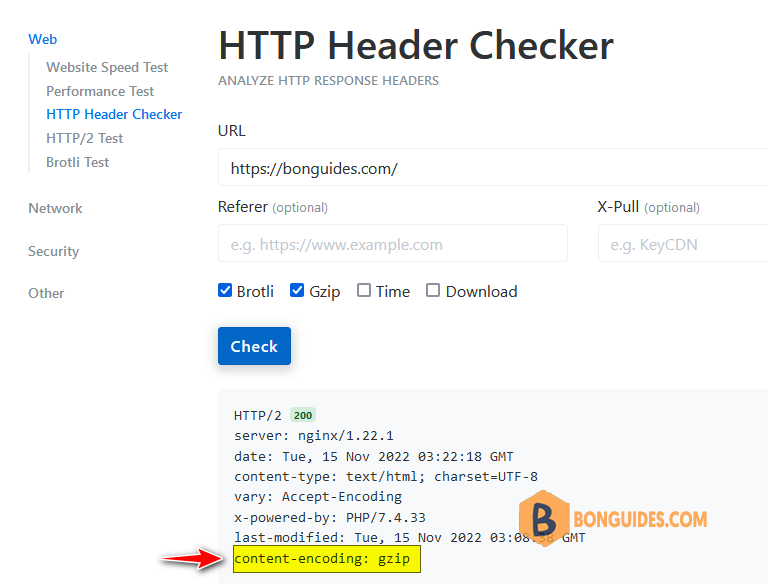
2. Enter your site URL in the given field and check two checkboxes Brotli and Gzip then click button.
The online utility will perform a GZIP test and display the information about compressed and uncompressed files in a matter of instance.
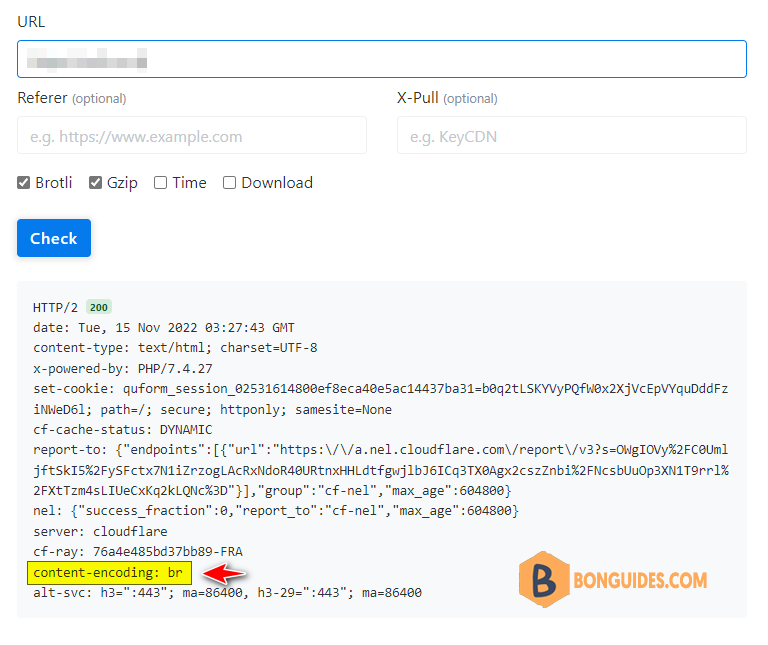
And the below one using Brotli compression method.
Checking Gzip compression manually
The second way, if you don’t want to use the online tools. You can check it using either the Developer Tools in any Chromium browser or curl command.
Check Gzip with Developer Tools
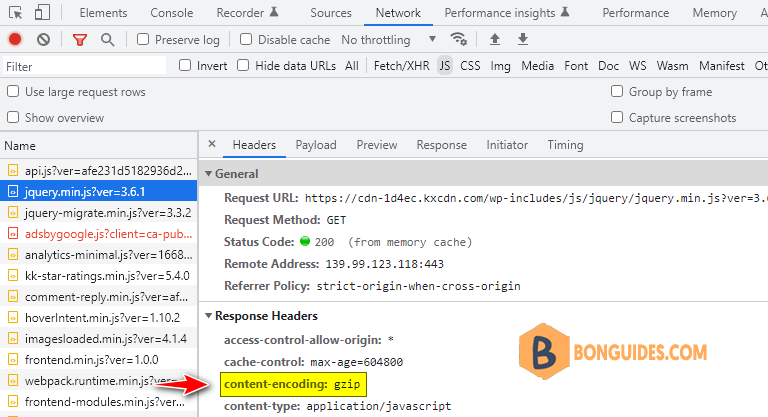
In Google Chrome you can use Developer Tools by pressing or by clicking Settings, then clicking More tools, and then Developer Tools when you’re landing on a page.
Select the tab and click on a URL of the request located under the Name column. the View HTTP response headers for this request on the right side.
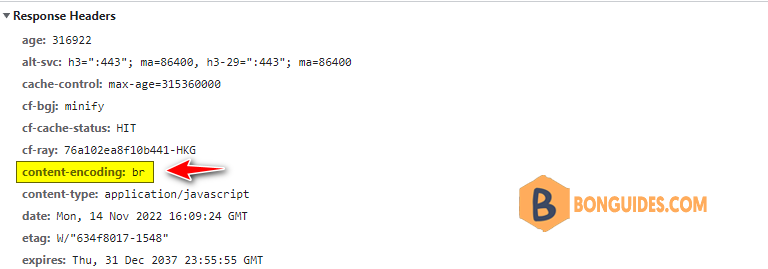
And this one using Brotli compression.
Check Gzip with curl command
Curl is installed by default on Windows and Linux system. So, you can use it to check Gzip compression using the following command:
curl -L -Is -H "accept-encoding: gzip, deflate, br" https://bonguides.comC:\Users\admin>curl -L -Is -H "accept-encoding: gzip, deflate, br" https://bonguides.com
HTTP/1.1 200 OK
Server: nginx/1.22.1
Date: Tue, 15 Nov 2022 03:41:39 GMT
Content-Type: text/html; charset=UTF-8
Connection: keep-alive
Vary: Accept-Encoding
X-Powered-By: PHP/7.4.33
Last-Modified: Tue, 15 Nov 2022 03:35:59 GMT
Content-Encoding: gzipC:\Users\admin>curl -L -Is -H "accept-encoding: gzip, deflate, br" https://www.keycdn.com
HTTP/1.1 200 OK
Server: keycdn-engine
Date: Tue, 15 Nov 2022 03:43:46 GMT
Content-Type: text/html
X-Content-Type-Options: nosniff
Referrer-Policy: no-referrer-when-downgrade
Content-Encoding: br
X-Cache: HIT
X-Edge-Location: sgsg
Access-Control-Allow-Origin: *
