Table of Contents
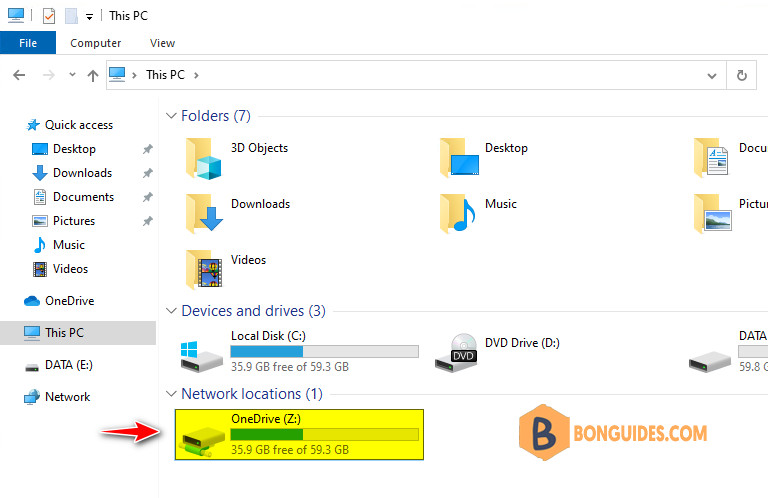
In some cases, you want to map your OneDrive account as a network drive into your Windows computer instead of installing and using the OneDrive sync app.
Note
This feature doesn’t work in Google Chrome, Mozilla Firefox, or on the Mac platform. You must use Microsoft Edge or Internet Explorer to login and map a network drive.
Get the CID number of your OneDrive account
1️⃣ Open Microsoft Edge or Internet Explorer then sign-in into https://onedrive.live.com.
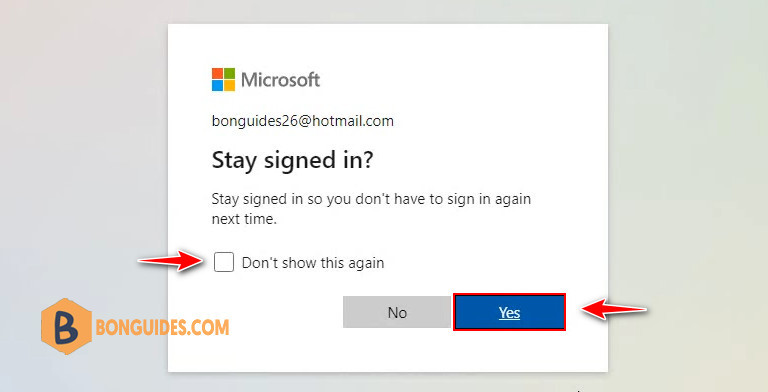
2️⃣ Sign in with your email address and password. Then don’t forget check the box that says, Don’t show this again and click Yes button in the Stay signed in window.
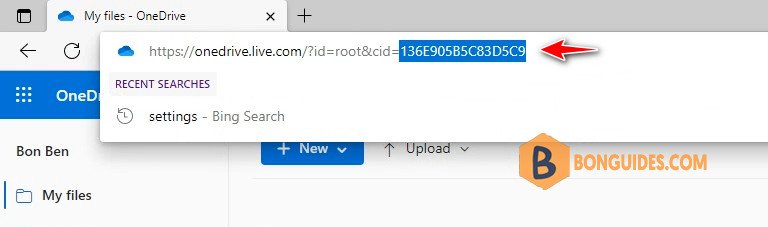
3️⃣ Once you have logged in, go to the address bar. At the end of the address, you will notice a CID number (the number after the phrase cid= at the last part of the address.) Take note the CID number.
Map the OneDrive account into a network drive in Windows
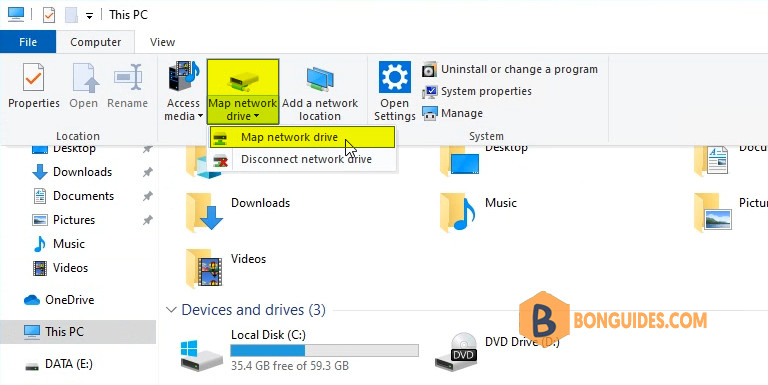
1️⃣ Open the File Explorer on your system. In the File Explorer window, click on Map network drive to map OneDrive into your Windows.
2️⃣ Then, paste this line in the Folder: box and modify this line accordingly. Replace the CIDNumber with the CID number of your OneDrive that you have noted in the address bar.
https://d.docs.live.net/136E905B5C83D5C9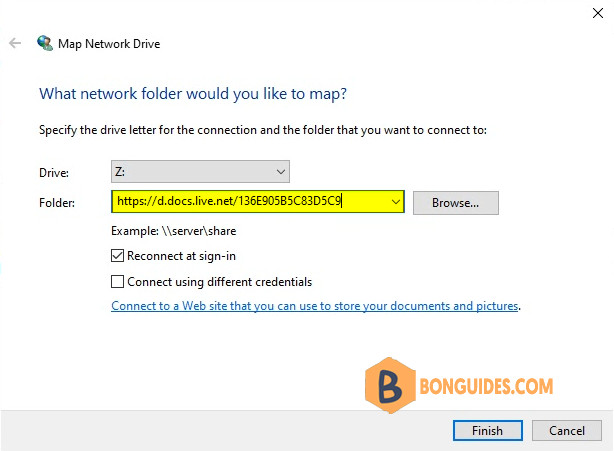
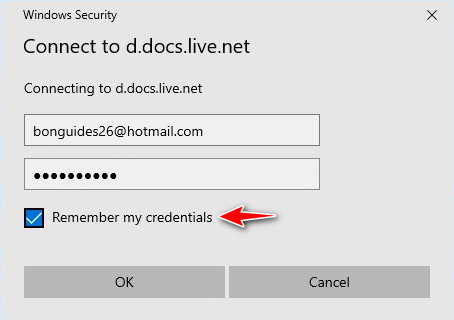
3️⃣ Next, Windows will try to connect to the OneDrive as a network drive. Now, input your OneDrive credentials once again and make sure to check the Remember my credentials box.
4️⃣ OneDrive will be opened in a new File Explorer window. You have successfully mapped OneDrive as a drive on your system.
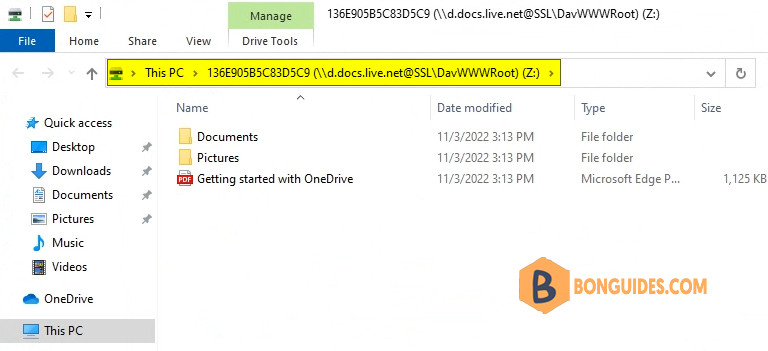
5️⃣ As you have added OneDrive as a new network drive, it may bear a long address in its name. You can easily rename it back to OneDrive (or anything you prefer).
Right-click on the new OneDrive that you have added as a network drive and click on Rename to rename it.