Table of Contents
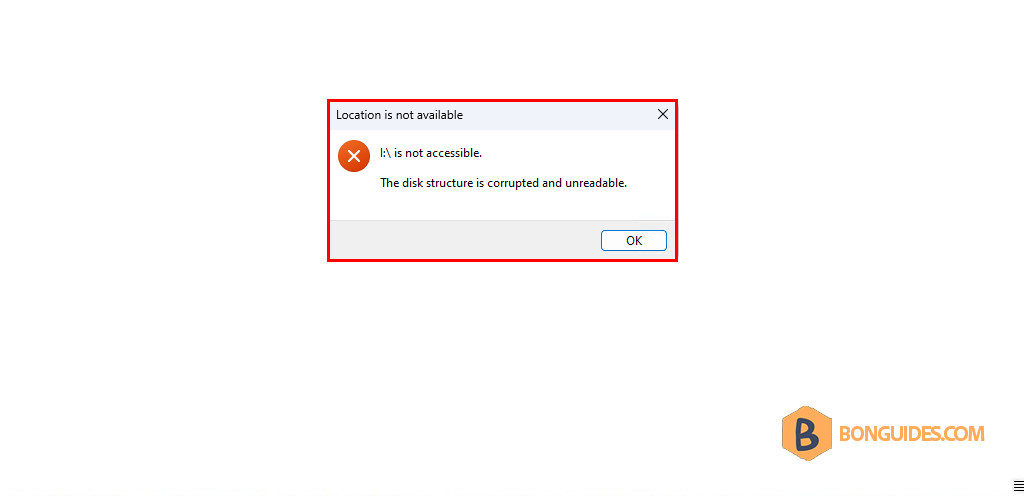
The Disk Structure Is Corrupted and Unreadable
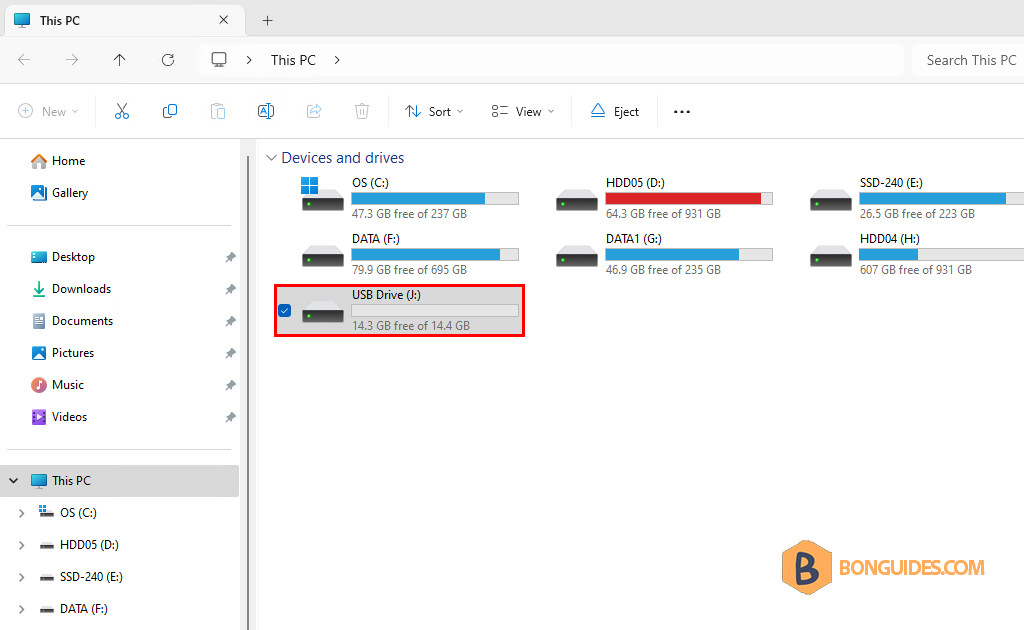
In some cases, you got the following error when accessing your USB drive.
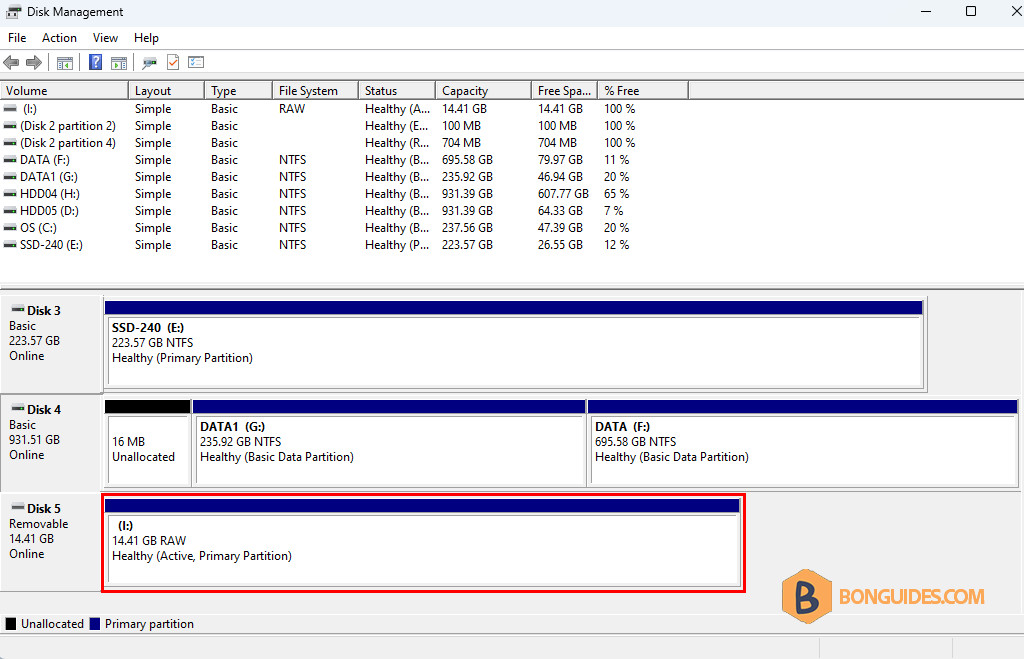
You can see the USB disk in the Disk Management tool.
Note
This method will erase all data in the USB drive, so, do it with your own risk
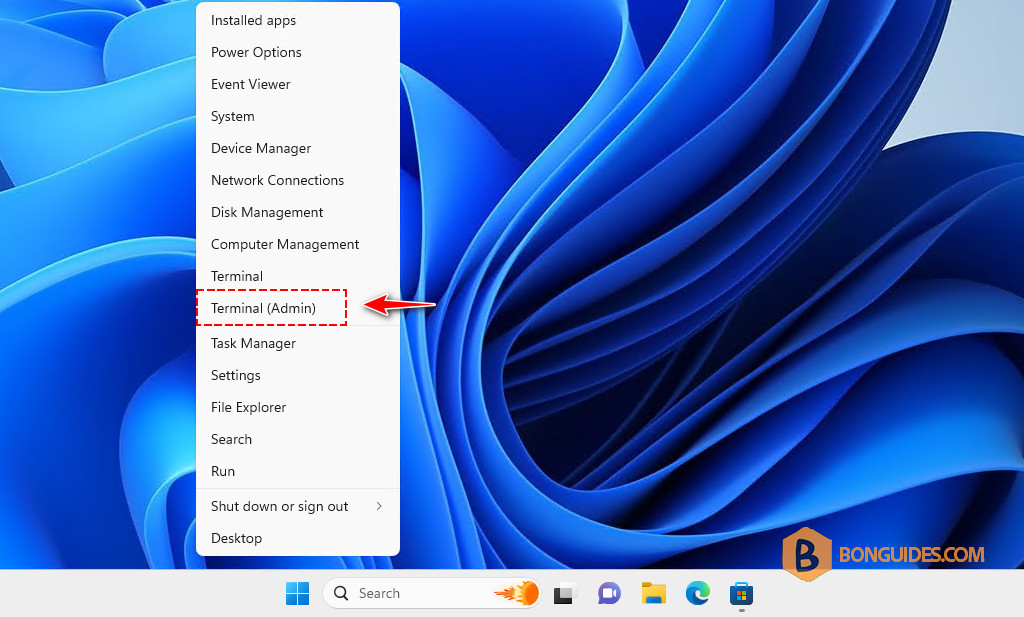
1. Right click on the Windows Start icon then open an elevated PowerShell window.
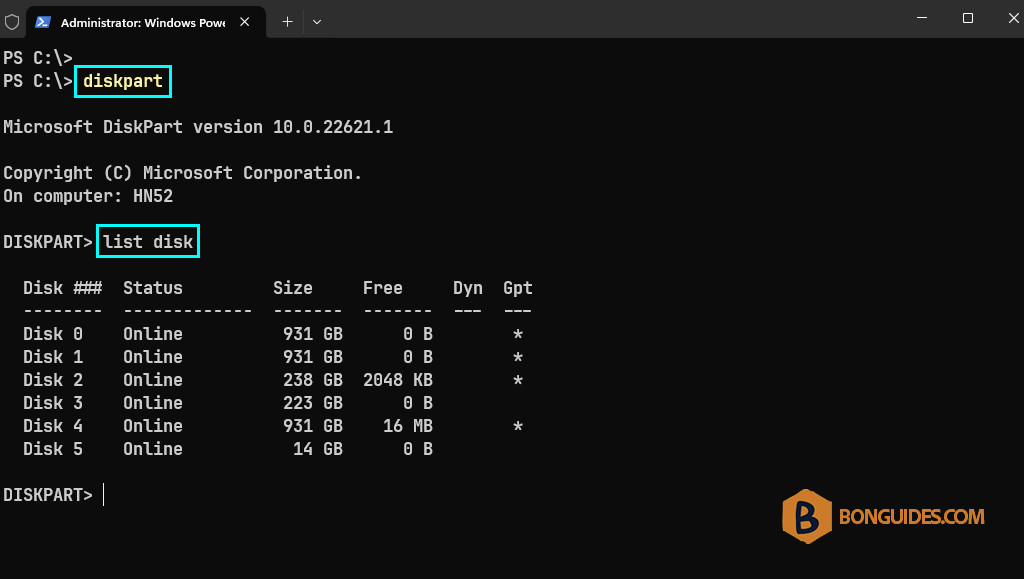
2. Launch the DiskPart tool and retrieve the list of disks.
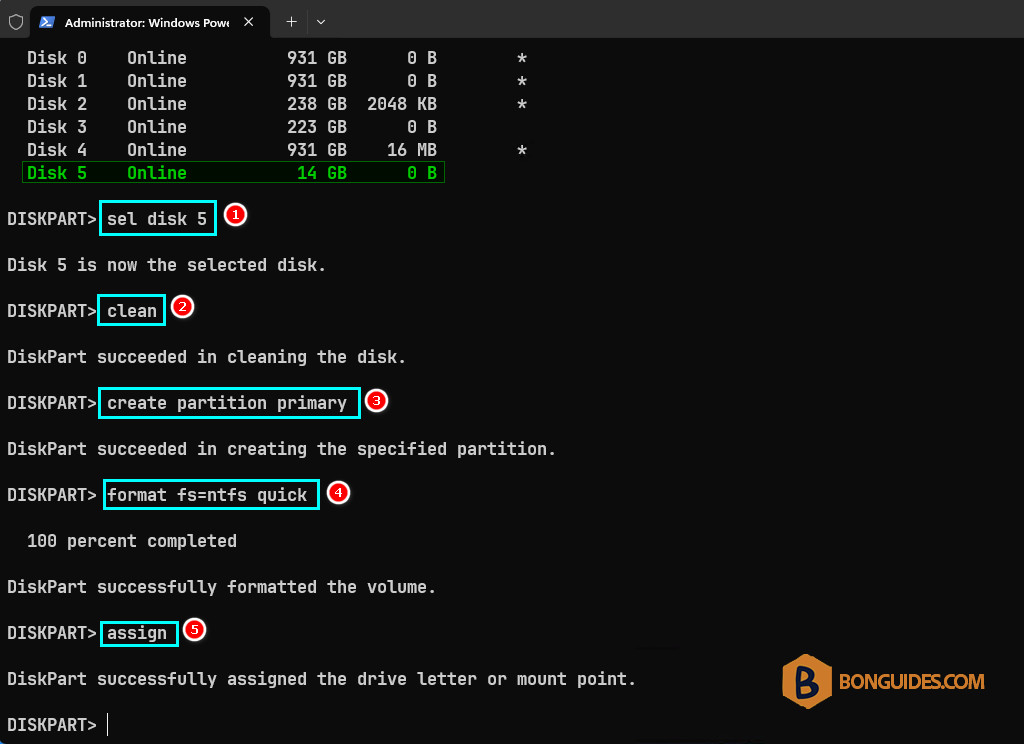
3. Run the below commands in order to clean and format the USB disk.
Finally, go back to the Windows Explorer and the USB drive should be available now.