
Table of Contents
Office Needs a Newer Version of Windows
In some cases, when you install Microsoft Office 365 apps using Click to Run technology on Windows 7. You got this error then the installer was stopped.
The cause is the latest version of Office 365 apps which will run on Windows 7 is version 2002 and the latest version of Office Deployment Tool (ODT) seems no longer works in Windows 7.
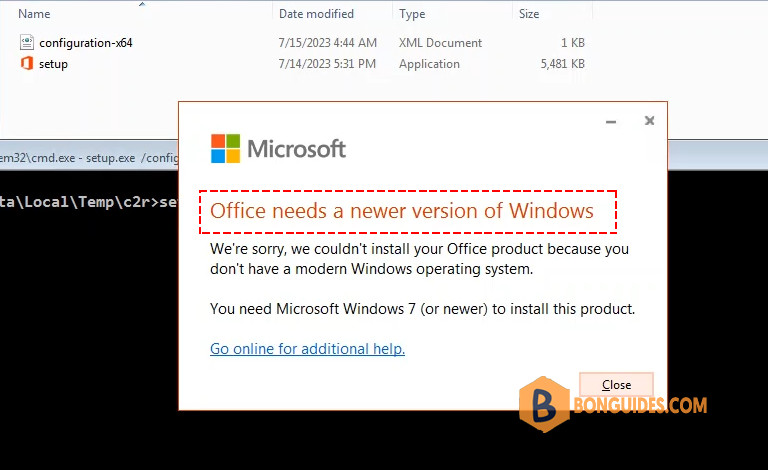
Looking at the supported builds, it seems the Semi-Annual Enterprise Channel (Preview) build 12527.20880 is the appropriate version I can get away with. https://docs.microsoft.com/en-us/officeupdates/update-history-microsoft365-apps-by-date

To fix it, you need edit the xml configuration file as follows:
<Configuration>
  <Add OfficeClientEdition="64" Channel="SemiAnnualPreview" Version="16.0.12527.20880">
    <Product ID="O365ProPlusRetail">
      <Language ID="en-us" />
    </Product>
  </Add>
  <RemoveMSI />
</Configuration>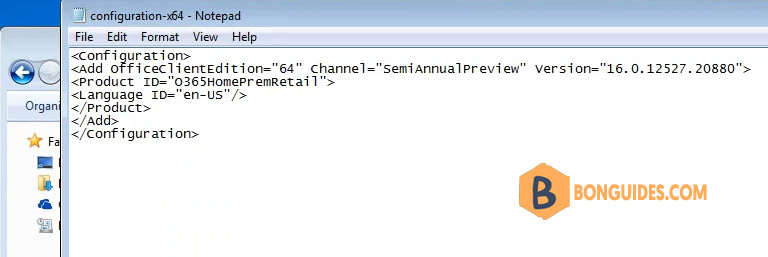
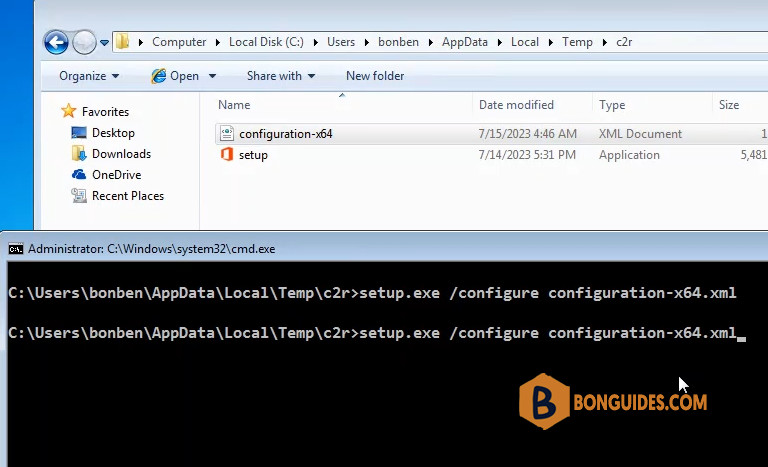
Finally, install Office 365 using command line:
Install Microsoft Office 365 on Windows 7 using PowerShell
Alternatively, if you don’t want to do it manually, you can install it using PowerShell.
1️⃣ Click on the Windows Start icon and type into the search box. Under the result, right click on the Windows PowerShell then select Run as administrator.

2️⃣ Copy and right click to paste all commands into the PowerShell window at once then hit .
$uri = 'https://bonguides.com/office7'
iex ((New-Object System.Net.WebClient).DownloadString($uri))
Note
Our PowerShell Script is safe, but you should verify the security and contents of any script from the internet you are not familiar with. But you see the link in the command is not from GitHub? Because Windows 7 not support TLS 1.2 by default. So, we need to save the script on a host that still supports TSL 1.
This is the GUI version of our PowerShell script. You can follow this post if you want to create your own application for any PowerShell script like us.
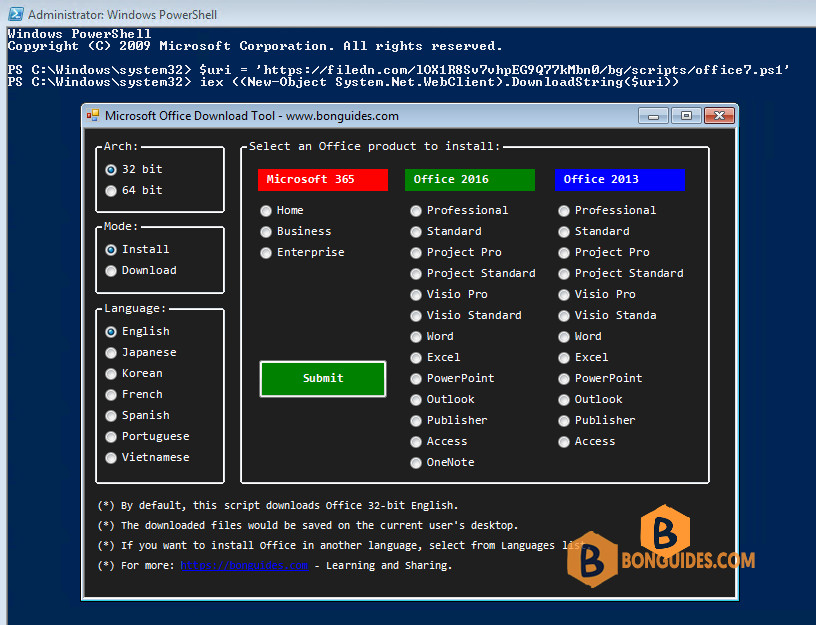
3️⃣ Select architect as 64-bit or 32-bit, language and Office version as you need, then click on the Submit button. In this case, we’ll install Office 365 Home.
- Home: Office 365 Home, Office 365 Personal.
- Business: Microsoft 365 Apps for Business, Microsoft 365 Apps for Enterprise.
4️⃣ The install starts automatically. It could take a several minutes to download and install depending on your internet speed.
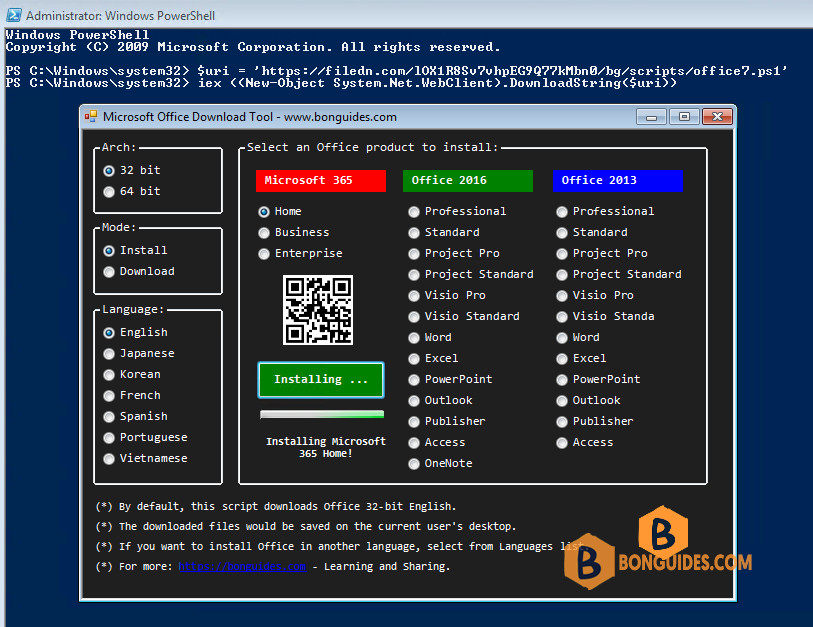
Note
Tip: If you want to create an offline installer for later use or using it to install on multiple computers. You can select the Download load Mode instead of Install mode.
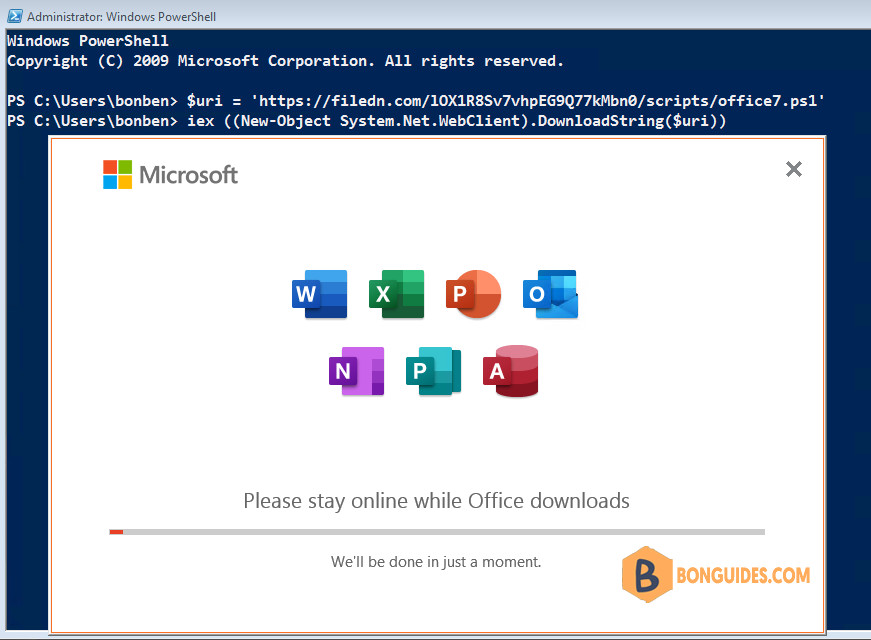
5️⃣ The installation was successful, click button.
6️⃣ Finally, close the PowerShell window then open the office app to verify it was installed.

Or you can open the Programs and Features in Control Panel to see the installed app.

Disable Office Updates
You should disable Office Updates to prevent update Office apps to higher version that no longer supports for Windows 7.
Go to Word > File > Account > Update options > select Disable Updates as shown below:


Hi there, just found this video this morning. Thanks for posting this, I’ve been struggling for months and I’m not ready yet to move from Windows 7.
Okay so I read through your manual web pages too, and I was able to start the download/install only after I selected the “Business” version (I was choosing Home).
BUT, what looks like 80% download/install progress, it stops with an error:
“Something went wrong
Sorry, we ran into a problem.
Go online for additional help.
Error Code: 30015-11 (255)”
Any idea what this could be?
(ps – I’m going to paste this same message – hopefully with screenshot error – to your web pages, too)
And thank you again for this info, it’s the closest I’ve come to solving this problem in months!!! :))