
Table of Contents
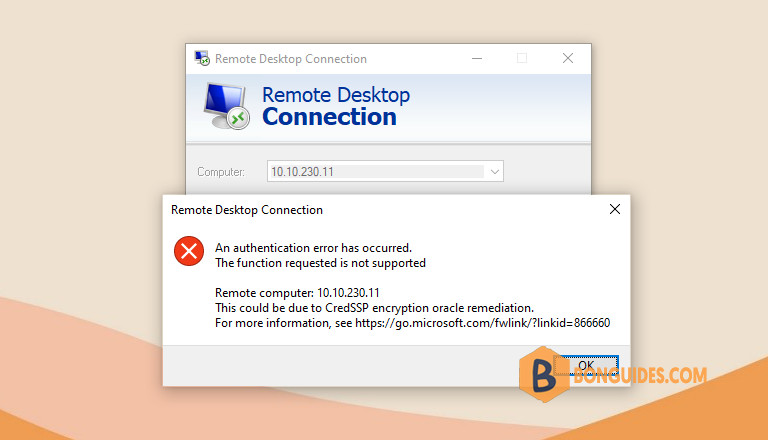
In some cases, you unable to RDP to Virtual Machine and getting this error code: CredSSP Encryption Oracle Remediation.
Symptoms
- The Credential Security Support Provider protocol (CredSSP) updates for CVE-2018-0886 are applied to a Windows VM (remote server) in Microsoft Azure or on a local client.
- You try to make a remote desktop (RDP) connection to the server from the local client.
In this scenario, you receive the following error message:
An authentication error has occurred. The function requested is not supported. Remote computer: <computer name or IP>. This could be due to CredSSP encryption oracle remediation. For more information, see https://go.microsoft.com/fwlink/?linkid=866660.
Cause
This error occurs if you are trying to establish an insecure RDP connection, and the insecure RDP connection is blocked by an Encryption Oracle Remediation policy setting on the server or client. This setting defines how to build an RDP session by using CredSSP, and whether an insecure RDP is allowed.
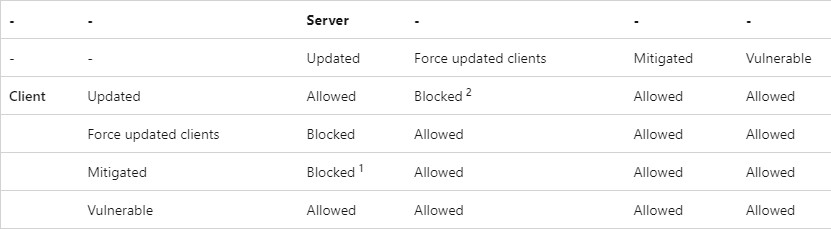
See the following interoperability matrix for scenarios that are either vulnerable to this exploit or cause operational failures.
Examples
- The client has the CredSSP update installed, and Encryption Oracle Remediation is set to Mitigated. This client will not RDP to a server that does not have the CredSSP update installed.
- The server has the CredSSP update installed, and Encryption Oracle Remediation is set to Force updated clients. The server will block any RDP connection from clients that do not have the CredSSP update installed.
Resolution
Microsoft recommends you need to install CredSSP updates for both client and server so that RDP can be established in a secure manner. The issue would be solved automatically. For more information, see CVE-2018-0886 | CredSSP Remote Code Execution Vulnerability.
If you cannot update the server system, you can try the following below methods:
Method 1: Allow RDP using Registry
The most common scenario is that the client has the CredSSP update installed, and the Encryption Oracle Remediation policy setting doesn’t allow an insecure RDP connection to a server that does not have the CredSSP update installed.
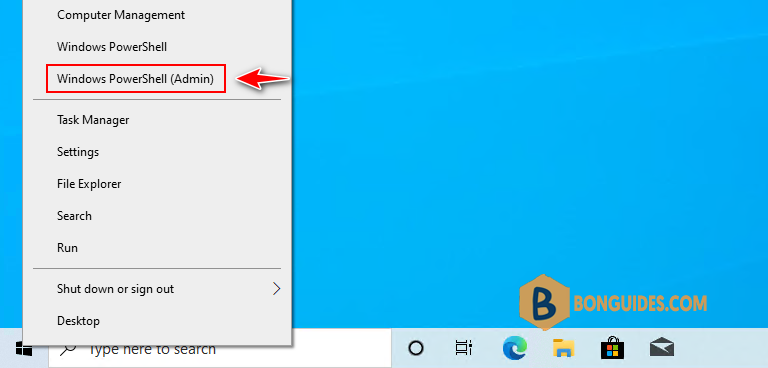
1. On the client machine, right-click on the Windows Start icon then select Windows PowerShell (Admin).
Note
In Windows 11, select instead of Windows PowerShell (Admin)
2. Run the following command to add a registry value:
REG ADD HKLM\Software\Microsoft\Windows\CurrentVersion\Policies\System\CredSSP\Parameters\ /v AllowEncryptionOracle /t REG_DWORD /d 2You can open Registry Editor to verify the registry value is created.
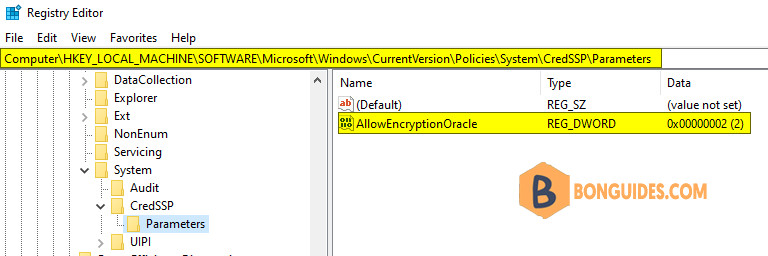
Now, trying to connect to the server through RDP and the error should be gone.
Method 2: Using Group Policy
Alternatively, if you don’t want to use Registry, you can fix the issue using Group Policy.
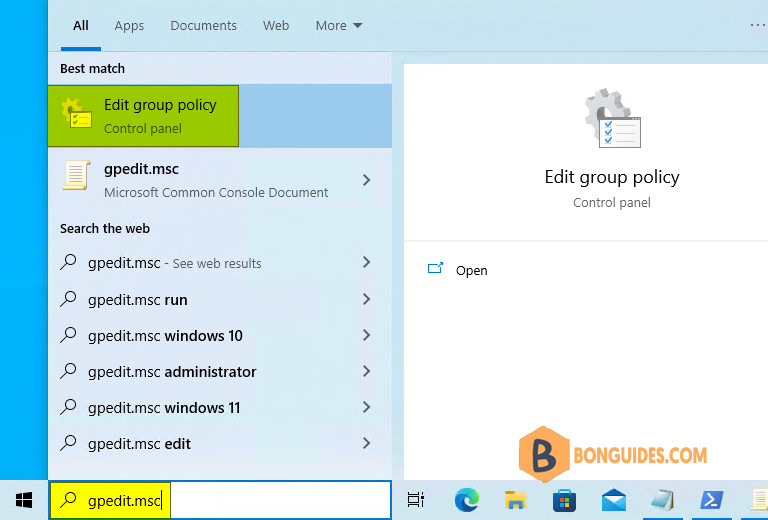
1. Press on your keyboard to bring up the search bar then type gpedit.msc in the search box and click Edit group policy.
2. Browse to Computer Configuration > Administrative Templates > System > Credentials Delegation in the navigation pane.
3. Change the Encryption Oracle Remediation policy to Enabled, and then change Protection Level to Vulnerable.
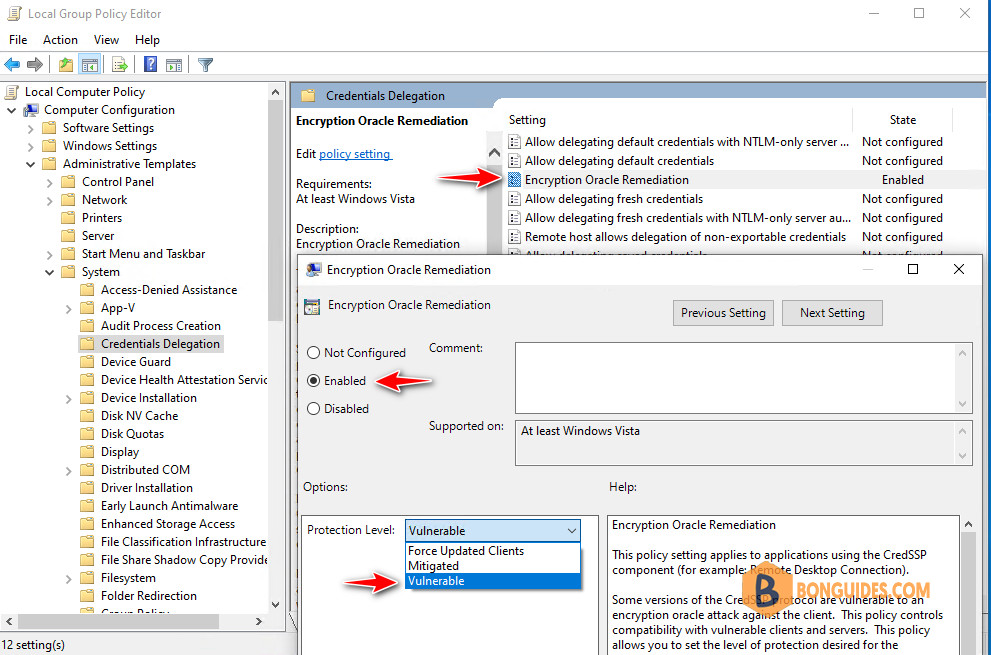
Now, click OK to save the changes then trying to connect to the server through RDP and the error should be gone.


