
Table of Contents
How to Download File With Credentials Using PowerShell
In some cases, you want to download a file from a direct link using PowerShell script. You can use the below code to download them from a public environment normally:
$source = 'http://downloads.bonguides.com/10MB.zip'
$destination = 'D:\Donwloads\10MB.zip'
Invoke-WebRequest -Uri $source -OutFile $destination
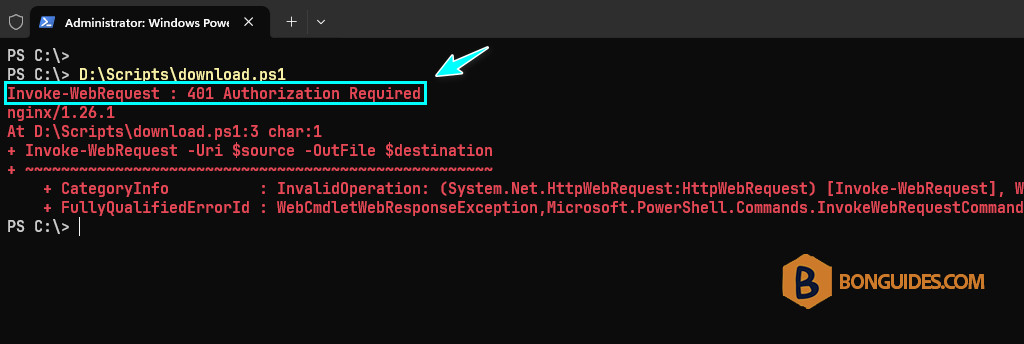
But if the source requires authentication before allowing access? For example, the code below downloads a file from a private website where users must log in. Whether the source location requires users to log in, you would get the error 401 Authorization Required
If authentication is required, you should add a credential to the request using the –Credential parameter. The first line in the code below prompts you to enter the credential (username and password) and stores it to the $credential variable.
$credential = Get-Credential
$source = 'http://downloads.bonguides.com/10MB.zip'
$destination = 'D:\Downloads\10MB.zip'
Invoke-WebRequest -Uri $source -OutFile $destination -Credential $credential
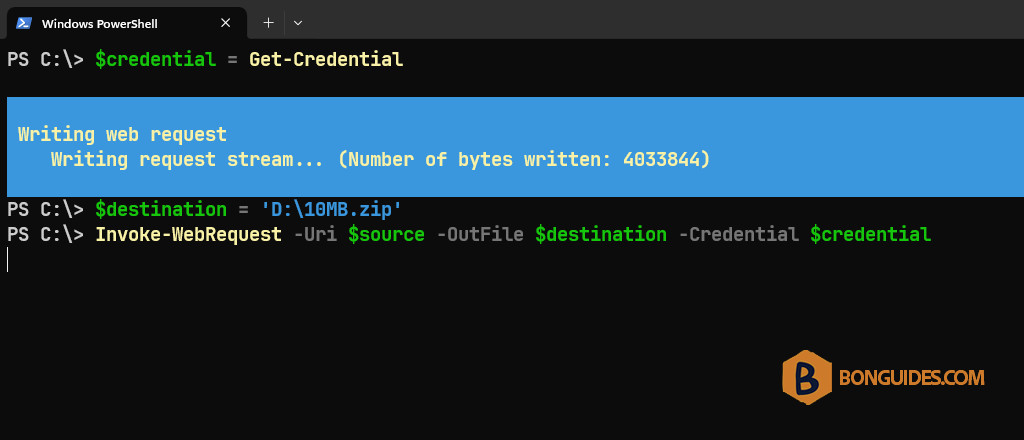
The demonstration below shows what you’d expect to see when you run the above code in PowerShell. As you can see, the Get-Credential cmdlet prompted a PowerShell credential request. This time, using the credential with Invoke-WebRequest resulted in a successful download.
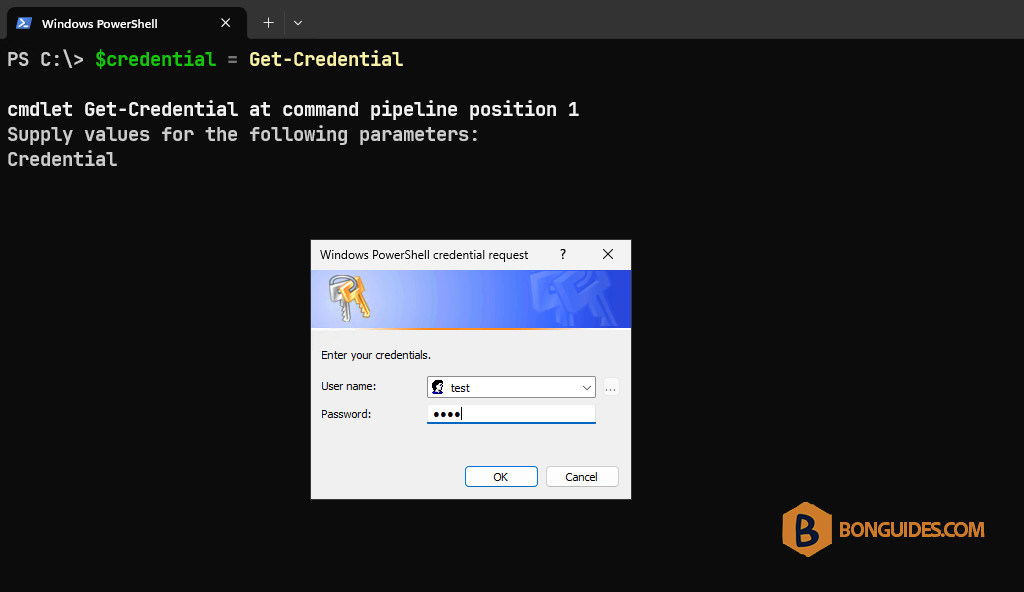
After authenticated to the source, the file should be downloaded automatically.
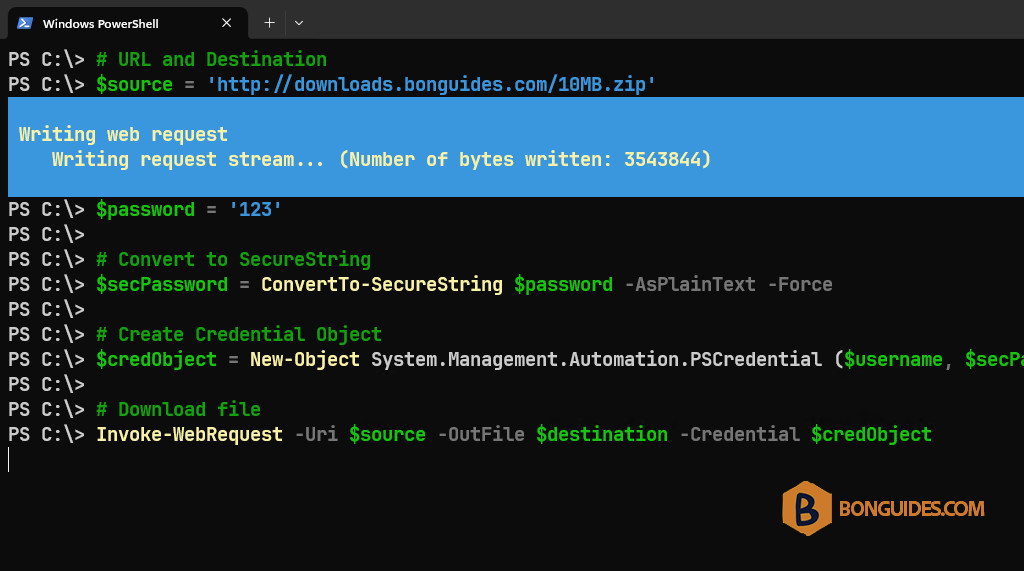
If you don’t want to enter the credentials manually. You can pre-declare them into the script as the variables.
# URL and Destination
$source = 'http://downloads.bonguides.com/10MB.zip'
$destination = 'D:\10MB.zip'

# Define username and password
$username = 'test'
$password = '123'

# Convert to SecureString
$secPassword = ConvertTo-SecureString $password -AsPlainText -Force

# Create Credential Object
$credObject = New-Object System.Management.Automation.PSCredential ($username, $secPassword)

# Download file
Invoke-WebRequest -Uri $source -OutFile $destination -Credential $credObject
This time, when you run the script, the file should be downloaded automatically without any prompting.
Other ways to download a file using PowerShell
Depending on the way you’re using to download a file with PowerShell. The code snippet could be different.
Using the Invoke-RestMethod:
$cred = Get-Credential
$source = 'http://speedtest.tele2.net/10MB.zip'
$dest = 'D:\10MB.zip'
Invoke-RestMethod -Uri $source -OutFile $dest -Credential $cred -AllowUnencryptedAuthentication
Using the WebClient class:
# URL and Destination
$url = 'http://downloads.bonguides.com/10MB.zip'
$dest = 'D:\Downloads\10MB-005.zip'

# Define username and password
$username = 'test'
$password = '123'

# Convert to SecureString
$secPassword = ConvertTo-SecureString $password -AsPlainText -Force

# Create Credential Object
$credObject = New-Object System.Management.Automation.PSCredential ($username, $secPassword)

# Download file
Invoke-WebRequest -Uri $url -OutFile $dest -Credential $credObject
Using the HttpClient class:
# Set the source and destination
$source = 'http://speedtest.tele2.net/10MB.zip'
$destination = 'D:\temp\10MB.zip'

# Load the required assembly
Add-Type -AssemblyName System.Net.Http

# Prompt for credentials
$credentials = Get-Credential

# Create the HTTP client download request with credentials
$handler = New-Object System.Net.Http.HttpClientHandler
$handler.Credentials = $credentials
$httpClient = New-Object System.Net.Http.HttpClient($handler)
$response = $httpClient.GetAsync($source)
$response.Wait()

# Create a file stream to pointed to the output file destination
$outputFileStream = [System.IO.FileStream]::new($destination, [System.IO.FileMode]::Create, [System.IO.FileAccess]::Write)

# Stream the download to the destination file stream
$downloadTask = $response.Result.Content.CopyToAsync($outputFileStream)
$downloadTask.Wait()

# Close the file stream
$outputFileStream.Close()

