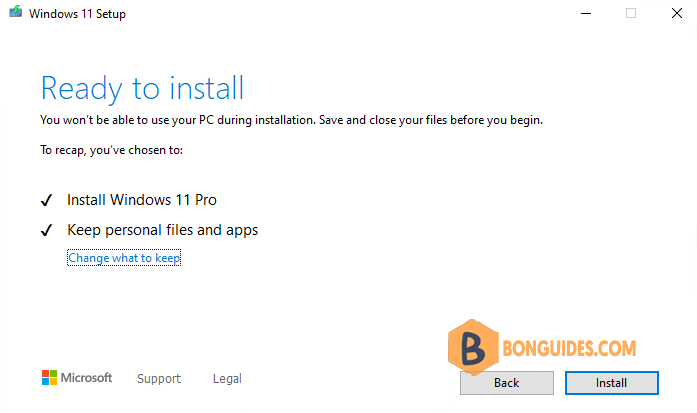
In some cases, when you attempt to upgrade to Windows 11, there’s an error that says your computer’s processor is not supported.
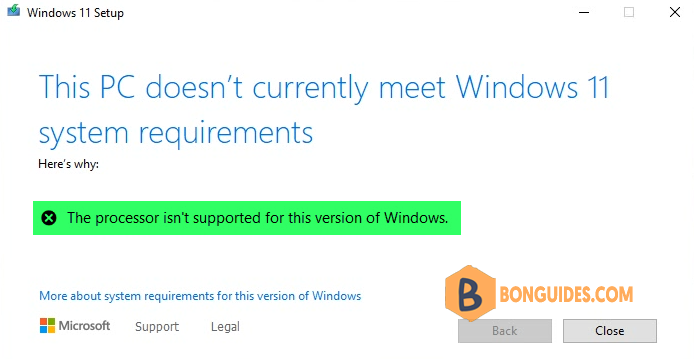
The most common reason for your system not meeting minimum system requirements to run Windows 11 is an incompatible CPU. Check the list of supported Intel processors and list of AMD processors to see if yours is included.
Before you begin, according to Microsoft, anyone who installs Windows 11 on an unsupported PC won’t receive essential Windows 11 updates.
Make Registry Tweak to Upgrade to Windows 11
Next, you’ll need to add a registry entry to install Windows 11 on an incompatible system.
1. Type regedit into the Windows search box then click Registry Editor from the result to open it.
Note
Alternatively: Press to open the Run box. Type regedit into the box then hit .
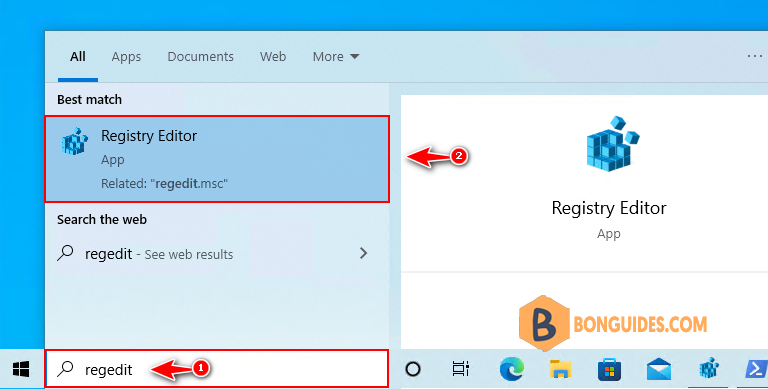
2. Navigate to the following key in the left sidebar or you can paste it directly into the address bar then hit .
Computer\HKEY_LOCAL_MACHINE\SYSTEM\Setup\MoSetup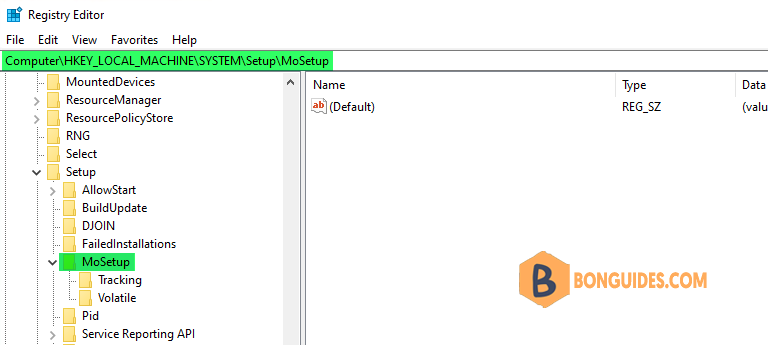
3. Right-click the MoSetup folder and select New > DWORD (32-bit) Value.
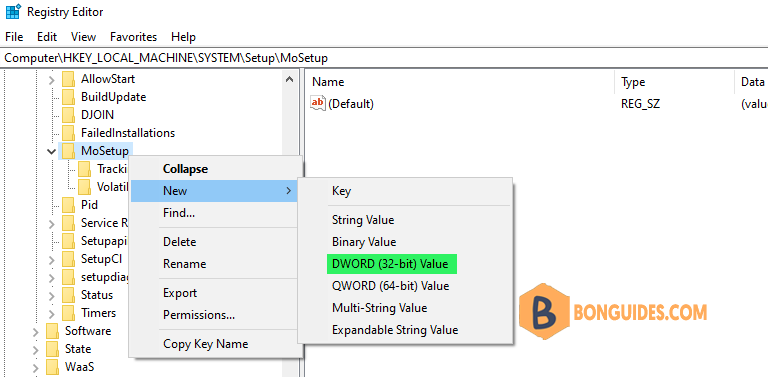
4. Name this value AllowUpgradesWithUnsupportedTPMOrCPU. Double-click on that new value and enter 1 into the Value data field. Select OK when you’re done.
AllowUpgradesWithUnsupportedTPMOrCPU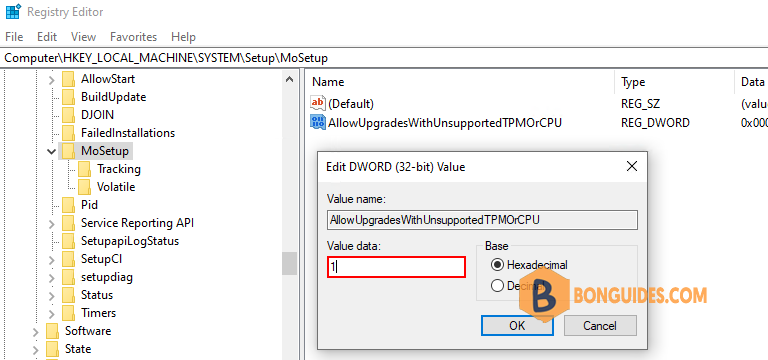
5. Now, you’re ready to upgrade to Windows 11. You may see a warning message that your PC doesn’t meet the minimum requirements. Since you are already aware of this, just select Accept.
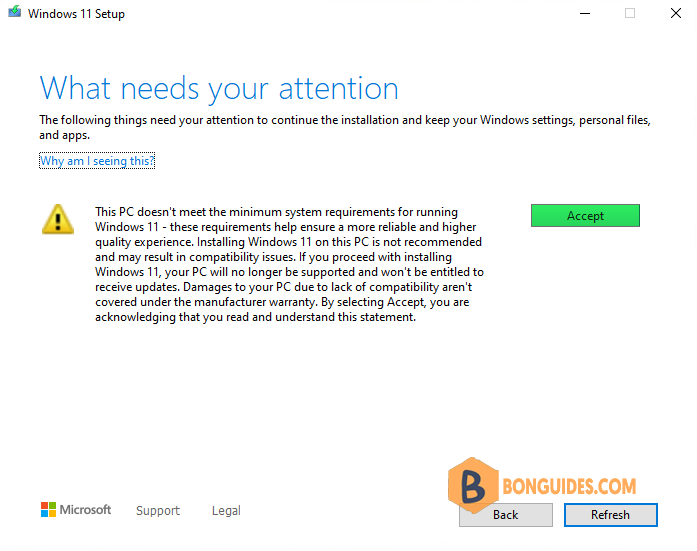
Finally, you’ll see the Ready to Install screen. Just select Install to continue.