Table of Contents
The error “The repository CD-ROM does not have a Release file” in Ubuntu typically occurs when the system is trying to access the installation CD-ROM repository that no longer exists or is not valid. This can happen after installation or if the CD-ROM source is no longer available. Here’s how you can fix this issue:
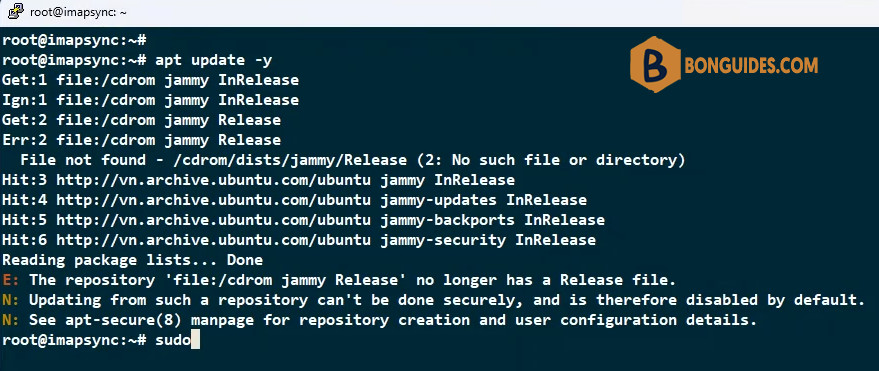
Repository cdrom Does not Have a Release File
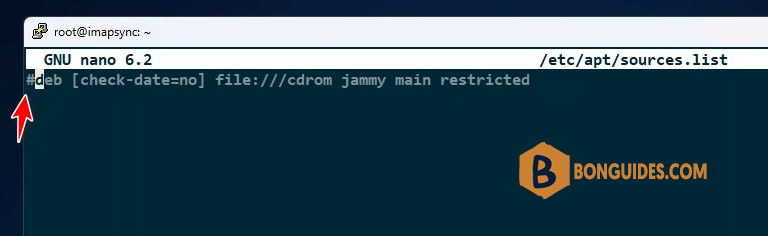
To resolve this problem from terminal you must remove or comment the CD-ROM repository source directly from /etc/apt/sources.list. Use a text editor to modify the sources list. For example, using nano:
sudo nano /etc/apt/sources.listAdd a # at the beginning of this line to comment it out:
Note
In nano editor, press <Ctrl + O to save the file, and Ctrl + X to exit.
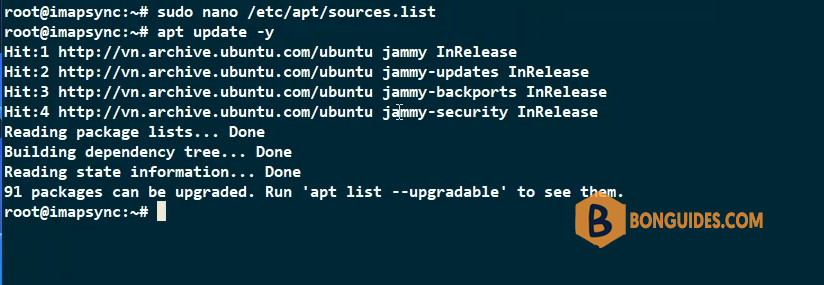
Once done, run the update again, and the error should be gone. This command will now ignore the CD-ROM repository and fetch updates from other sources.