Table of Contents
Microsoft 365 Reports Show Anonymous User Names
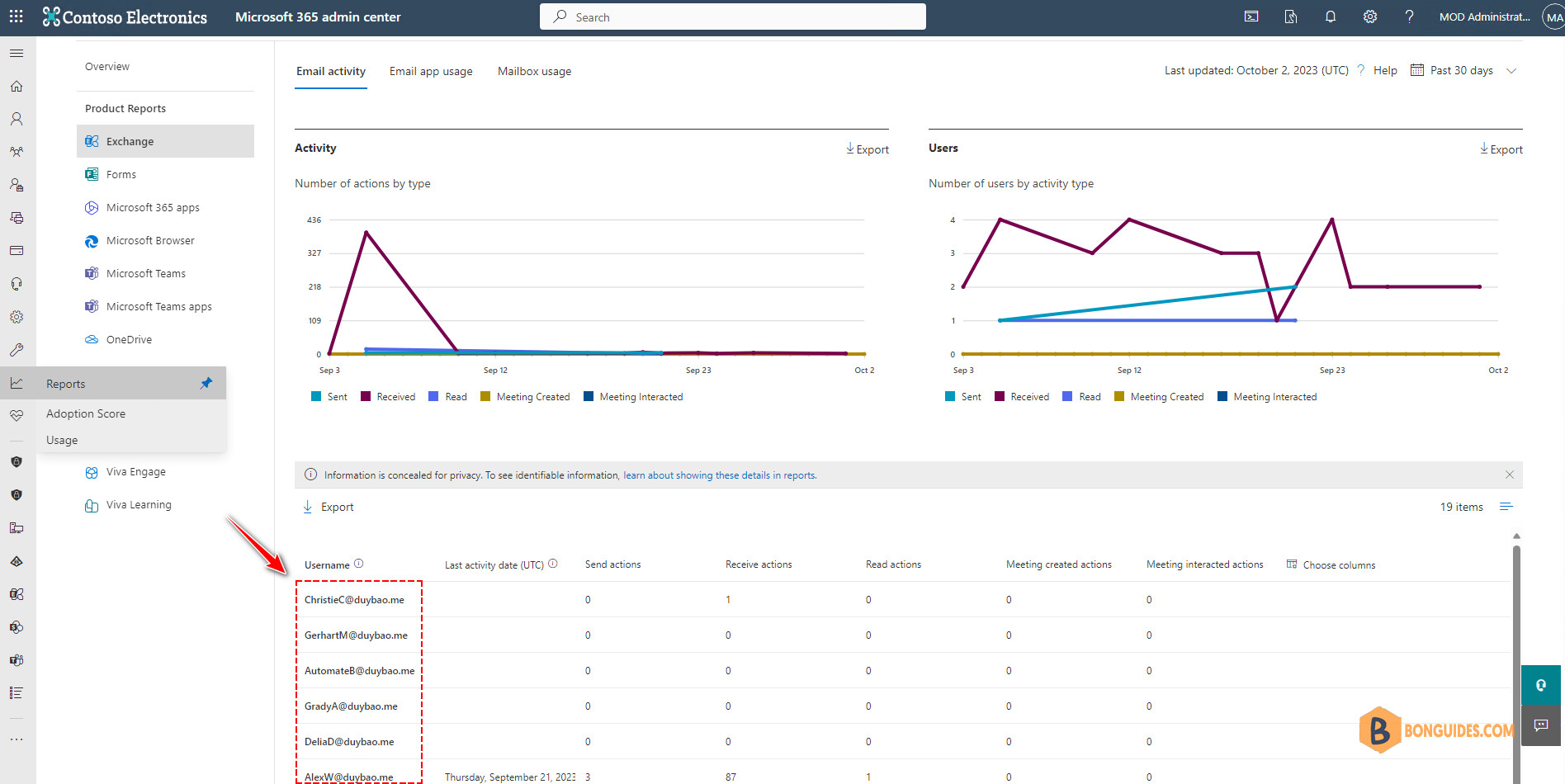
Microsoft 365 reports show anonymous user names instead of the actual user names in the following reports:
- Email Activity
- Mailbox Activity
- OneDrive files
- SharePoint Activity
- SharePoint Site Usage
- Microsoft Teams Activity
- Viva Engage Activity
- Active users in Microsoft 365 Services and Apps
- Groups Activity
To see these reports in the Microsoft 365 admin center, go to Home > Reports > Usage. (Click on the image to view at the full size).
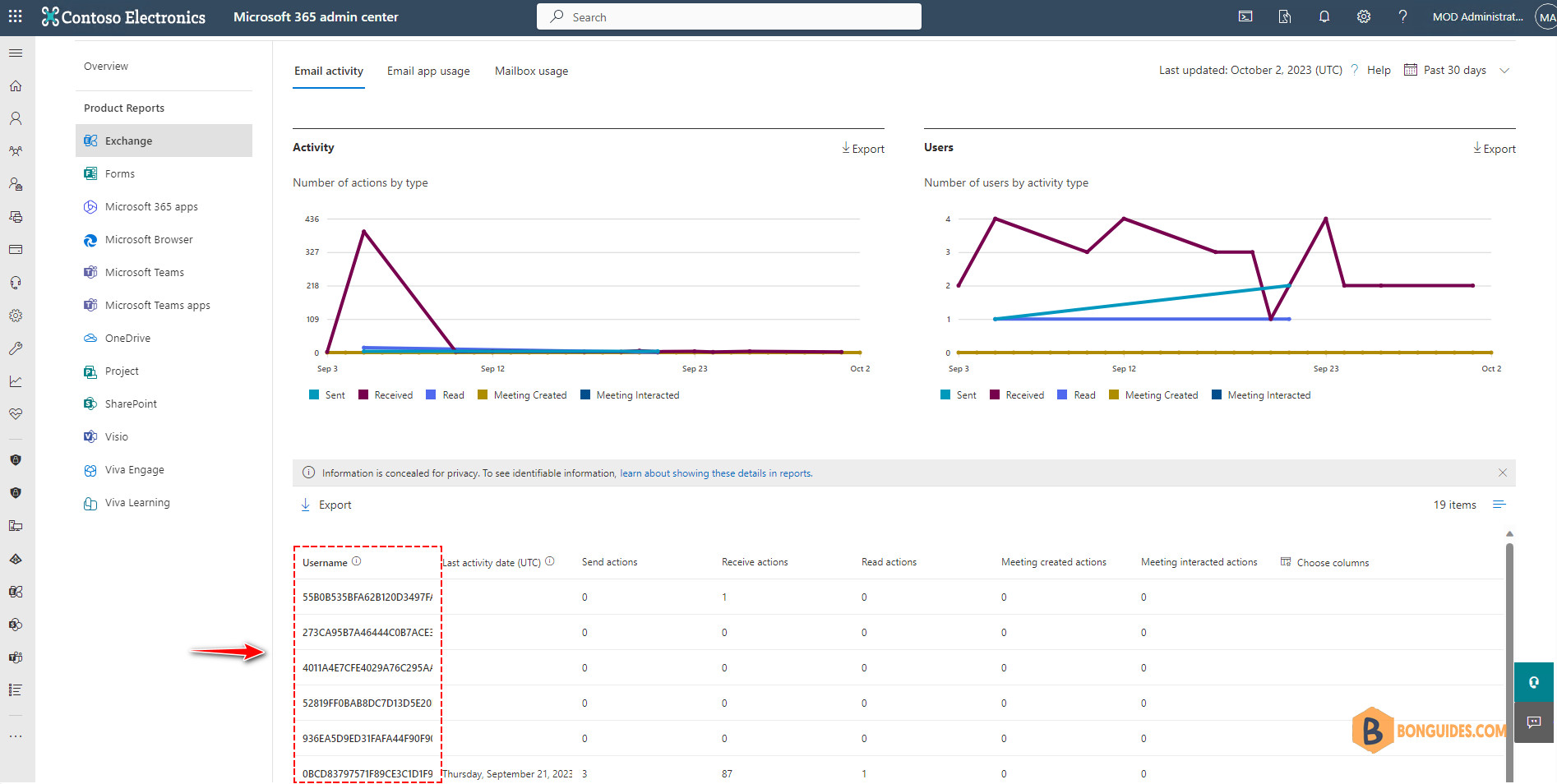
Starting September 1, 2021, Microsoft hiding user information by default for all reports as part of our ongoing commitment to help companies support their local privacy laws.
By default, reports conceal user information such as usernames, groups, and sites. You can decide to display concealed information if you prefer or if your organization’s policies require it.
To fix this issue, change the following setting in the Microsoft 365 admin center.
Note
You must be a Microsoft 365 global administrator.
1️⃣ Go to the Microsoft 365 admin center
2️⃣ Go to Settings > Org Settings > Services.
3️⃣ Select Reports.
4️⃣ Clear Display concealed user, group, and site names in all reports, and then select Save
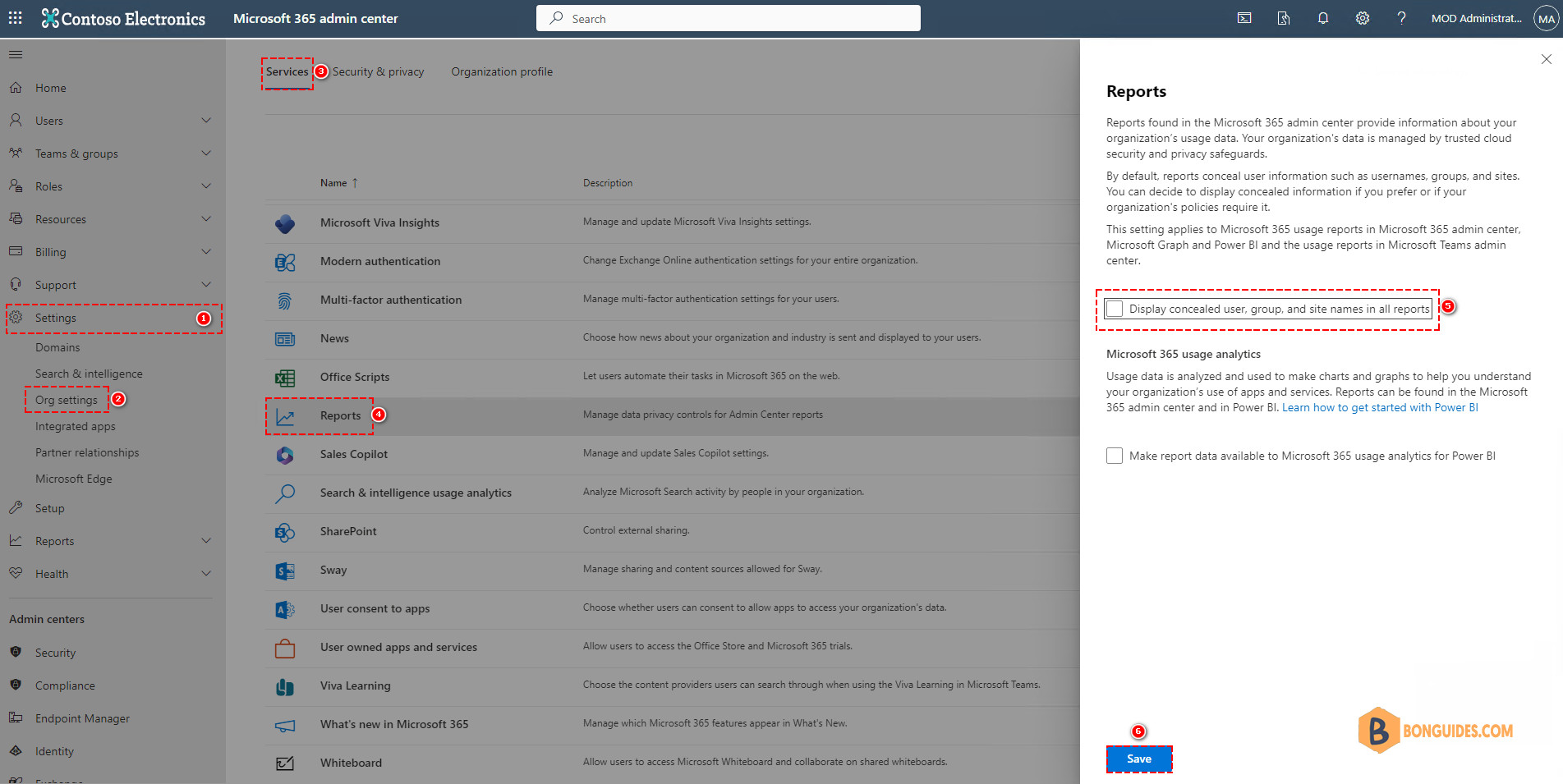
The change will take effect immediatly, you can go back to the Usage report to verify it works.