
Table of Contents
The finest open source alternative to cPanel is CyberPanel. This platform includes all of the tools necessary to host a website. This includes web servers, domain names, CMS support, and FTP/email servers. It is also a free cPanel alternative for Ubuntu, Centos, and other Linux distributions.
How to restart LiteSpeed CyberPanel
We can restart LiteSpeed by following these steps:
1. Enter the CyberPanel control panel.
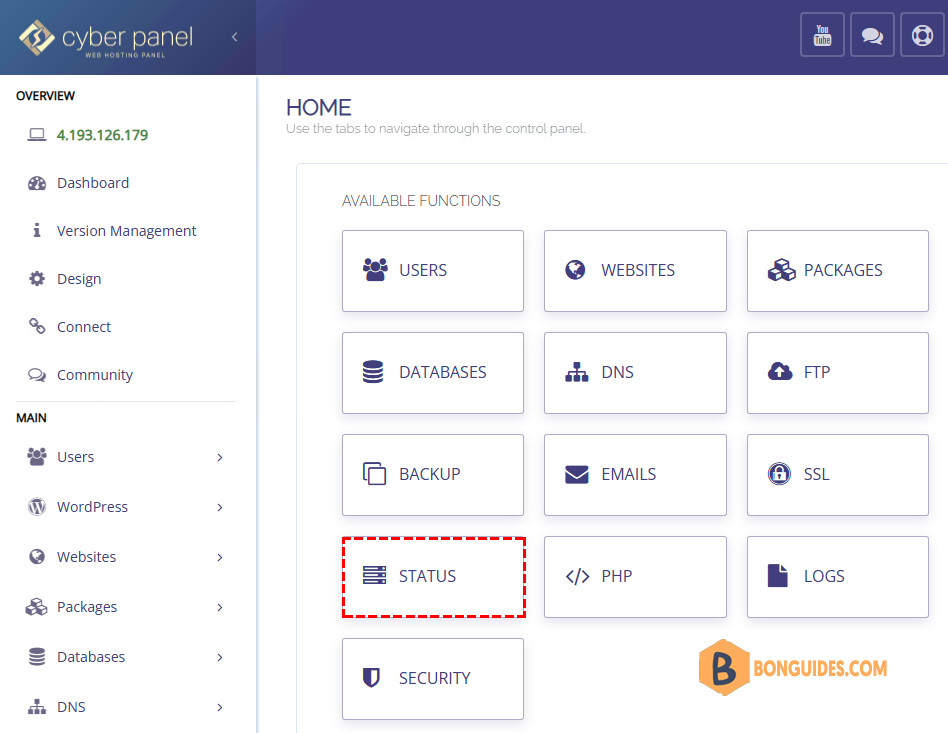
2. From the Dashboard, select the Status icon.
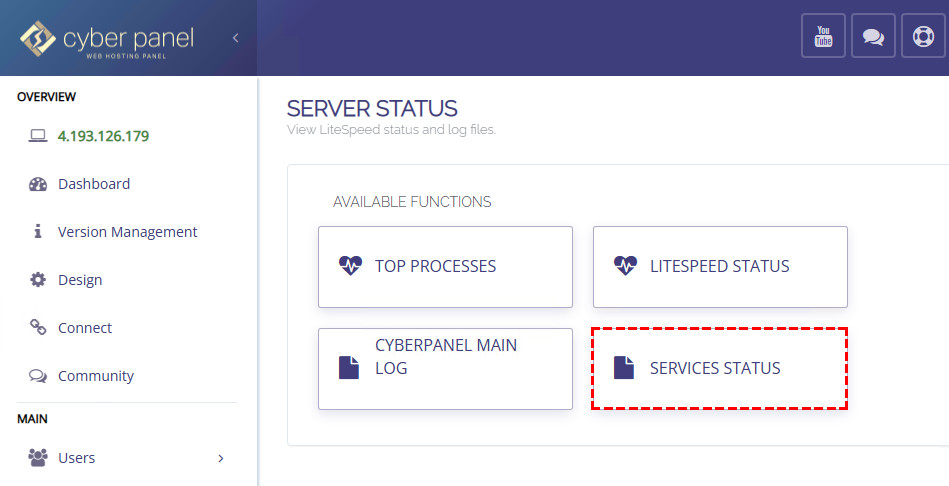
3. Select the Services Status option.
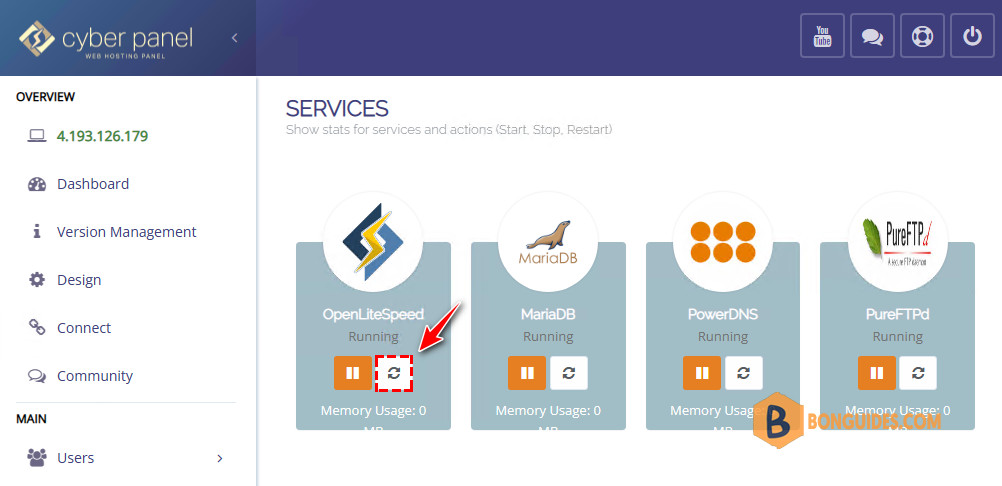
3. To restart a LiteSpeed listener, click the Restart button.
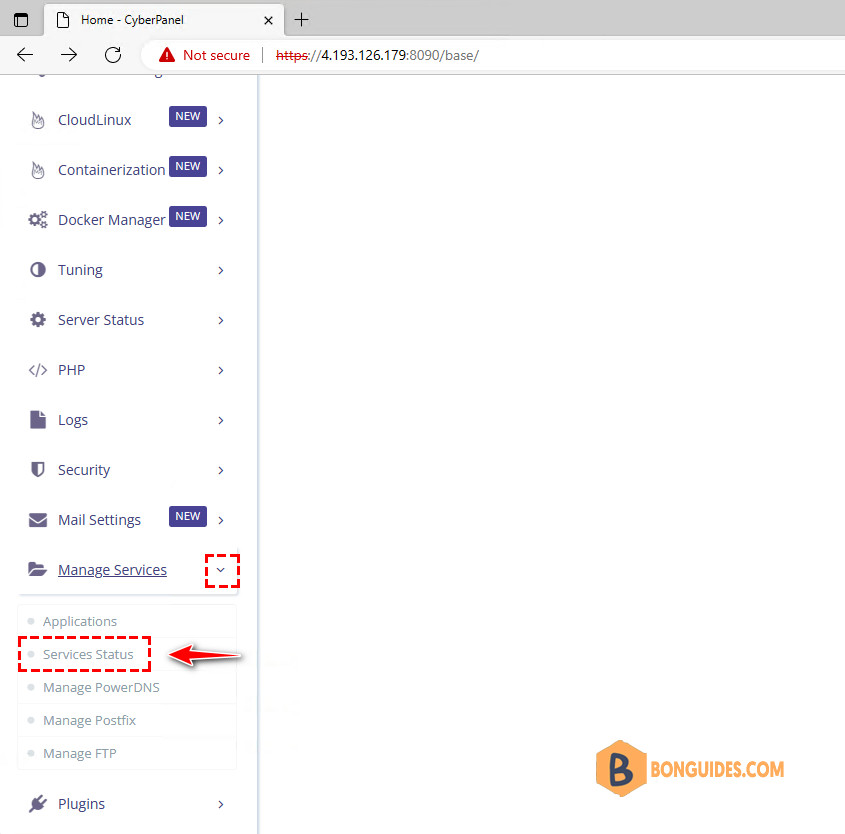
Or you can access the Services Status option f3om the left navigation panel.
Alternatively, we may restart LiteSpeed using SSH by signing in as the root user and issuing the following command:
sudo systemctl restart lsws && sudo systemctl restart lscpdThis will restart the LiteSpeed services.


