Table of Contents
Etcher (also known by its full name, balenaEtcher) is a free, open-source image flasher, a utility for creating bootable SD cards or USB flash drives from .img and .iso files. Simple and user-friendly, Etcher is a good choice even for those who are not particularly tech-savvy.
The issue
After you downloaded Etcher from Etcher’s official website, you make it executable by right click on it then select the checkbox Allow executing file as program.
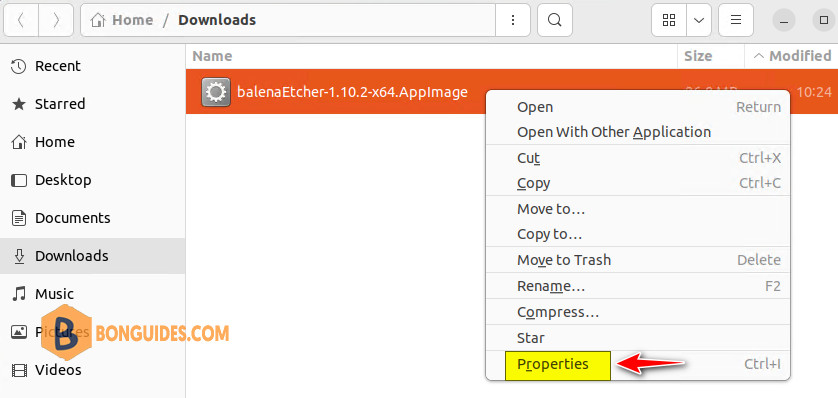
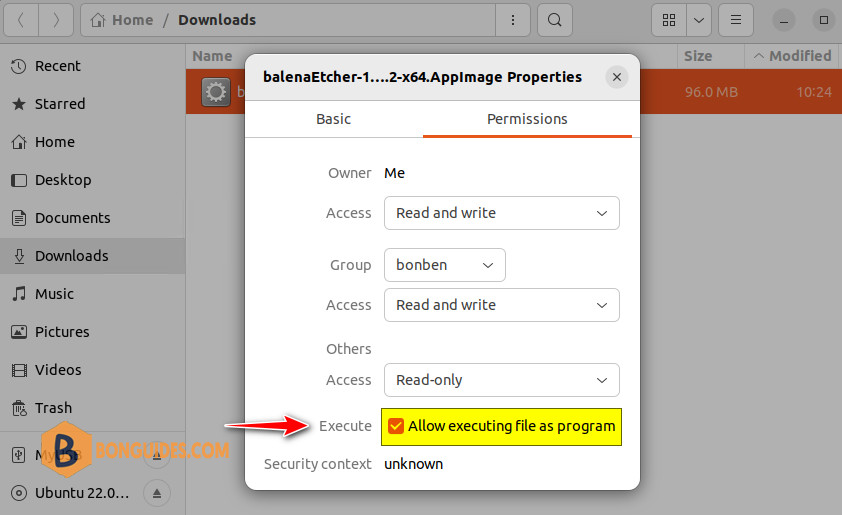
After you give the AppImage permission to run as an application. When you right click on the app then select Run or double-click the app icon, nothing happened, and the Etcher app doesn’t show.
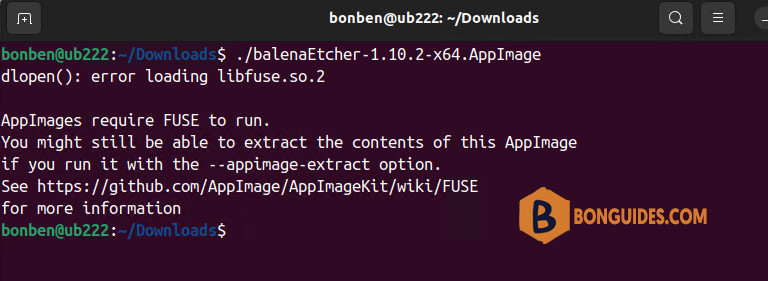
When you run the app from Terminal, you would get the following error:
The solution
To fix it, you need install FUSE in your Linux distribution as follows:
Install required packages for Ubuntu 22.04 and later.
sudo add-apt-repository universe
sudo apt install libfuse2
Install required packages for other distributions:
###For Ubuntu 21.10 and older
sudo apt install fuse libfuse2
sudo modprobe fuse sudo groupadd fuse
user="$(whoami)" sudo usermod -a -G fuse $user

###For openSUSE:
sudo zypper install fuse libfuse2
sudo usermod -a -G trusted whoami

###For CentOS and Fedora
dnf install fuse
Now. open the Etcher app from Terminal:
sudo ./balenaEtcher-*As you can see, you got another issue GPU process isn’t usable.
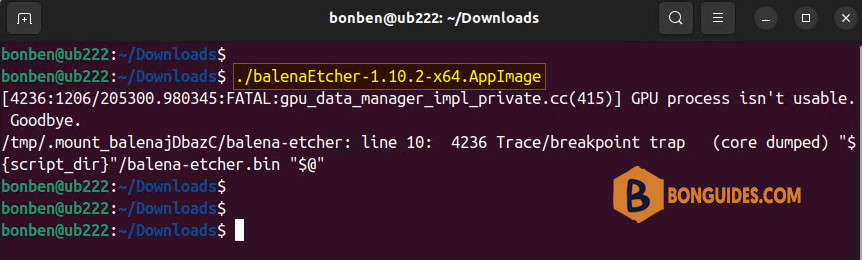
To fix it, you need run Etcher in Terminal with one of the following parameters:
sudo ./balenaEtcher-* --disable-gpu-sandboxIf the above command doesn’t work, let’s trying to execute the below one:
sudo ./balenaEtcher-* --no-sandbox --disable-gpu-sandbox --disable-seccomp-filter-sandbox